29
Image Area
4
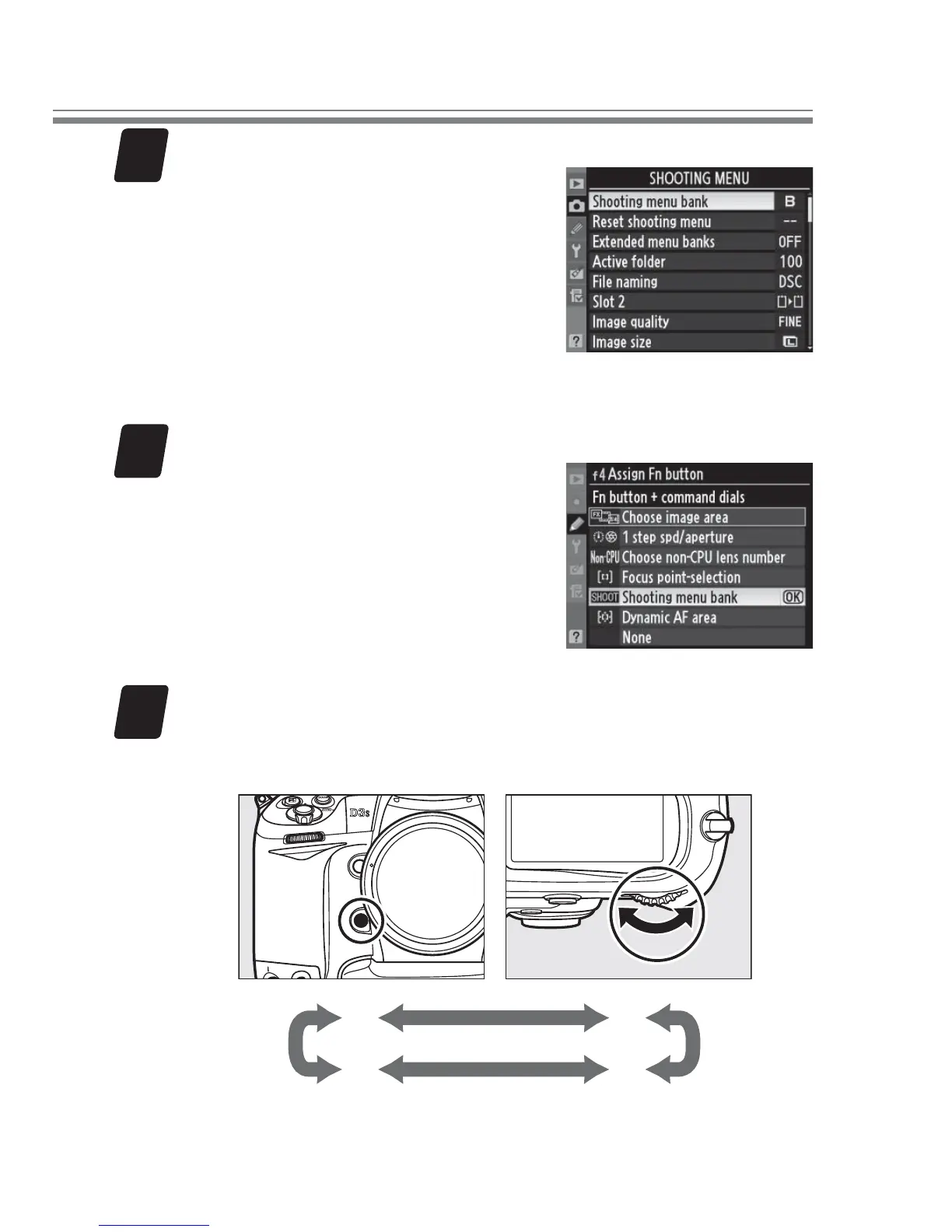
Adjust settings for shooting menu bank B.
For quality similar to that
produced by the settings in
Step 2, choose either (a) JPEG
normal, size M, and 1.2 ×
(30 × 20) 1.2 ×, or (b) JPEG
fi ne, size L, and DX (24 × 16)
1.5 ×.
5
Choose the role of the Fn button.
In the Custom Settings menu,
select Custom Setting f4 (As-
sign Fn button) > Fn button
+ command dials.
Highlight
Shooting menu bank and
press J.
6
Switch between shooting menu banks.
Press the Fn button and rotate a command dial to cy-
cle through shooting menu banks as shown below.
A
D C
B



 To Next Page