36
1
Ready
the
camera.
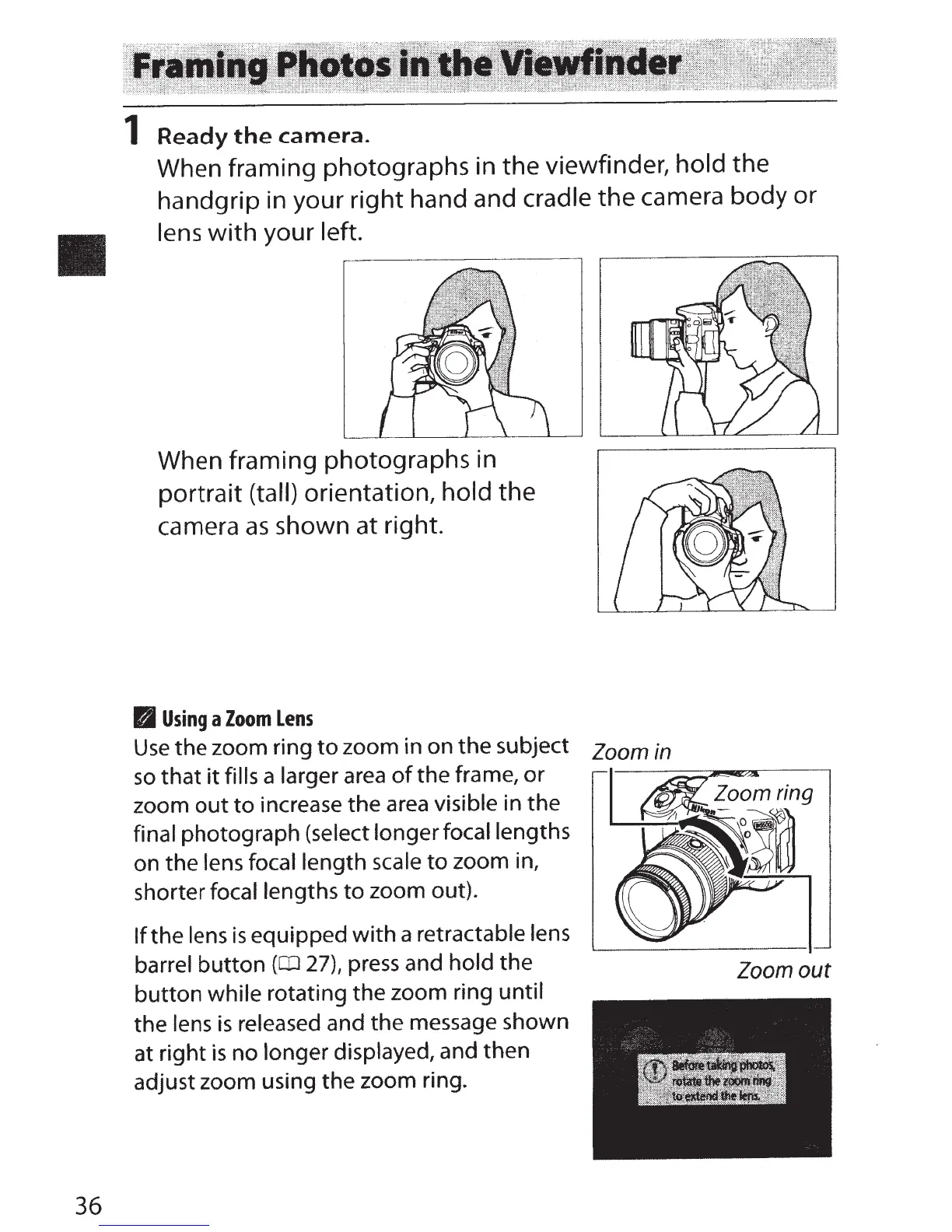
When framing photographs in the viewfinder,
hold
the
handgrip in your right hand and cradle the camera body or
lens
with
your
left.
When framing photographs in
portrait
(tall)
orientation, hold
the
camera
as
shown at right.
FJ
Using
a
Zoom
Lens
Use
the
zoom ring
to
zoom in on
the
subject
zoom
in
so
that
it
fills
a larger
area
of
the frame,
or
zoom
out
to
increase the
area
visible in the
final
photograph (select
longer
focal lengths
on the lens focal length
scale
to
zoom in,
shorter
focal
lengths
to
zoom out).
If
the lens
is
equipped
with
a retractable
lens
barrel
button
(CD
27), press and hold the
zoom
out
button
while rotating the zoom ring until
the
lens
is
released and the message shown
at
right
is
no longer displayed, and then
adjust zoom using the zoom ring.



 To Next Page