16
Introduction—First Steps
Basic Setup
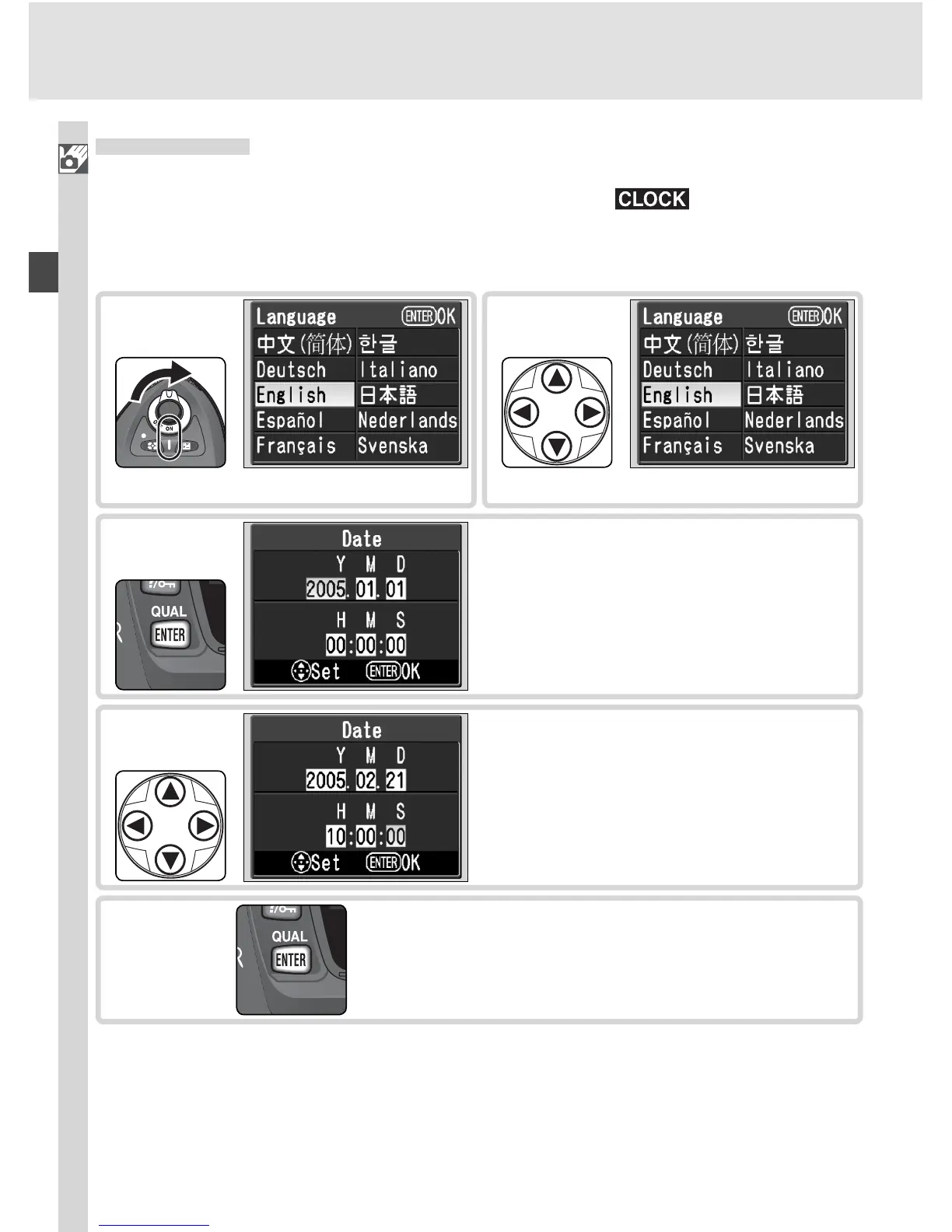
The fi rst time the camera is turned on, the language selection dialog shown
in Step 1 will be displayed in the monitor and the icon will fl ash in
the control panel. Follow the steps below to choose a language and set the
time and date.
Select language.
2
Edit Year, Month, Day, Hour, Minute,
and Second. Press multi selector left
or right to select item, up or down to
change.
4
Language selection dialog displayed.
1
Display DATE menu.
3
Exit DATE menu. Monitor turns off.
5



 To Next Page