39
Taking Photographs—Using Camera Menus
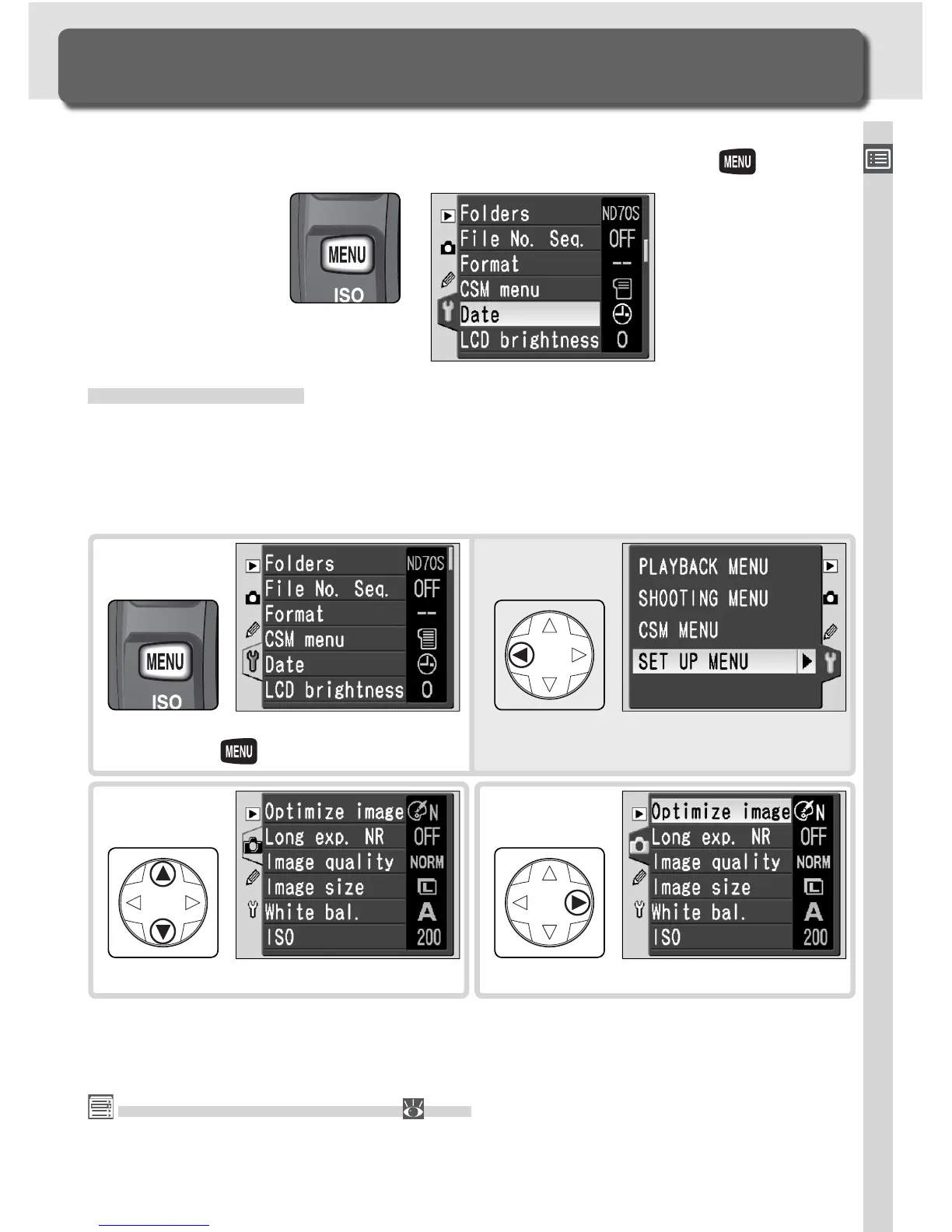
The next four sections involve settings that can be accessed via the camera
menus. To view the menus, turn the camera on and press the button.
Select menu.
2
Using Camera Menus
Basic Menu Operations
Choosing a Menu
The camera has four main menus: the playback menu, the shooting menu,
the Custom Settings menu, and the setup menu. When the menu button
is pressed, the camera displays the last menu used. To select a different
menu:
The Custom Settings Menu ( 161)
The Custom Settings menu normally lists only options R through 9; if desired, all
options can be displayed.
If menu item is highlighted, press
button.
1
(To view menu names, press multi se-
lector left when icon is highlighted.)
Position cursor in selected menu.
3



 To Next Page