37
Taking Photographs
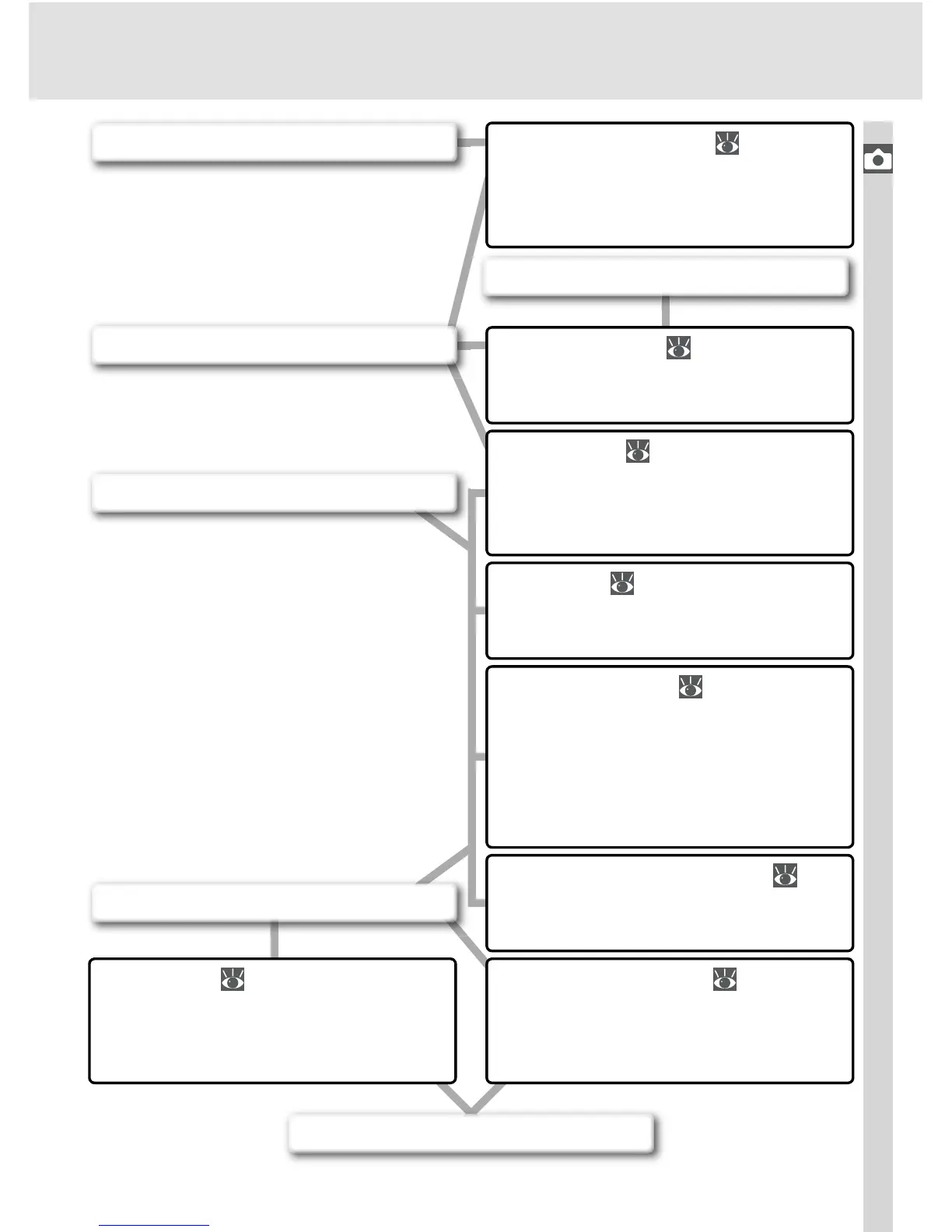
Flash Photography ( 94–104)
Use the built-in Speedlight for ad-
ditional lighting when shooting
poorly-lit or backlit subjects.
Sensitivity ( 46–47)
Raise sensitivity to reduce the
amount of light needed to make
an exposure.
Optimizing Images ( 56–61)
Adjust sharpness, contrast, color
space, saturation, and hue to suit
your creative intent.
White Balance ( 48–55)
Match white balance to lighting for
natural coloration.
Bracketing ( 87–93)
Create multiple photographs
“bracketing” a selected exposure
value, fl ash level, or white balance.
Metering ( 75)
Choose how the camera sets ex-
posure.
Exposure Mode ( 76–83)
Set shutter speed (how long the
CCD is exposed to light) and ap-
erture (the size of the opening
through which light enters the
camera) for a variety of effects.
Exposure Compensation ( 86)
Adjust exposure from the value
suggested by the camera.
Photos blurred?
Subject too bright?
Subject too dark, or backlit?
Photos dull and lifeless?
Colors not natural?
Photos have a red or blue cast?



 To Next Page