42
Taking Photographs—Image Quality and Size
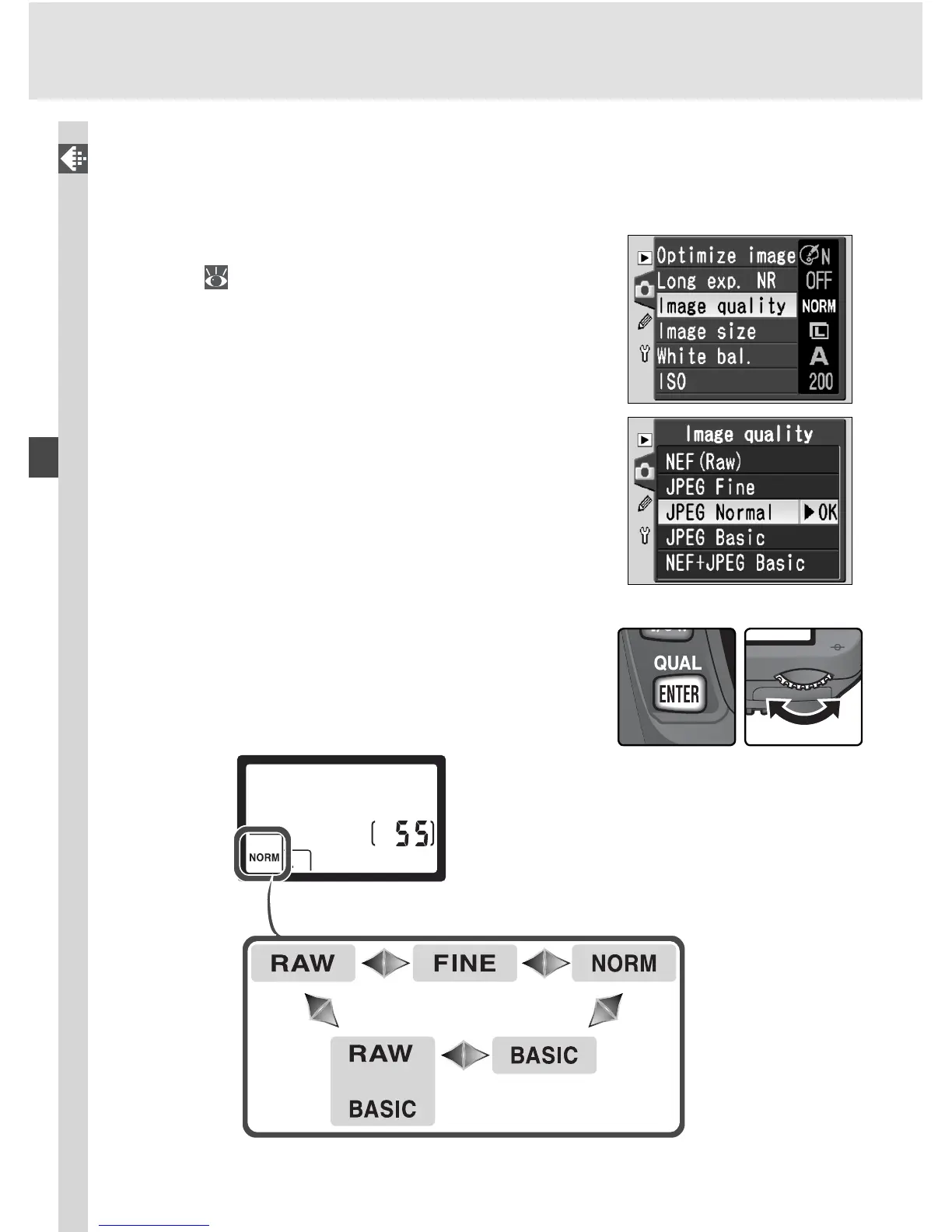
Image quality can be set using the Image quality option in the shooting
menu or by pressing the QUAL button and rotating the main command dial.
The Image Quality Menu
1
Highlight Im age quality in the shooting
menu (
132) and press the multi selector to
the right.
2
High light the de sired op tion and press the
multi se lec tor to the right. The shooting menu
will be displayed.
The QUAL Button
When the monitor is off, image quality can be
set by pressing the QUAL button and rotating the
main command dial. Image quality is displayed in
the control panel:



 To Next Page