55
Taking Photographs—White Balance
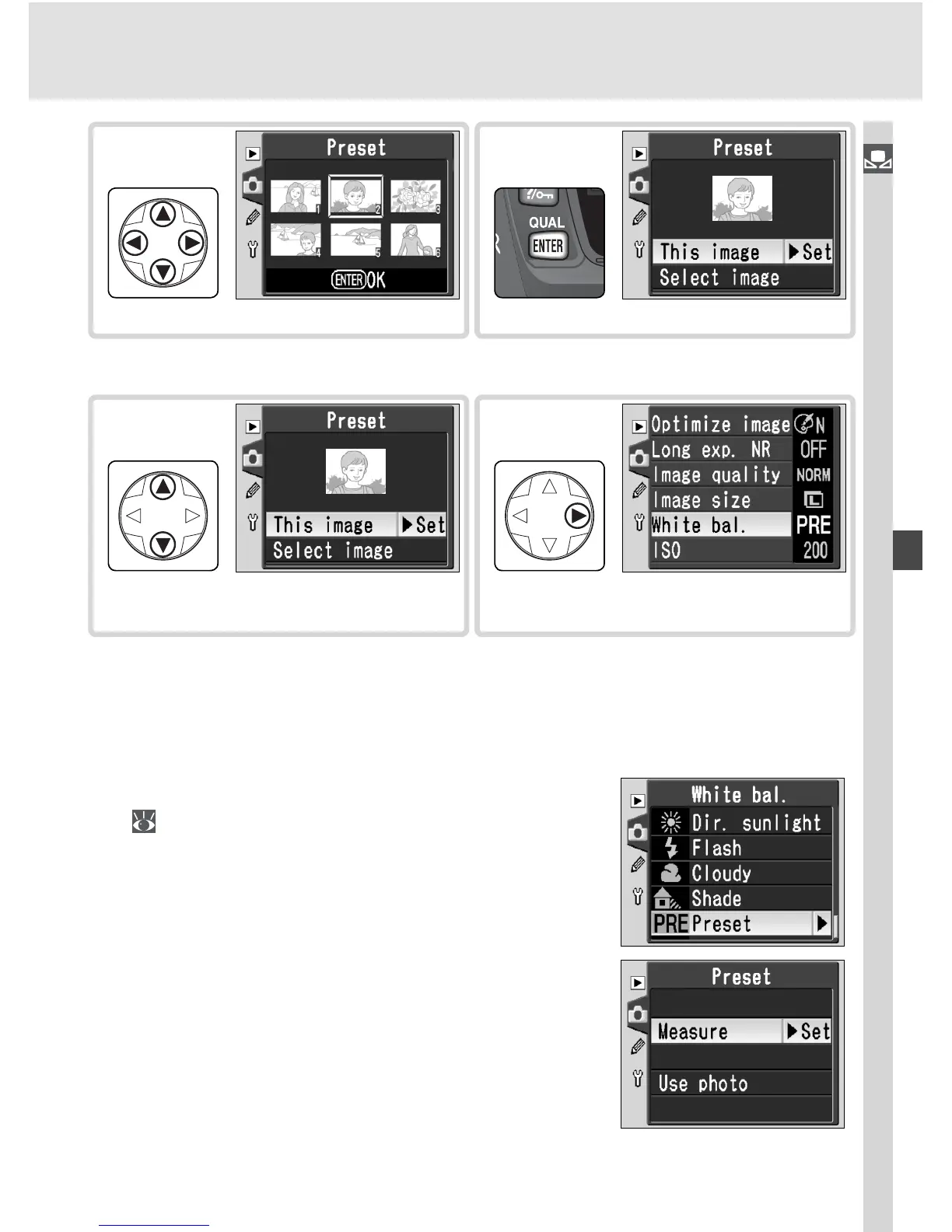
† Images displayed may include those created by other cameras, but only photographs
created with D70S can be used as source for preset white balance.
Select photograph.
10
Highlight photograph.
†
9
Highlight This image.
11
Set preset white balance to value for
selected photograph.
‡
12
‡To select different photo, repeat steps 5–12.
Using the Current Value for Preset White Balance
To set white balance to the value currently selected for preset white bal-
ance:
1
Highlight Preset in the white balance menu
( 49) and press the multi selector to the
right.
2
High light Measure and press the multi se-
lec tor to the right to set white balance to the
current value for preset white balance and
return to the shooting menu.



 To Next Page