Chapter 1 n Quick Setup Guide 5
n Setup menu format. Press the MENU button, use the up/down buttons
of the multi selector (that thumbpad-sized control to the right of the LCD
monitor) to choose the Setup menu (which is represented by a wrench
icon), navigate to the Format Memory Card entry, choose which memory
card to format, and select Yes from the screen that appears. Press OK to
begin the format process.
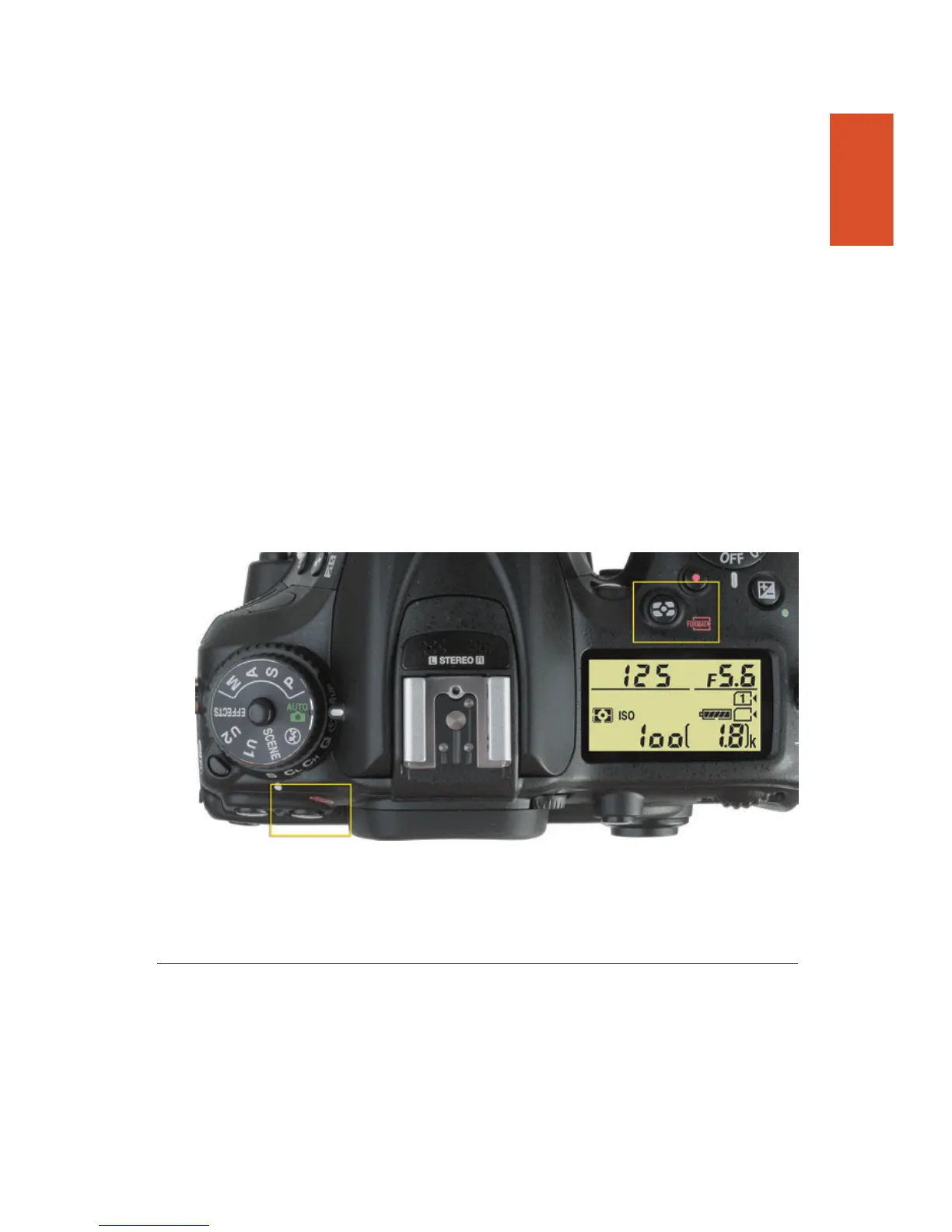
n Two-button format. Hold down the metering mode button (on top of the
camera, just southwest of the shutter release button) and the trash can
button (on the upper-left corner of the back) simultaneously for about two
seconds. A “Format” label, color-coded in red, appears next to each but-
ton. (See Figure 1.6.) The characters For and the exposures remaining
displays will blink in the viewfinder and top-panel LCD. If you have
memory cards inserted in both memory card slots, Slot 1 will be selected.
If you’d rather format the other card, rotate the main command dial to
select that slot. Then press the pair of buttons again, and the D7200 will
format your card. To cancel the format, press any other button.
Figure 1.6 Hold down these two buttons to format a memory card.
Selecting an Exposure Mode
The Nikon D7200 has three types of shooting modes, advanced modes/expo-
sure modes; auto modes, which includes Auto and Auto (flash off); and a third
set, which Nikon labels scene modes. Also available on the mode dial are
Effects modes, which process your image in interesting ways (and are discussed
in this section). The advanced modes include Programmed-auto (or Program
mode), Shutter-priority auto, Aperture-priority auto, and Manual exposure
mode. These are the modes you’ll use most often after you’ve learned all your



 To Next Page