208
t
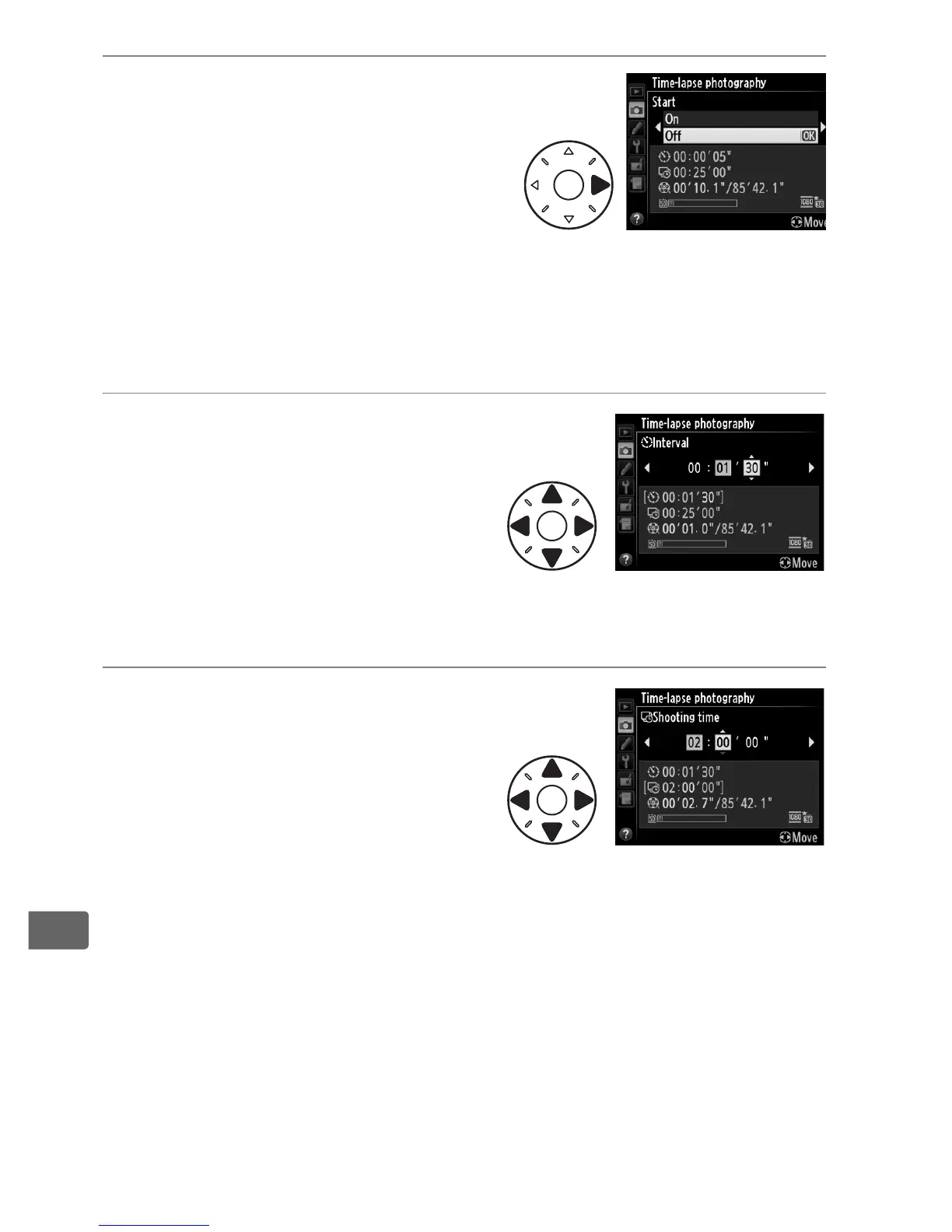
2 Press 2.
Press 2 to proceed to Step
3 and choose an interval
and shooting time. To
record a time-lapse movie
using the default interval of
5 seconds and shooting
time of 25 minutes, proceed
to step 5.
3 Choose the interval.
Press 4 or 2 to highlight
minutes or seconds; press 1 or
3 to change.
Choose an
interval longer than the
slowest anticipated shutter
speed.
Press 2 to continue.
4 Select the shooting time.
Press 4 or 2 to highlight hours
or minutes; press 1 or 3 to
change.
The maximum
shooting time is 7 hours and 59
minutes.
Press 2 to continue.



 To Next Page