292
U
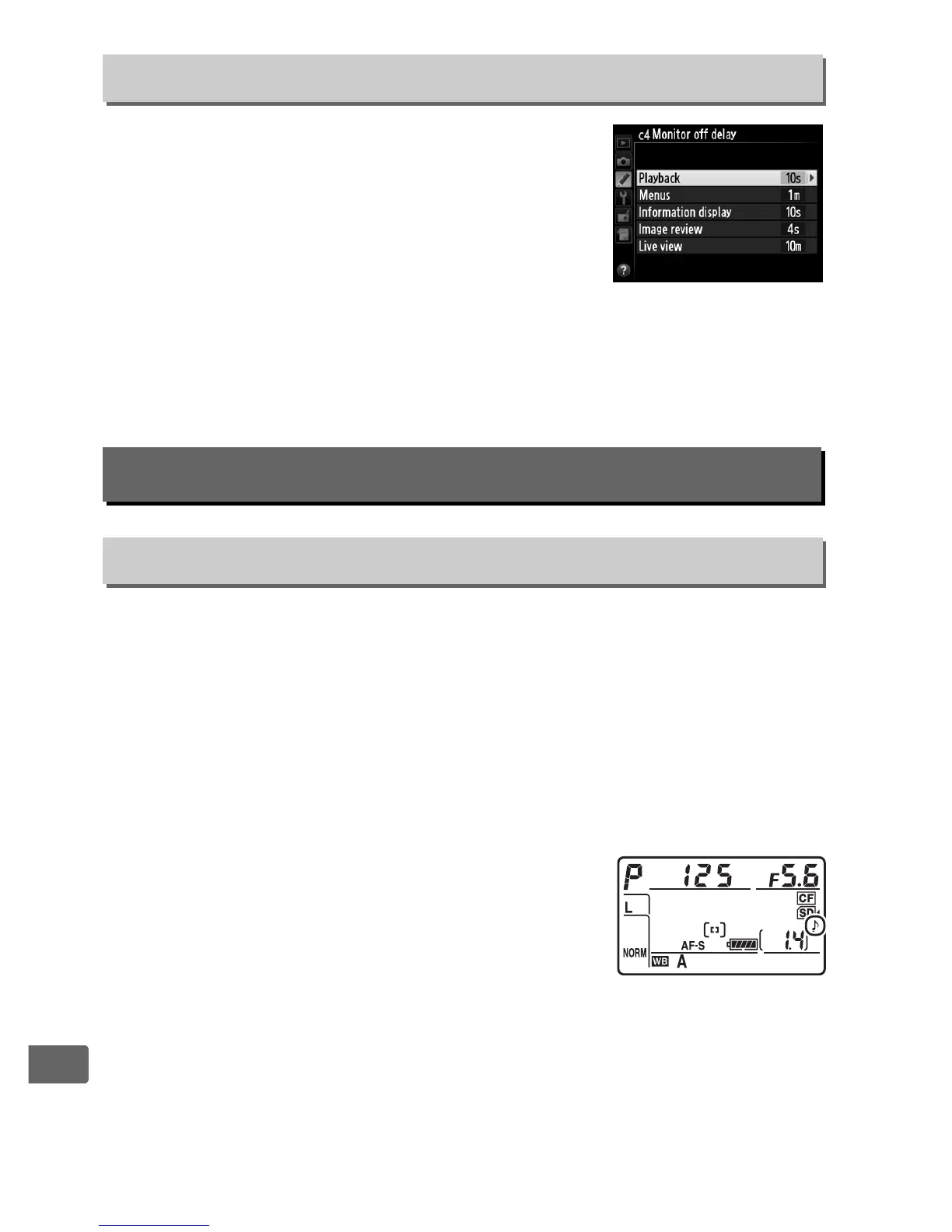
Choose how long the monitor remains on
when no operations are performed during
playback (Playback; defaults to 10 s) and
image review (Image review; defaults to 4 s),
when menus (Menus; defaults to 1 minute)
or information (Information display;
defaults to 10 s) are displayed, or during live view and movie
recording (Live view; defaults to 10 minutes).
Choose a shorter
monitor-off delay for longer battery life.
Choose the pitch and volume of the beep that sounds when the
camera focuses using single-servo AF (0 91), when focus locks
during live view photography, while the release timer is counting
down in self-timer mode (0 106), when time-lapse photography
ends (0 207), or if you attempt to take a photograph when the
memory card is locked (0 34). Note that a beep will not sound in
movie live view (0 59) or quiet-shutter release mode (mode J;
0 103), regardless of the option selected.
• Volume: Choose 3 (high), 2 (medium), 1 (low)
or Off (mute).
When an option other than
Off is selected, c appears in the control
panel and information display.
• Pitch: Choose High or Low.
c4: Monitor off Delay
G button ➜ A Custom Settings menu
d: Shooting/Display
d1: Beep
G button ➜ A Custom Settings menu



 To Next Page