36
s
A Adjusting Viewfinder Focus
If you are unable to focus the viewfinder as described above, select
single-servo autofocus (AF-S; 0 91), single-point AF (0 93), and the
center focus point (0 96), and then frame a high-contrast subject in the
center focus point and press the shutter-release button halfway to focus
the camera.
With the camera in focus, use the diopter adjustment
control to bring the subject into clear focus in the viewfinder.
If
necessary, viewfinder focus can be further adjusted using optional
corrective lenses (0 388).
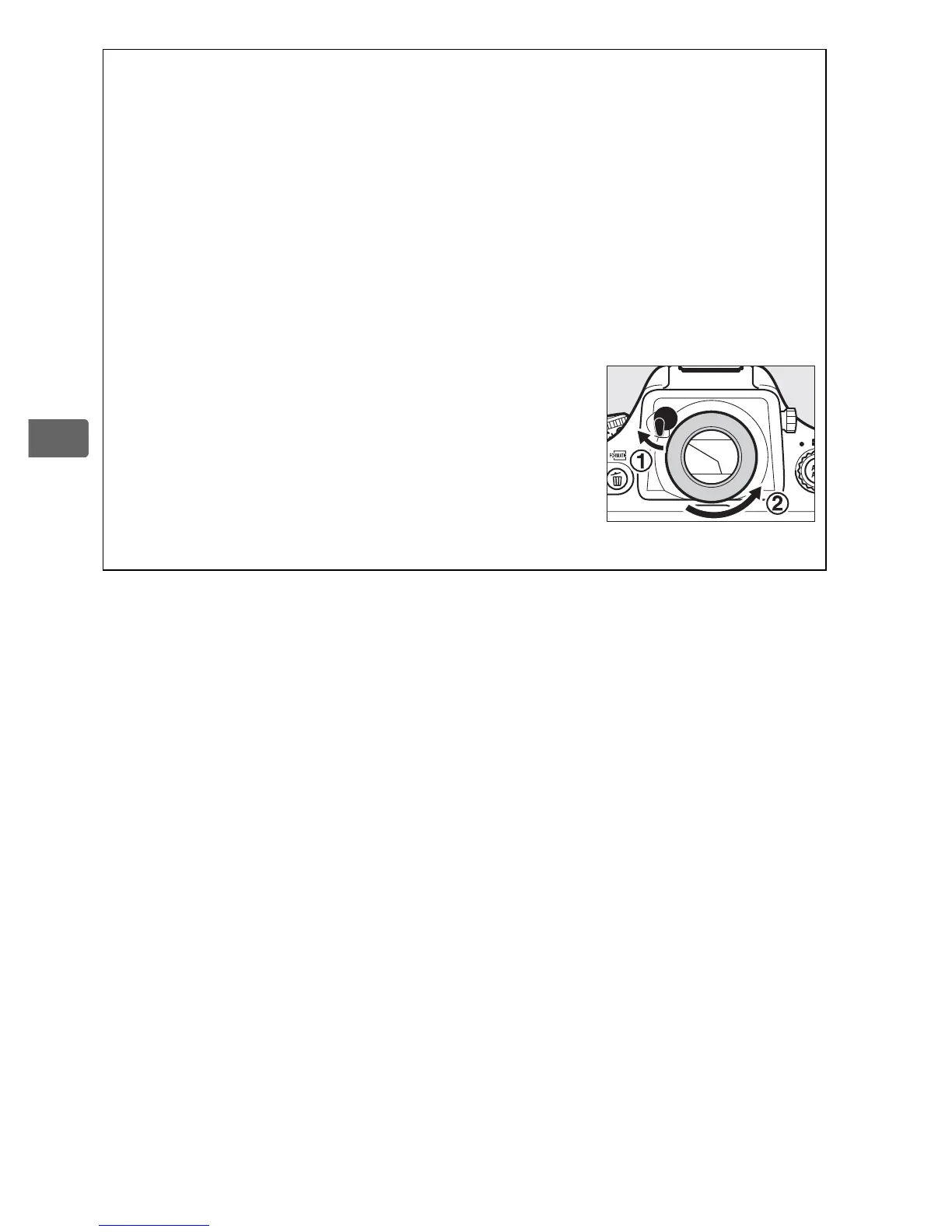
A Diopter-Adjustment Viewfinder Lenses
Corrective lenses (available separately; 0 388)
can be used to further adjust viewfinder
diopter. Before attaching a diopter-adjustment
viewfinder lens, remove the DK-17 viewfinder
eyepiece by closing the viewfinder shutter to
release the eyepiece lock (q) and then
unscrewing the eyepiece as shown at right (w).



 To Next Page