60
y
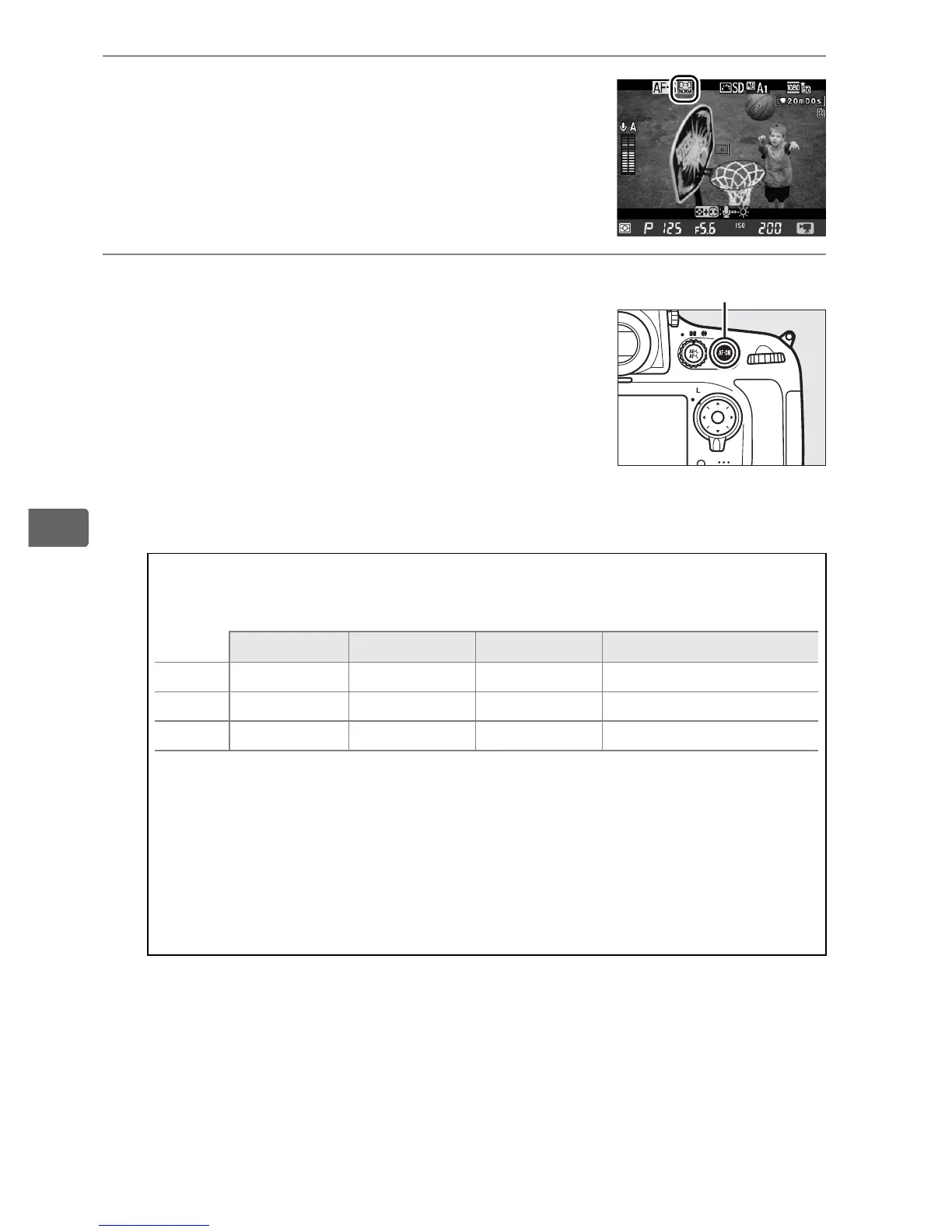
4 Choose an AF-area mode.
Choose an AF-Area mode as described in
“Choosing an AF-Area Mode“ (0 49).
5 Focus.
Frame the opening shot and focus as
described in Steps 3 and 4 on pages 45–
46 (for more information on focusing in
movie live view, see page 47).
Note that
the number of subjects that can be
detected in face-priority AF drops in
movie live view.
A Exposure Mode
The following settings can be adjusted in movie live view:
Aperture Shutter speed ISO sensitivity Exposure compensation
e, f —— — ✔
g ✔ —— ✔
h ✔✔ ✔ —
In exposure mode
h
, ISO sensitivity can be set to values between
100 and Hi 2.0 and shutter speed to values between
1
/
25
s and
1
/
8,000
s (the slowest available shutter speed varies with the frame
rate;
0
70). In other exposure modes, shutter speed and ISO
sensitivity are adjusted automatically. If the subject is over- or
under-exposed in mode
e
or
f
, end live view and start movie live
view again or select exposure
g
and adjust aperture.
B button



 To Next Page