75
y
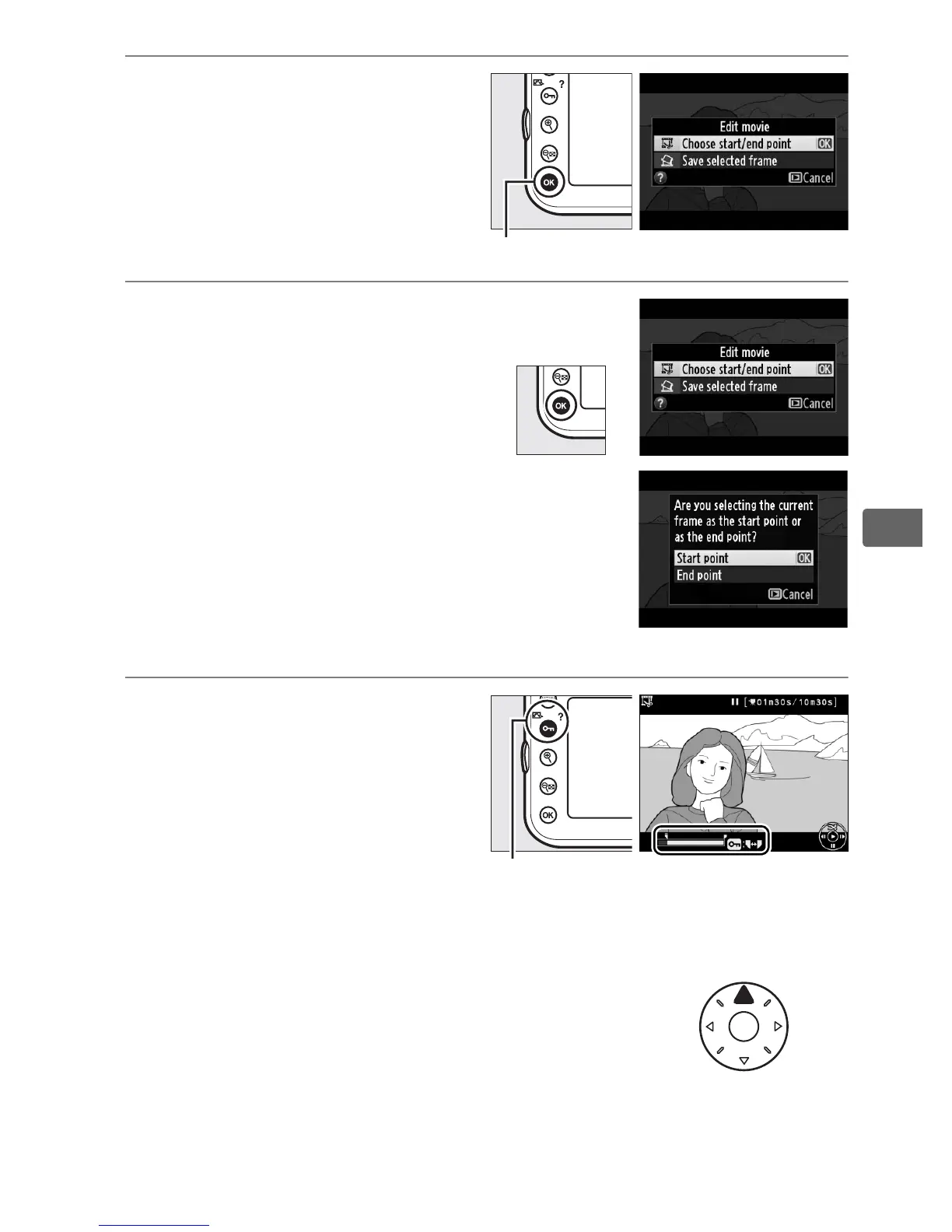
3 Display movie edit
options.
Press J to display movie
edit options.
4 Select Choose start/end
point.
Highlight Choose start/
end point and press J.
The dialog shown at right
will be displayed; choose
whether the current frame
will be the starting or end
point of the copy and press
J.
5 Delete frames.
If the desired frame is not
currently displayed, press 4
or 2 to advance or rewind
(to skip to an index, rotate
the main command dial).
To switch the current selection from start point (w) to end
point (x) or vice versa, press L (Z /Q).
Once you have selected the
start point and/or end
point, press 1.
All frames
before the selected start
point and after the selected end point will be removed from
the copy.
J button
L (Z/Q) button



 To Next Page