1
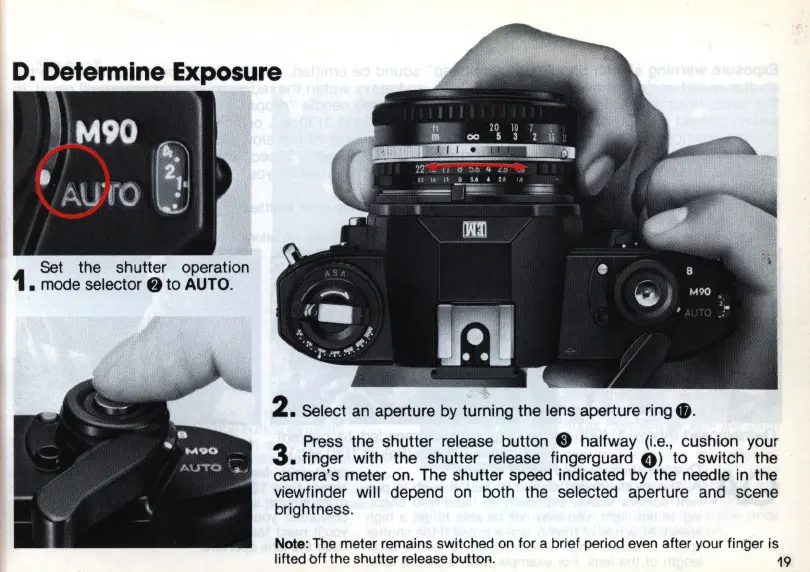
Set
the shutter operation
• mode
selector.
to
AUTO
.
2. Select
an
aperture by turning the lens aperture ring e.
3
Press the shutter release button 8 halfway
(Le
.,
cushion your
• finger with the shutter release fingerguard
0)
to switch the
camera's meter on. The shutter speed indicated by the needle
in
the
viewfinder will depend
on
both the selected aperture and scene
brightness.
Note: The meter remains switched on for a brief period
even
after your fint:ler is
lifted off the shutter release button.
19














 To Next Page