E.
Shoot
2
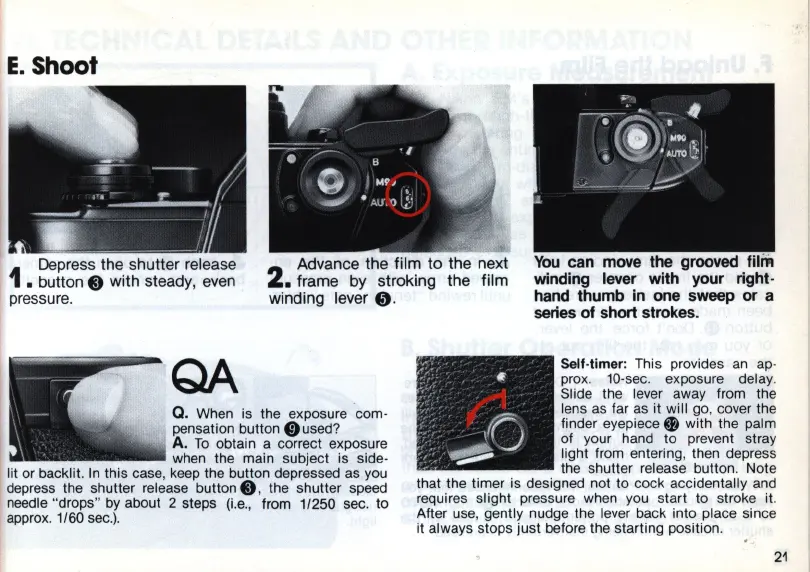
Advance the film to the next
• frame
by
stroking the film
winding lever
•.
You
can move the grooved
winding lever with your right-
hand thumb in one sweep
or
a
series of short strokes.
Q.
When is the exposure com·
pensation button
0used
?
A.
To
obtain a correct exposure
when the main subject is side·
lit or backlit.
In
this case, keep the button depressed as you
depress the shutter release
button."
the shutter speed
needle "drops"
by
about 2 steps
(i.e
., from 1/250 sec.
to
approx. 1/60
sec.).
Self-timer: This provides
an ap
-
prox.
10
-sec. exposure delay.
Slide the lever away from the
lens as far as it will go, cover the
finder eyepiece
0 with the palm
of your hand to prevent stray
light from entering, then depress
the shutter release button. Note
that the timer is designed not to cock accidentally and
requires slight pressure when you start to stroke it.
After use, gently nudge the lever back into place since
it always stops
just
before the starting position.
21














 To Next Page