E.
Depth
of
Field
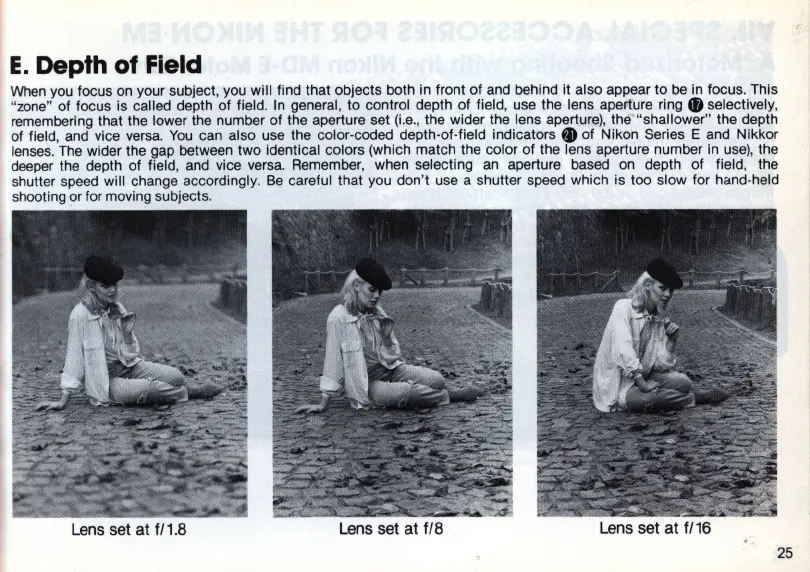
When
you focus on your subject, you will find that objects both in front of and behind
it
also appear to
be
in
focus. This
"
zone
" of focus is called depth of field.
In
general, to control depth of field, use the lens aperture
ring.
selectively,
remembering that the lower the number of the aperture set
(i.e
.,
the wider the lens aperture), the" 'shallower" the depth
of field, and vice
versa.
You
can also use the color-coded depth-of-field
indicators.
of Nikon Series E and Nikkor
lenses. The wider the gap between two identical colors (which match the color of the lens aperture number
in
use)
, the
deeper the depth of field, and vice versa. Remember, when selecting
an
aperture based on depth of field, the
shutter speed will change accordingly.
Be
careful that you don't use a shutter speed which is too slow for hand-held
shooti
ng
or for moving subjects.
Lens set at
f/1
.B Lens set at fiB
Lens set
at
f/16
25














 To Next Page