122
Setup Menu [Recording Shooting Data]—continued
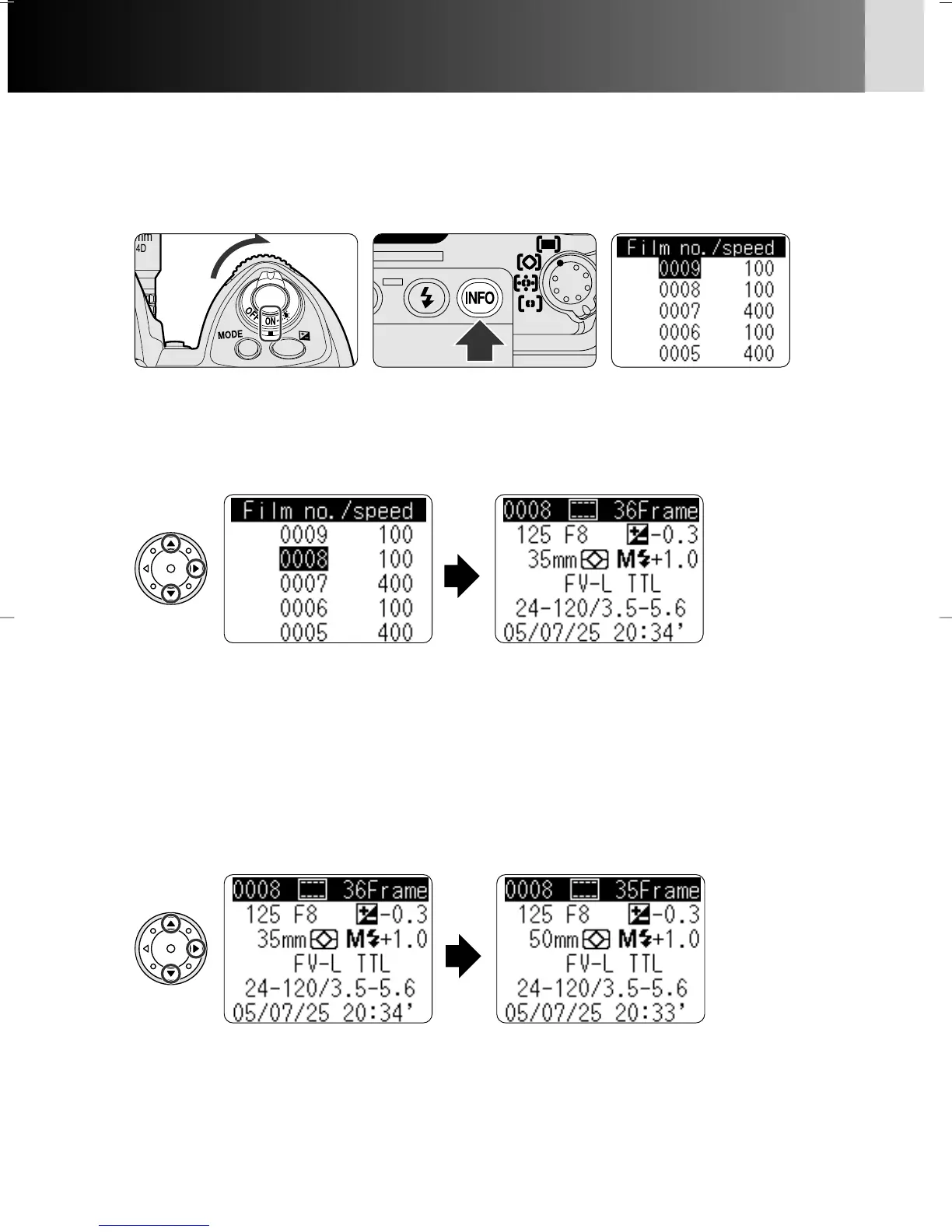
Displaying shooting data
1
Turn the power switch on and press the INFO button to display film
data.
3
Press the multi-selector to select frame data to be displayed.
2
Press the multi-selector to select film for which you want to display the
frame data.
• Press P/{ to select frame data to be displayed.
• Press </> to return to the film data display.
• Press < to backtrack display by display, or press INFO button to return to the
Shooting data display.
• Film data is displayed beginning with the most recent information.
• Press P/{ to select film and > to display the frame data of the film.
• Frame data is displayed beginning with the most recent information. Press <
to return to film data and > again to display most recently displayed frame
data.
• Number of data displayed differs with the data recording mode.
P930_En 04.10.19 7:19 PM Page 122



 To Next Page