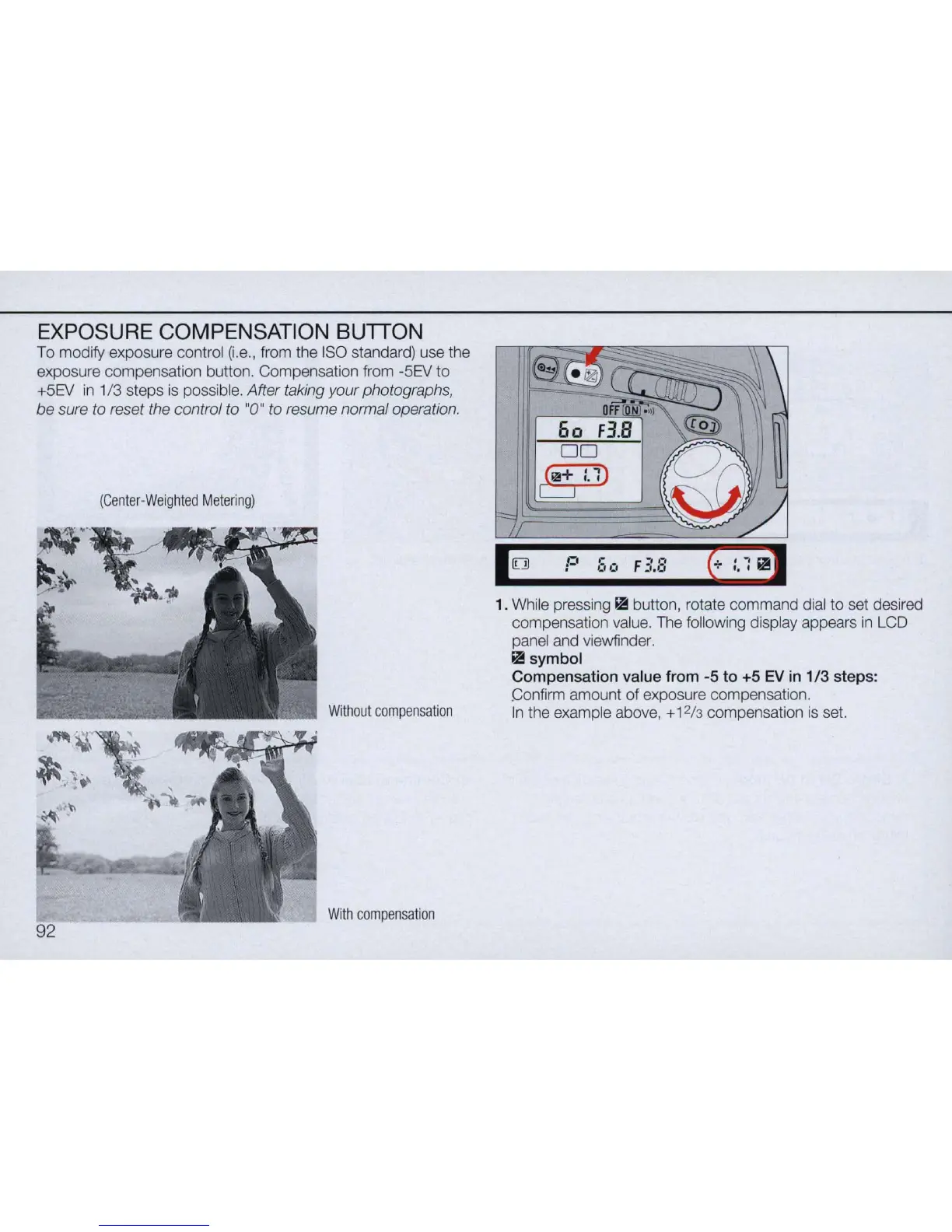
EXPOSURE COMPENSATION BUTTON
To modify exposure control (
i.
e
.,
from the I
SO
standard) use the
exposure compensation button. Compensation from -5EV to
+5EV
in
1/3 steps
is
possible. After taking your photographs,
be sure to reset the control to "0" to resume normal operation.
(Center
-
Weighted
Metering)
Without
compensation
With
compensation
'0 P
00;.
FI8
1. While pressing ~ button, rotate command dial to set desired
compensation value. The
fo
ll
owing display appears
in
LCD
panel and viewfinder.
~symbol
Compensation
value from -5
to
+5
EV
in
1/3
steps:
Confirm amount
of
exposure compensation.
In
the example above, + 1
2/3
compensation
is
set.



 To Next Page