EasyManua.ls Logo

Nikon PRONEA S - Page 20

Nikon PRONEA S
44 pages
Print Icon
To Next Page IconTo Next Page
To Previous Page IconTo Previous Page
Loading...
Z
Check
points
n
Use
an lX
or
D-type
AF
Nikkor
lens
in
order
to
utilize
all the
functions
of this
_
camera.
(See
page
34 for
Lens
Compatibility.)
n
Make
sure
to turn
the
power
switch
off
and
avoid
direct
sunlight
when
attaching/detaching
the
lens.
n
when
attaching
the
lens,
take
care
not
to
press
the
lens
release
button.
z
o
E
tr
lJl
o.
o
C)
o
t0
2,3
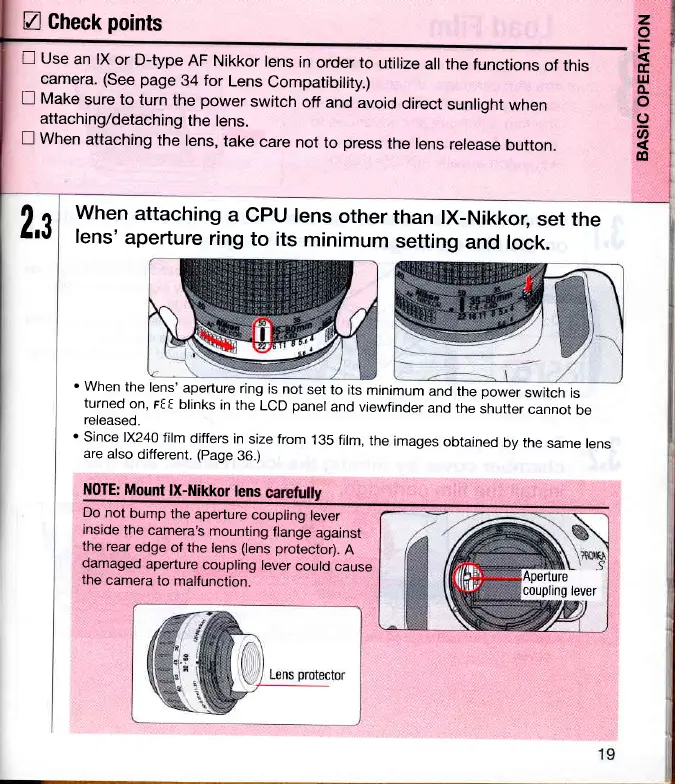
When
attaching
a
lens'
aperture
ring
CPU
lens
other
to
its
minimum
than
lX-Nikkor;
set
the
setting
and lock.
.
When
the
lens'
aperture
ring
is not
set to
its
minimum
and
the
power
switch
is
turned
on,
rf f
blinks
in
the
LCD
panel
and
viewfinder
and the
shutter
cannot
be
released.
'Since
1X240
film
differs
in
size from
135
film,
the
images
obtained
by the
same
lens
are
also
different. (page
36.)
N0TE:
Mount
lX-Nikkor
lens
Do
not
bump
the
aperture
coupling
lever
inside
the
camera's
mounting
flange
against
the
rear
edge
of the
lens
(lens
protector).
A
damaged
aperture
coupling
lever
could
cause
the
camera
to
malfunction.
%'
.9
Aperture
coupling
lever