EasyManua.ls Logo

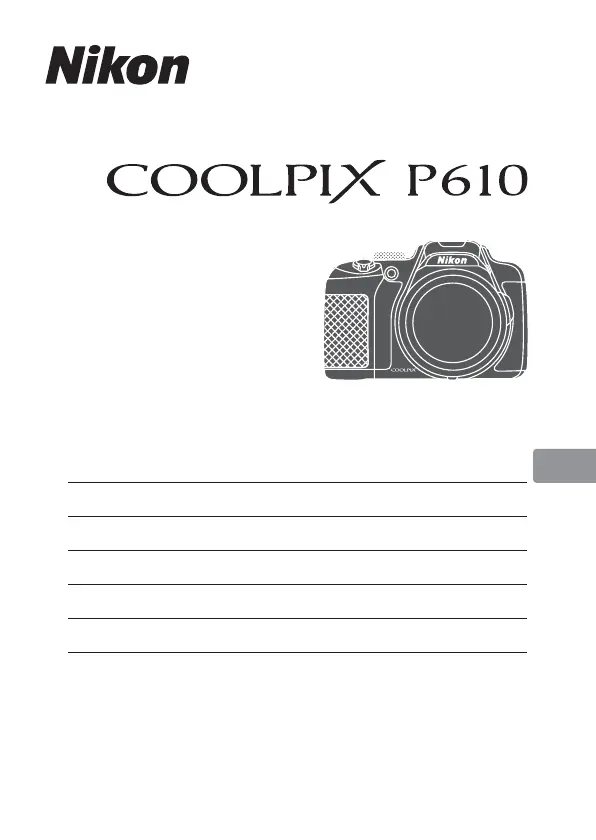
Nikon Coolpix P610 - User Manual

Nikon Coolpix P610
48 pages
Print Icon
To Next Page IconTo Next Page
Loading...
En
Quick Start Guide
DIGITAL CAMERA
Introduction 2
Parts of the Camera 6
Preparing for Shooting 7
Basic Shooting and Playback Operations 14
Other Functions 22
Technical Notes 26

Other manuals for Nikon Coolpix P610

Questions and Answers

  • L
    Lisa MeyerAug 17, 2025
    Why does my Nikon Coolpix P610 turn off without warning?
    • J
      Jacob HortonAug 18, 2025
      Your Nikon Digital Camera might be turning off to save power with the auto-off function, or the inside of the camera has become hot. Leave the camera off until it cools down, then try turning it on again. Also, the camera and battery may not work properly at low temperatures.
  • S
    Stephen McdonaldAug 20, 2025
    What to do if my Nikon Coolpix P610 is on but does not respond?
    • B
      bowmanaliciaAug 20, 2025
      Wait for any recording to finish. If it still doesn't respond, turn the Nikon Digital Camera off. If it won't turn off, remove and reinsert the battery, or disconnect and reconnect the AC adapter if you're using one.
  • S
    Scott FletcherAug 22, 2025
    Why is my Nikon Coolpix P610 Digital Camera not charging?
    • M
      Matthew Ortega Jr.Aug 23, 2025
      Confirm all connections are correctly set. Use the charging AC adapter to charge the battery of your Nikon Digital Camera.
  • A
    Andrew JordanAug 25, 2025
    How to fix blurred images on Nikon Coolpix P610?
    • B
      Benjamin BrownAug 26, 2025
      To fix blurred images on your Nikon Digital Camera, try the following: - Use the flash. - Enable vibration reduction. - Use Best Shot Selector or Continuous shooting mode. - Use a tripod to stabilize the camera; using the self-timer at the same time is more effective.
  • J
    Jasmine JonesAug 27, 2025
    What to do if Nikon Coolpix P610 images are too dark (underexposed)?
    • A
      Alexandra SilvaAug 27, 2025
      If your Nikon Digital Camera images are too dark, it may be because the flash window is blocked, or the subject is beyond the flash range. Try adjusting exposure compensation, increasing ISO sensitivity. If the subject is backlit, raise the flash or set the scene mode to Backlighting with HDR set to Off.
  • A
    Alexander GibsonAug 30, 2025
    What to do if my Nikon Coolpix P610 Digital Camera cannot focus?
    • D
      Daniel CollinsAug 30, 2025
      If your Nikon Digital Camera cannot focus, it may be because the subject is too close. Try shooting using the Scene auto selector, Close-up scene mode, or the macro close-up focus mode. Also, check or change the focus mode setting. If the subject is hard to focus on, set AF assist in the setup menu to Auto. If the focus mode is set to manual focus, turn the camera off and then on again.
  • K
    Kevin JonesSep 1, 2025
    How to fix overexposed images on Nikon Coolpix P610?
    • M
      Melissa PhamSep 2, 2025
      To correct overexposed images on your Nikon Digital Camera, adjust the exposure compensation.
  • E
    Elizabeth FosterSep 4, 2025
    Why is my Nikon Digital Camera monitor hard to read?
    • K
      Katherine ToddSep 4, 2025
      If the monitor on your Nikon Digital Camera is hard to read, it could be due to bright ambient light. Try moving to a darker place or use the viewfinder. You can also adjust the monitor brightness or clean the monitor.
  • A
    Aaron GillSep 6, 2025
    Why is the monitor or viewfinder blank on my Nikon Coolpix P610 Digital Camera?
    • J
      Jimmy MaddoxSep 6, 2025
      The monitor or viewfinder might be blank because the camera is off or the battery is exhausted. The camera may automatically turn off to save power. You cannot turn on both the monitor and viewfinder at the same time. Also, check if the camera is connected to a TV or computer, if interval timer shooting or time-lapse movie shooting is in progress, or if the camera and smart device are connected using Wi-Fi connection and the camera is operated by remote control.
  • O
    olsonrussellSep 9, 2025
    Why does my Nikon Coolpix P610 get hot?
    • M
      Matthew GibsonSep 9, 2025
      Your Nikon Digital Camera may become hot when used for an extended period, such as shooting movies, or when used in a hot environment. This is not a malfunction.

Summary

Introduction to COOLPIX P610

Getting Started Guide

Essential initial reading for camera operation and safety guidelines.

Manuals and Software Downloads

Instructions for downloading the full Reference Manual and ViewNX 2 software.

Nikon Customer Support

Contact information for technical assistance via internet and telephone.

Camera Setup and Preparation

Inserting and Charging the Battery

Step-by-step guide for inserting the battery and charging it fully.

Initial Camera Configuration

Guide for powering on the camera and setting language, date, and time.

Core Photography Operations

Shooting in Auto Mode

How to perform general shooting using the camera's automatic mode.

Framing and Image Capture

Techniques for framing shots using zoom and capturing images.

Reviewing and Deleting Images

How to view recorded images and movies, and delete unwanted files.

Selecting Shooting Modes

Overview and selection of various shooting modes available on the camera.

Advanced Camera Functions

Menu System Navigation

How to use the Fn and MENU buttons to access and change camera settings.

Location Data and GPS Features

Using GPS/GLONASS for location tagging, logging, and POI display.

Wi-Fi and Smart Device Connection

Connecting the camera to smart devices via Wi-Fi for remote control and data transfer.

Product Care and Troubleshooting

Camera Care and Maintenance

Guidelines for cleaning, storing, and protecting the camera from damage.

Battery Handling and Safety

Critical safety information and usage guidelines for the camera battery.

Troubleshooting Common Issues

Solutions for frequent camera problems like unresponsiveness, errors, or overheating.

Safety and Compliance

Critical Safety Instructions

Comprehensive safety instructions to prevent injury and product damage.

Regulatory Compliance Notices

Regulatory compliance statements, including FCC interference and California Proposition 65.

Location Data & Wi-Fi Usage Restrictions

Notes on location data usage, country restrictions, and Wi-Fi export controls.

Nikon Coolpix P610 Specifications

General IconGeneral
Optical Zoom60x
Digital Zoom4x
ISO Sensitivity100-6400
ConnectivityWi-Fi, NFC, GPS
Storage MediaSD/SDHC/SDXC memory card
Image ProcessorEXPEED C2
AutofocusContrast-detect AF
Metering ModeMatrix, center-weighted, spot
Sensor1/2.3-inch CMOS
LensNIKKOR lens
Aperture Rangef/3.3 - f/6.5
Display3.0 in. vari-angle LCD, 921k-dot
Video RecordingFull HD 1080p
BatteryEN-EL23
Dimensions125 x 85 x 106.5 mm
Weight565 g (with battery and SD card)
Shutter Speed1/4000 to 15 sec
Focus Range50 cm (1 ft 8 in.) - infinity (W), 2 m (6 ft 7 in.) - infinity (T)
Vibration ReductionLens-shift VR
File FormatsJPEG, MOV
Frame CoverageApprox. 99% horizontal and vertical

Related product manuals