EasyManua.ls Logo

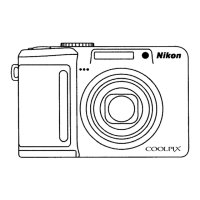
Nikon Coolpix P600 - User Manual

Nikon Coolpix P600
156 pages
Print Icon
To Next Page IconTo Next Page
Loading...
En
User's Manual
DIGITAL CAMERA
For advanced use of the camera, read the Reference Manual
(in pdf format) which is available in many languages including
Hindi, Bengali, Tamil, Marathi and Telugu.
See the reverse side for information to download the file.

Table of Contents

Other manuals for Nikon Coolpix P600

Questions and Answers

  • L
    Lisa HebertAug 17, 2025
    Why does my Nikon Digital Camera turn off without warning?
    • M
      Megan AndersonAug 17, 2025
      If your Nikon Digital Camera turns off without warning, it may be due to the auto-off function to save power, the camera or battery being too cold, or the inside of the camera becoming too hot. If the camera has become hot, leave it off until it cools down, then try turning it on again.
  • M
    Mark JenkinsAug 19, 2025
    Why is my Nikon Digital Camera battery not charging?
    • C
      Courtney PaulAug 20, 2025
      If the battery inserted in your Nikon Digital Camera cannot be charged, ensure all connections are secure. Also, try using the charging AC adapter to charge the battery. This issue may arise if 'Off' is selected for 'Charge by computer' in the setup menu, if the camera is turned off during charging, if the camera's display language and date/time haven't been set (or were reset), or if the computer is in sleep mode. Charging may also be affected by computer specifications, settings, and status.
  • B
    bryannicoleAug 22, 2025
    Why won't my Nikon Coolpix P600 turn on?
    • K
      Kurt LucasAug 22, 2025
      If your Nikon Digital Camera cannot be turned on, it is likely that the battery is exhausted. When the charging AC adapter is connected, the camera cannot be turned on even if the power switch is pressed. The camera turns on in playback mode by pressing and holding down the c (playback) button, but shooting is not possible.
  • H
    Heather CamachoAug 26, 2025
    Why is the monitor or viewfinder blank on my Nikon Digital Camera?
    • H
      Holly Oliver DDSAug 26, 2025
      If the monitor or viewfinder on your Nikon Digital Camera is blank, it could be because the camera is off, the battery is exhausted, or the camera has entered standby mode to save power. Try pressing the power switch, shutter-release button, c button, or b (e movie-record) button, or rotate the mode dial.
  • A
    Anthony NicholsonAug 27, 2025
    How to set the correct date and time on a Nikon Coolpix P600?
    • L
      laurenhoustonAug 28, 2025
      If the date and time of recording are not correct on your Nikon Digital Camera, it may be because the camera clock has not been set (the “Date not set” indicator flashes) or the camera clock is not as accurate as ordinary watches or clocks. To correct this, set the correct time and date in the Time zone and date option within the setup menu.
  • B
    brenda03Aug 30, 2025
    What to do if the monitor is hard to see on a Nikon Coolpix P600 Digital Camera?
    • D
      Diane FrenchAug 30, 2025
      If the monitor on your Nikon Digital Camera is hard to see, it might be due to bright ambient light or a dirty monitor. Try moving to a darker location or using the viewfinder. If the monitor is dirty, clean it.
  • S
    smillerSep 2, 2025
    How to display information on the monitor of a Nikon Coolpix P600?
    • A
      anthonygrahamSep 2, 2025
      If no information is displayed on the monitor of your Nikon Digital Camera, press the s button until the information appears.
  • M
    Michele JohnsonSep 5, 2025
    How to adjust the viewfinder on a Nikon Coolpix P600?
    • C
      Cheyenne TaylorSep 5, 2025
      To improve the image in the viewfinder of your Nikon Digital Camera, adjust the viewfinder using the diopter adjustment control.
  • T
    twoodSep 7, 2025
    What to do if I cannot reset file numbering on my Nikon Coolpix P600 Digital Camera?
    • C
      Christopher MooreSep 8, 2025
      If you cannot reset file numbering on your Nikon Digital Camera, try changing the memory card, or formatting the internal memory/memory card.
  • T
    Tara KellySep 12, 2025
    Why does the time zone and date screen appear when I turn on my Nikon Digital Camera?
    • M
      Michael RamirezSep 12, 2025
      The screen for setting the time zone and date is displayed when your Nikon Digital Camera is turned on because the clock battery is exhausted, and all settings were restored to their default values.

Summary

Introduction and Safety Precautions

Essential Safety Warnings

Crucial safety guidelines to prevent injury and equipment damage.

Regulatory Notices and Compliance

FCC, IC, and European compliance, plus regional notices.

Wi-Fi and Wireless Precautions

Information on Wi-Fi use, security, and radio frequency exposure.

Camera Controls and Functions

Camera Body Identification

Identifies external parts and buttons of the camera.

Control Functions for Shooting

Explains button and dial operations during shooting.

Control Functions for Playback

Explains button and dial operations during playback.

Shooting Modes and Features

Scene Modes and Special Effects

Guides on using scene modes and applying special effects.

Exposure Modes (P, S, A, M)

Explanation of Program, Shutter, Aperture, and Manual exposure modes.

Focus and Flash Operations

Instructions for using focus modes and flash settings.

Exposure Compensation and Settings

Adjusting brightness via exposure compensation and other settings.

Playback and Movie Operations

Image Playback and Zoom

Viewing images, zooming, and using thumbnail/calendar displays.

Playback Menu Functions

Options for editing, protecting, and managing images during playback.

Recording and Playing Back Movies

Steps for capturing video and viewing recorded movies.

Camera Setup and Connectivity

General Camera Setup Options

Configuration settings for date, monitor, Wi-Fi, and general functions.

Wi-Fi Functionality and Connection

Using Wi-Fi for remote control and image transfer.

Connecting to External Devices

Procedures for connecting the camera to TVs, computers, and printers.

Technical Information and Troubleshooting

Camera Care and Specifications

Guidelines for product care, battery, memory cards, and technical specs.

Troubleshooting Common Problems

Solutions for issues related to power, display, shooting, playback, and connectivity.

Software Licenses and Trademarks

Information on software licenses and product trademarks.

Nikon Coolpix P600 Specifications

General IconGeneral
Sensor TypeCMOS
Effective Pixels16.1 MP
Sensor Size1/2.3 inch
Optical Zoom60x
Focal Length4.3 - 258 mm (35mm equivalent: 24 - 1440 mm)
Maximum Aperturef/3.3-6.5
LCD Screen Size3.0 inch
LCD Screen Resolution921, 000 dots
GPSNo
Weight565 g (including battery and memory card)
Continuous Shooting7 fps
Built-in FlashYes
Storage MediaSD/SDHC/SDXC memory card
Battery LifeApprox. 330 shots
Image StabilizationLens-shift VR
ViewfinderElectronic
Video Resolution1080p Full HD
ConnectivityWi-Fi, HDMI, USB
Battery TypeEN-EL23
Shutter Speed15 - 1/4000 sec
Dimensions125 x 85 x 107 mm
ISO Range100-6400

Related product manuals