EasyManua.ls Logo

Nikon PRONEA S - Page 22

Nikon PRONEA S
44 pages
Print Icon
To Next Page IconTo Next Page
To Previous Page IconTo Previous Page
Loading...
Z
Gheck
points
n Use only
1X240
film
with
the
PRONEA
S.
(Do
not
use
conventional
135
film.)
I
Before
installing
film,
confirm
the
film
status
via
the
Visual
Exposure
Indicator
on
the film
cartridge.
Partially
exposed
film
can
also
be reinstalled.
For
details,
see
page
39.
n
Check
the
LCD
panel
to
ensure
that
the
film
has
been
installed
correcly.
n
when
changing
film
outdoors,
avoid
exposing
the
film
cartridge
to
direct
sunlight.
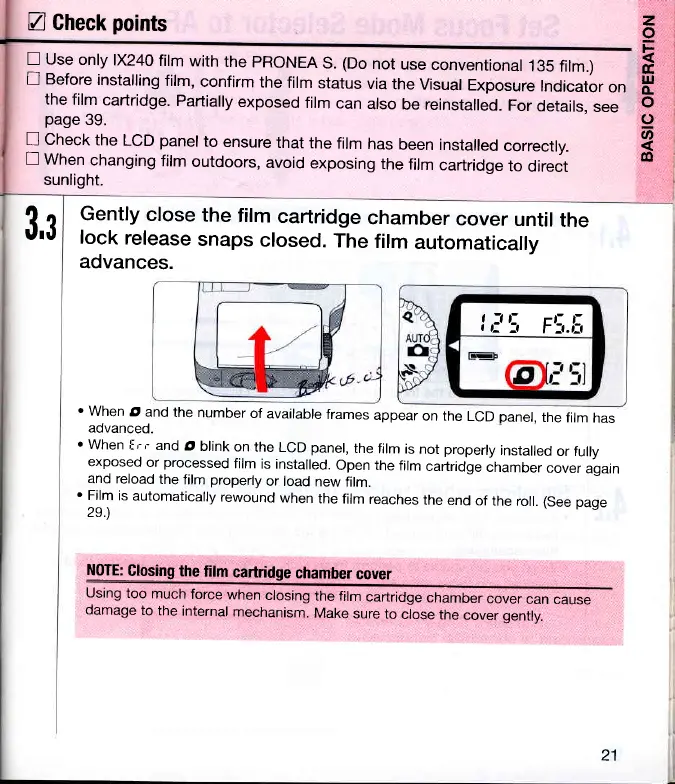
Gently
close
the
film
cartridge
chamber
cover
until
the
lock
release
snaps
closed.
The
film
automatically
advances.
I
I
\
F\.lt
'when
d
and
the number
of
available
frames
appear
on the
LCD
panel,
the
film
has
advanced.
z
o
k
tr
ul
o.
o
o
U'
@
3,3
'when
f
rr
and
d blink
on the
LCD
panel,
the
film
is not
properly
installed
or fully
exposed
or
processed
film
is installed.
Open the
film
carlridge
"huro"r
cover
again
and reload
the
film
properly
or load
new
film.
'
Film
is
automatically
rewound
when
the
film
reaches
the
end
of
the roll.
(See
page
2s.)
NOTE:
Glosing
the
film
cartridge
chamber
cover
Using
too
much
force
when
closing
the film
cartridge
chamber
cover
can
cause
clamage
to
the
internal
mechanism.
Make
sure
to
close
the
cover genily.
21

Related product manuals