EasyManua.ls Logo

Nikon PRONEA S - Mid-Roll Change

Nikon PRONEA S
44 pages
Print Icon
To Next Page IconTo Next Page
To Previous Page IconTo Previous Page
Loading...
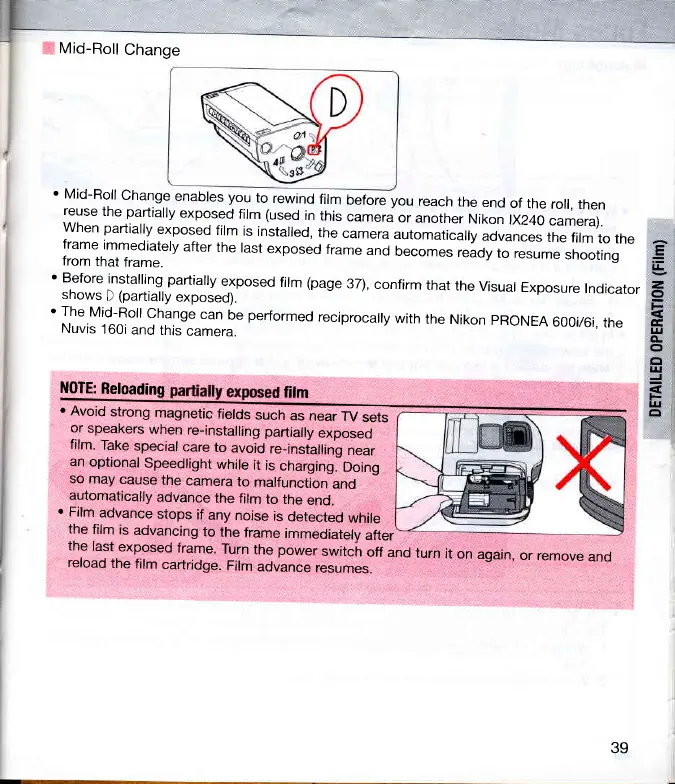
Mid-Roll
Change
'
Mid-Roll
Change
enables you
to
rewind
film
before you
reach
the
end
of
the
roll,
then
;?l::,::j,:fl1ll^:iryl:9
tir
rr..:9
in
this
camera
or
another
Nikon
rX240
camera).
when
partiallv
exposed
film
is
installed,
the
camera
automaticaly
"d;;;;";1"#'ii,rito,n"
frame
immediately
after
the
last
exposed
frame
and
becomes
,""dy,o
resume
shooting
from
that
frame.
'
Before
installing
paftially
exposed
film
(page
37),
confirm
that
the
Visual
Exposure
Indicator
shows
D
(partially
exposed).
'
The
Mid-Roll
Change
can
be
performed
reciprocally
with
the
Nikon
pRONEA
600i/6i,
the
Nuvis
160i
and
this
camera.
=
t!
z,
o
E
rI|
CL
o
ct
t!
=
l4J
cl
l{0TE:
Reloading
film
r
Avoid
strong
magnetic
fields
such
as
near
TV
sets
or
speakers
when
re-installing
partially
exposed
film.
Take
special
care
to
avoid
re_insialling
near
an
optional
Speedlight
while
it
is
charging.
Doing
so
may
cause
the
camera
to
malfunction
and
automatically
advance
the
film
to
the
end.
o
Film
advance
stops
if
any
noise
is
detected
while
the
film
is
advancing
to
the
frame
immediatelv
after
the
last
exposed
frame.
Turn
the
power
switch
off
and
turn
it
on
again,
or remove
and
reload
the
film
cartridge.
Film
advance
resumes.
39

Related product manuals