EasyManua.ls Logo

Nikon SB-10 - Taking an Auto Flash Photograph; Ready-Light;Open Flash Button

Nikon SB-10
24 pages
Print Icon
To Next Page IconTo Next Page
To Previous Page IconTo Previous Page
Loading...
TAKING
AN
AUTO
FLASH
PHOTOGRAPH
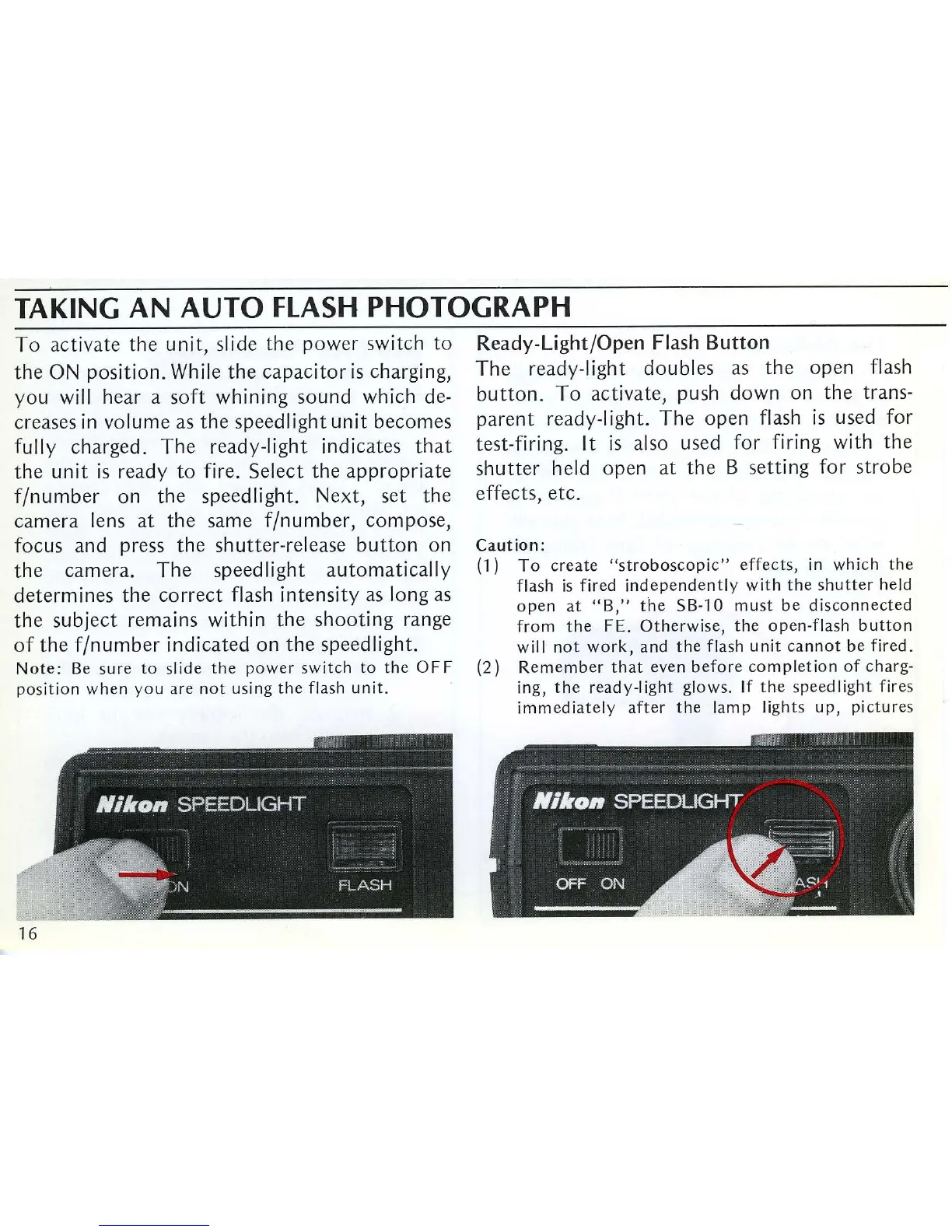
To
act
iv
ate
the
unit,
slide
the
p
owe
r switch
to
the
ON
position.
While
the
capacitor
is
charging,
you
will hear a
soft
whining
sound
which de-
creases
in
volume
as
the
speedlight
unit
becomes
fully
charged.
The
ready-light
indicates
that
the
unit
is
ready
to
fire.
Select
the
appropriate
f/number
on
the
speedlight.
Next,
set
the
camera
lens
at
the
same
f/number,
compose,
focus
and
press
the
shutter-release
button
on
the
camera.
The
speed light
automatically
determines
the
correct
flash
intensity
as long as
the
subject
remains
within
the
shooting
range
of
the
f/number
indicated
on
the
speed light.
Note:
Be
s
ur
e
to
slid e
the
power
switch
to
the
OFF
position
when
you
are
not
using
the
flash
unit
.
16
Ready-Light/Open
Flash
Button
The
ready-light
doubles
as
the
open
flash
button.
To
activate,
push
down
on
the
trans-
parent
ready-light.
The
open
flash
is
used
for
test-firing. It
is
also used
for
firing with
the
shutter
held
open
at
the
B
sett
ing
for
strobe
effects,
etc.
Caution:
(1)
To
create
"stroboscopic"
effects,
in
which
the
flash
is
fired
independently
with
th
e
shutter
held
open
at
"B,"
the
5B-10
must
be
disconnected
from
the
FE.
Otherwise,
the
open-flash
button
will
not
work,
and
the
flash unit
cannot
be
fired.
(2)
Remember
that
even
before
comp
letion
of
charg-
ing,
the
ready-light
glows.
If
the
speed light
fires
immediately
after
the
lamp
li
ghts
up,
picture
s

Related product manuals