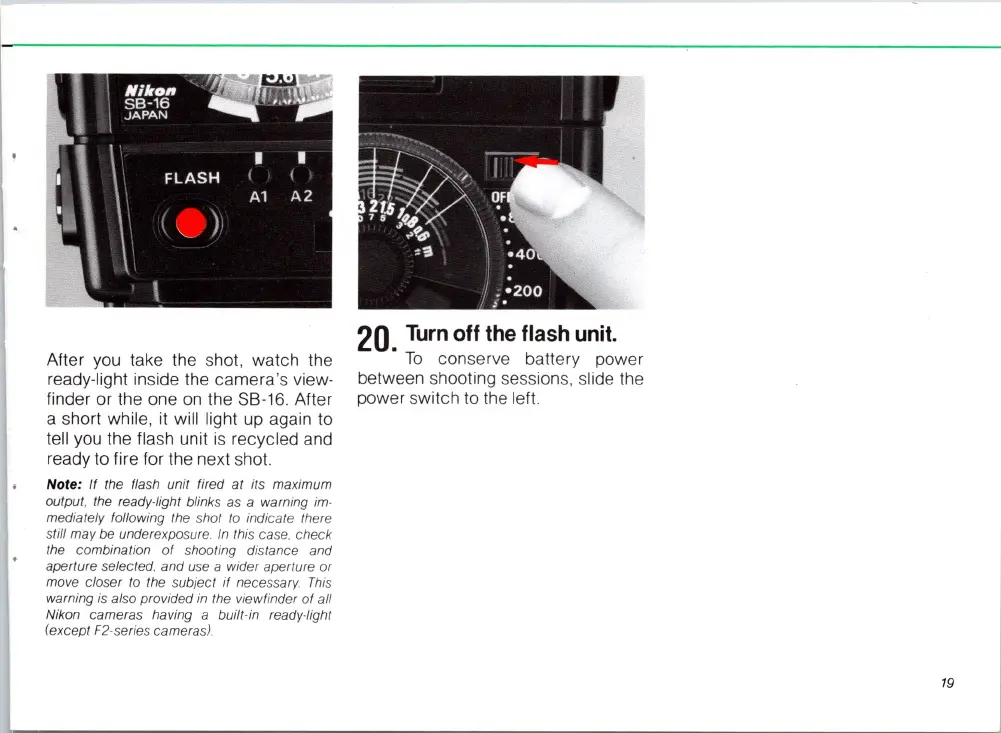
After you take the shot, watch the
ready-light inside the camera's view-
finder or the one
on
the SB-16. After
a short while,
it
will light up again to
tell you the flash unit
is
recycled and
ready to fire for the next shot.
Note: If the
fla
sh unit fired at its
ma
ximum
output, the ready-light blinks
as a warning
im-
mediately following the shot to indicate there
still may
be
underexposure. In this case. check
the combination of shooting distance and
aperture select
ed.
and use a wider aperture or
move clo
se
r
to
the
su
bject
if
necessary.
This
warning
is
also provided in the viewfinder of all
Nikon came
ra
s having a built-
in
ready-light
(except F2·
se
ries came
ra
s)
.
20.
Turn
off
the
flash
unit.
To
conserve battery power
between shooting sessions, slide the
power switch to the left.
19














 To Next Page