-CONTROLS
IN
DETAIL-continued---------
----l
Zoom
Head
@
The
8B·16
's
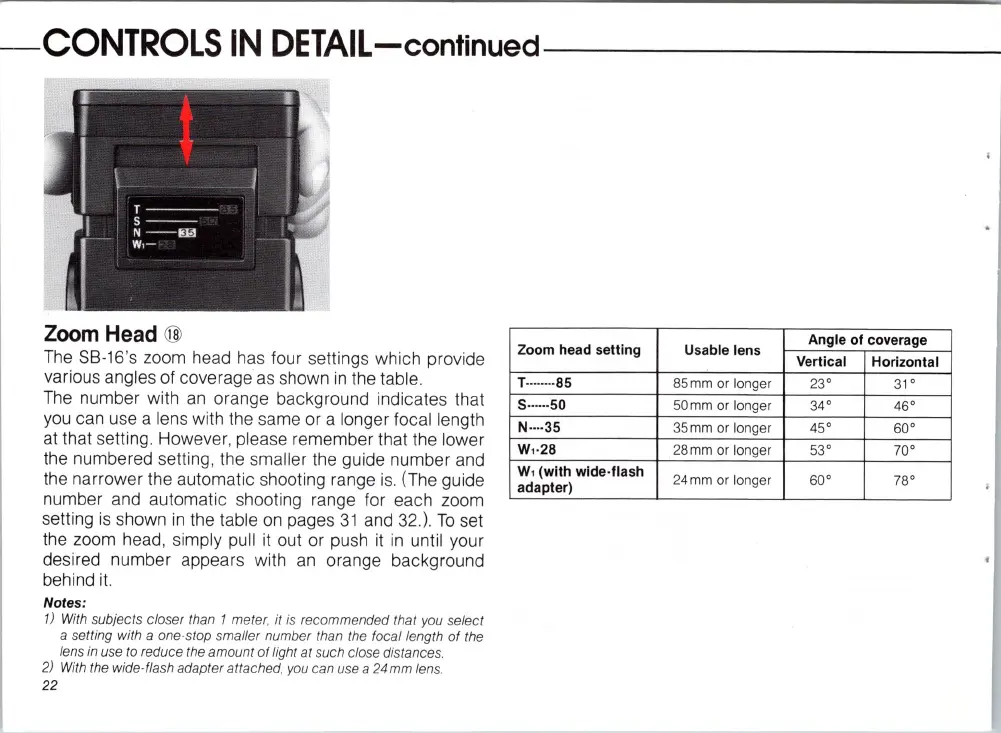
zoom head has four settings which provide
va
rious angl
es
of coverage
as
shown
in
the tabl
e.
T
he
number with
an
orange background indicates that
you can use a lens with the same or a longer focal length
at
that setting. However, plea
se
remember that the lower
t
he
numbered setting, the smaller the guide number and
the narrower the automatic shooting range
is
. (The guide
number and automatic shooting range for each zoom
setting
is
shown
in
the table
on
pages
31
and 32.).
To
set
the zoom head, simply pull
it
out or push
it
in
until your
desired number appears with
an
orange background
behind
it.
Notes:
1)
With subjects closer than 1 meter, it is recommended that you select
a setting with a one·stop smaller number than the focal length
of
the
lens
in
use to reduce the amount
of
light at such close distances.
2)
With
the wide· flash adapter attached, you can use a 24mm lens.
22
Zoom head setting
T·
··
·····85
5·
·
··
··50
N·
··
·35
W,·28
W, (with wide·
flash
adapter)
Usable lens
Angle of coverage
Vertical Horizontal
85mm or longer 23° 31°
50mm or longer 34° 46°
35mm or longer 45° 60°
28mm or
lo
nger 53° 70°
24
mm
or longer
60°
78°














 To Next Page