16
Fan
Installer
Settings - Temperature control
For optimum operation, there are various temperature control settings, which can be adjusted.
Temperature control is set in the Temperature menu:
• CP/Master sensor You can select one of two sensors:
• T3: Temperature sensor – extracted air
• TPanel: Temperature sensor in the control panel
(factory setting: T3)
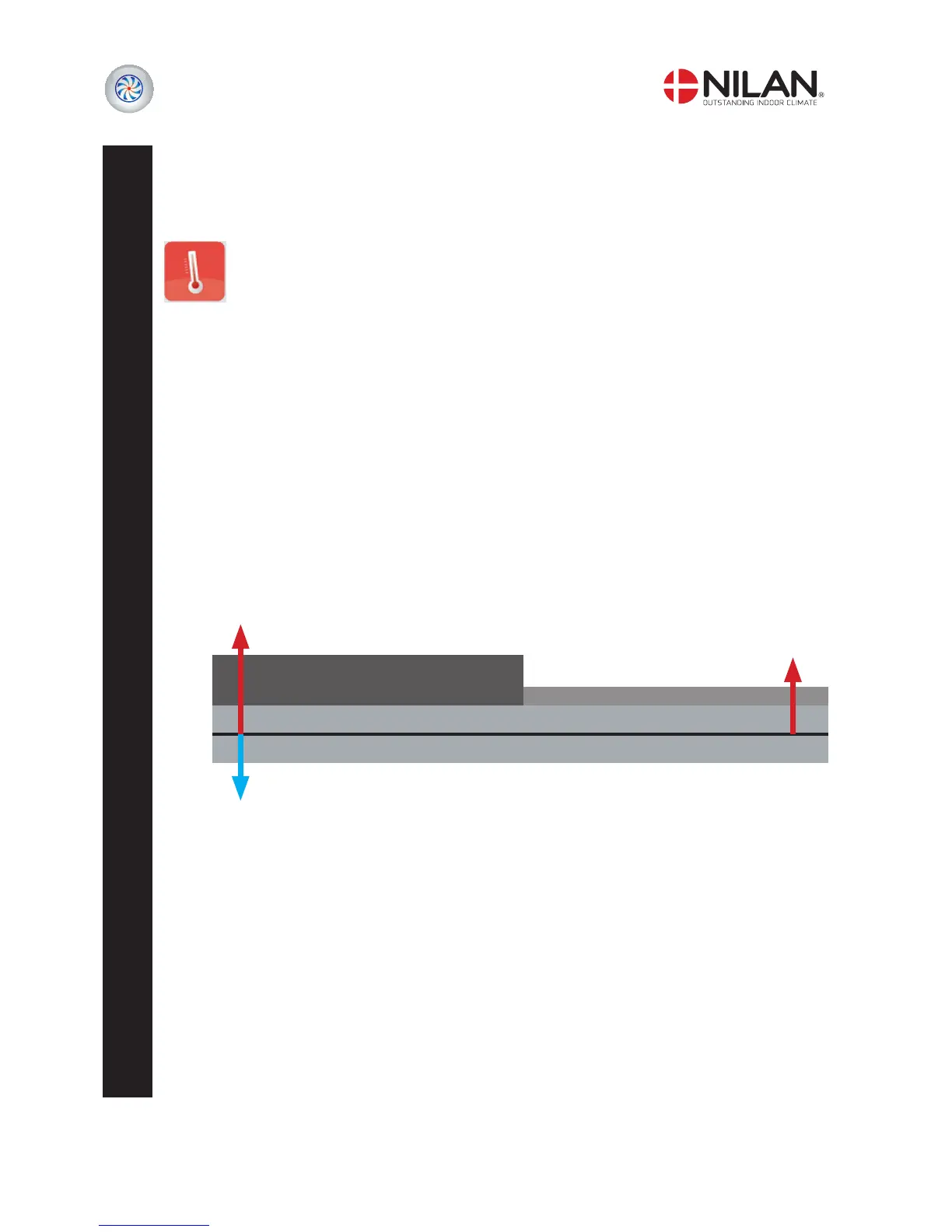
• CP/Regulate deadband (°C) Enter regulation neutral zone for temperature regulation
(factory setting: 1°C)
• CP/Bypass damper offs.(°C) Set regulation offset value for bypass damper
(factory setting: 0°C)
• CP/Cooling offset (°C) Offset temperature for cooling mode
(factory setting: 2°C)
Example:
20°C
• Night setback temp (°C) Increases setting of regulating neutral zone for heating operation, when the
system switches to night-time drop.
Example: When set at 3°C, heating will not start until 15°C.
Night lowering can be activated via the week programme or user selection.
• CP/EHD/BAH setp. offset (°C) Enter regulation offset for the EHD/BAH damper.
EHD: Switches between outdoor air through roof cowl or ground pipe.
BAH: Leads outdoor air through or past the heat exchanger
-connected ground pipes.
• CP/Compensation balance (%) Enter room vs. outdoor air compensation in accordance with predetermined graphs.
0% = only room compensation
100% = only outdoor air compensation
Regulation neutral zone 2°C
Regulation neutral zone 2°C
Offset for bypass 1°C
Offset for cooling 3°C
Room temp < 18°C starts active heating or heating coil (if any).
When the room temperature is > 25°C active cooling commences via the heat pump.
Room temp > 23°C open bypass


 To Next Page