12
Modbus
The CTS602Light control system has open Modbus RS485 communication that allows you to communicate with and control
the ventilation unit via external control systems.
Please consult the software instructions and the Modbus protocol for further information on settings and registers.
Connection via Nilan Functional cable
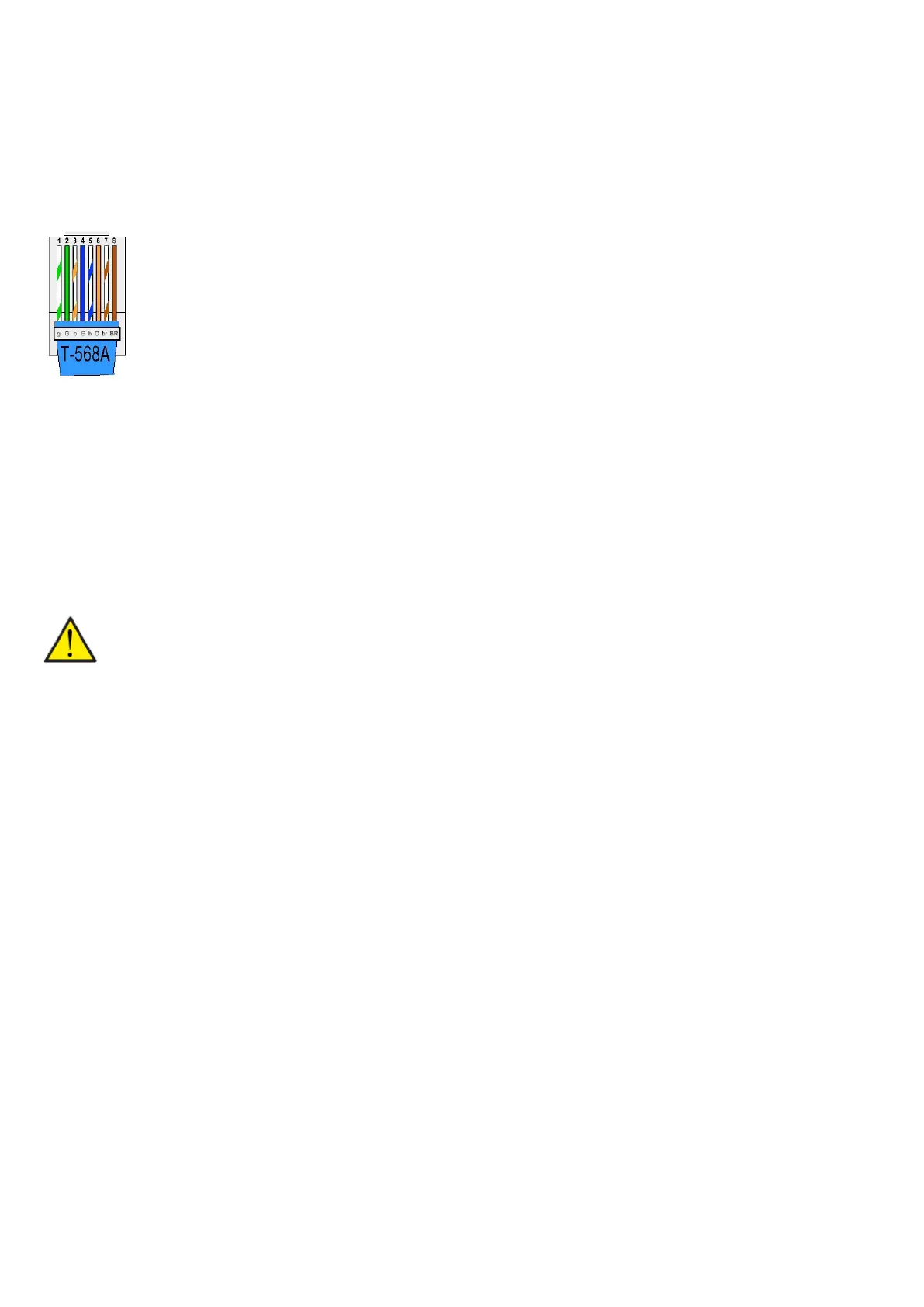
Connection of Modbus communication
Establish the Modbus connection via the following:
1. Green/white
4. Blue (+)
5. Blue/white (-)
NB: If fire thermostat/external fire automation system is not connected up, make a shunt between:
1. Green/white
7. Brown/white
1. Green/white
2. Green
3. Orange/white
4. Blue
5. Blue/white
6. Orange
7. Brown/white
8. Brown
GND
Modbus A1 (+)
Modbus B1 (-)
Fire thermostat / external fire automation system
ATTENTION
If you are not using the Cooker hood setting in User selection, you will be able to use any RJ45 cable. In that case, wire 8
Brown will not carry 12V.


 To Next Page