D OORBELL I NTERFACE
7
D OORBELL I NTERFACE
6
OPERATION OVERVIEW
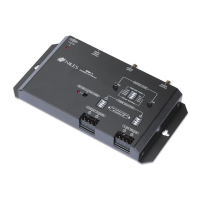
The DBI-1 is operated by the door bell switches and automation systems that connect to the
contact closure and voltage trigger inputs. Triggers for two individual chimes (Chime
Selection 1 & Chime Selection 2) are provided for a front and rear door.
INSTALLATION COSIDERATIONS
• Included mounting wings and rubber feet provide for either table top or screw down mount-
ing (see Figure 1 on page 5).
• The included UL-listed, universal voltage power supply provides power to the DBI-1
(see Figure 2 on pages 8-9).
• The DBI-1 connects to the Paging Input of a Niles MultiZone Control System using a stan-
dard audio cable with male RCA connectors (see Figure 2 on pages 8-9).
•A paging system connects to the Audio Input of the DBI-1 using an RCA audio cable
(see Figure 2 on pages 8-9).
• Doorbell momentary contact closure and momentary voltage triggers connect to the DBI-1
using two conductor wire (see Figure 2 on pages 8-9).
INSTALLATION
Mounting the DBI-1
Once you have decided on the location for the DBI-1 (generally near the location of the Niles
MultiZone Control System), make sure that the 12V DC power adapter and all cables are discon-
nected while mounting.
The DBI-1 can be either mounted on the back of a cabinet or on a wall using screws (not includ-
ed). Also, it can be placed on a shelf using the included adhesive rubber feet (see Figure 1 on
page 5).
Connecting the DBI-1
1. Connect the Audio Output of the DBI-1 to the Paging Input of a Niles MultiZone System
(see Figure 2 on pages 8-9).
2. (Optional) Connect the Audio Output of a paging system to the Audio Input of the DBI-1
(see Figure 2 on pages 8-9).
3. Connect the voltage and or contact closure trigger cables to the and Chime
Triggers (see Figure 2 on pages 8-9).
4. (Optional) Connect the 12V DC Voltage Trigger Output to a voltage activated device.
(see Figure 2 on pages 8-9).
5. Connect the included 12V DC in-line power adapter’s voltage output plug into the DBI-1’s
power jack and then plug its AC power cord into an unswitched AC outlet (see Figure 1).
The red LED power indicator will illuminate to confirm proper power connection.


 To Next Page


