EasyManua.ls Logo

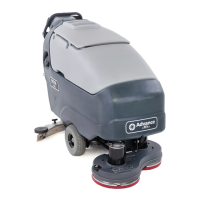
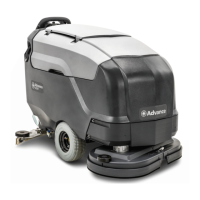
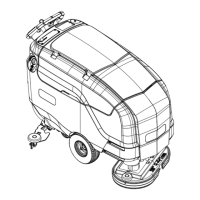
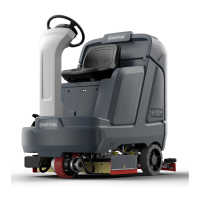
Nilfisk-Advance Advance SC5000 - User Manual

Nilfisk-Advance Advance SC5000
122 pages
Print Icon
To Next Page IconTo Next Page
Loading...
WARNING:
The operation of this machine is strictly reserved to trained and qualied operators.
Model No:
56117001 (34D), 56117003 (32C), 56117004 (36C)
SC5000
Instructions for Use
Original Instructions
Instrucciones de uso
Mode d’ emploi
1/2021 REV A
Form no. 56091219
A-English
B-Español
C-Français

Table of Contents

Other manuals for Nilfisk-Advance Advance SC5000

Questions and Answers

  • J
    Joseph HuberAug 13, 2025
    What causes Magnetic SmartKey Errors on Nilfisk-Advance Advance SC5000 Scrubber?
    • N
      Nicole EdwardsAug 14, 2025
      Magnetic SmartKey errors on your Nilfisk-Advance Scrubber can arise from several causes: If the display shows 'No Key Indicator,' ensure a Magnetic SmartKey is on the SmartKey Reader. For a 'Key Read Error Indicator,' clean both the SmartKey and the SmartKey Reader with a clean cloth, and depress the SmartKey to ensure free movement of the magnet. If you see a 'Restricted User Key Indicator,' use a SmartKey programmed for this machine.
  • J
    Jason FlemingAug 17, 2025
    Why is the Nilfisk-Advance Advance SC5000 Scrubber leaving water behind?
    • J
      Jeffrey DawsonAug 17, 2025
      Poor water pick-up with your Nilfisk-Advance Scrubber can occur for several reasons. It could be due to worn or torn squeegee blades, which you can reverse or replace. The squeegee might be out of adjustment; adjust it so the blades touch the floor evenly. Other potential causes include a full recovery tank (empty it), a leak in the recovery tank drain hose (secure the cap or replace the hose), or a leak in the recovery tank cover gasket (clean/replace the gasket and seat the cover properly). Debris caught in the squeegee, a clogged or missing squeegee seal (clean or replace), a clogged vacuum hose (remove debris), using too much solution (reduce the flow), or a foam filter cover that isn't seated correctly (seat it properly) can also cause this issue.
  • M
    Mr. Nathan HintonAug 21, 2025
    What to do if Nilfisk-Advance Advance SC5000 Scrubber has no solution flow?
    • C
      Craig ScottAug 21, 2025
      If your Nilfisk-Advance Scrubber isn't dispensing solution, several factors could be at play. First, ensure the solution tank isn't empty—fill it if needed. Check for clogs in the solution lines, valves, filter, or trough; flush the lines, trough, and clean the solution filter. Verify that the solution flow is activated via the control panel switch. Also, ensure the Solution Shutoff Valve is turned ON. If none of these steps work, the solution solenoid valve might be plugged or defective, in which case it should be cleaned or replaced.
  • S
    Samantha TuckerAug 25, 2025
    How to improve scrubbing performance of Nilfisk-Advance Scrubber?
    • J
      Judith WardAug 26, 2025
      To enhance the scrubbing performance of your Nilfisk-Advance Scrubber, consider these points: worn brushes or pads should be rotated or replaced. Ensure you're not moving the machine too fast—slowing down can help. If you're not using enough solution, increase the flow via the control panel solution button.
  • W
    William WilsonAug 29, 2025
    Why Nilfisk-Advance Scrubber does not power on?
    • M
      Mary SmithAug 29, 2025
      If your Nilfisk-Advance Scrubber fails to power on, check these items: ensure the Machine Battery Connector is connected. If it is not, reconnect it. Check for a tripped 70 Amp circuit breaker and reset it after checking for a short circuit. Also, inspect the Main Fuse 150 Amp and replace it if it's blown.
  • C
    Christina WoodSep 1, 2025
    What to do if Nilfisk-Advance Advance SC5000 has no wheel drive?
    • T
      Theresa RobinsonSep 1, 2025
      If your Nilfisk-Advance Scrubber isn't moving, check if the seat switch is open; sit on the seat to close it. Also, ensure the Emergency Stop Switch is not activated; reset it if it is.
  • K
    Kenneth LoveSep 5, 2025
    How to troubleshoot poor sweeping performance on Nilfisk-Advance Advance SC5000 Scrubber?
    • P
      Patricia DawsonSep 5, 2025
      If your Nilfisk-Advance Scrubber's cylindrical system isn't sweeping well, start by emptying and cleaning the hopper if it's full. Check the brushes for wear and replace them if necessary. If the bristles have taken a set, rotate the brushes.
  • M
    mitchellandrewSep 8, 2025
    How to fix no detergent flow in Nilfisk-Advance Advance SC5000 EcoFlex?
    • E
      Eric KnightSep 8, 2025
      If there's no detergent flow in your Nilfisk-Advance Scrubber EcoFlex model, first check if the detergent cartridge is empty and fill it if needed. Inspect the detergent flow line for any plugs or kinks; purge the system and straighten any kinked lines. Ensure the dry seal cap on the detergent cartridge is properly sealed; reseat it if necessary. Finally, check the detergent pump, its wiring, and lines.

Summary

Introduction and Safety

Introduction and Machine Basics

Covers introduction, parts, service, modifications, nameplate, uncrating, and transport.

Safety Precautions and Warnings

General safety instructions, warnings, and symbol explanations for safe operation.

Machine Overview and Controls

Regulatory Information

Details FCC and IC compliance standards for the machine.

Know Your Machine Components

Identifies and illustrates the key parts of the SC5000 machine.

Control Panel and Information Menu

Explains control panel, display, and information menu navigation.

Preparation and Operation

Machine Setup and Installation

Covers SmartKey, battery, brush installation, and tank filling.

Detergent System Management

Preparation, purging, and usage of the EcoFlex detergent system.

Operating the Machine

Instructions for starting, stopping, scrubbing, and wet vacuuming.

Maintenance Procedures

Routine Maintenance Schedule

Table outlining daily, weekly, monthly, and yearly maintenance tasks.

Cleaning and Lubrication Tasks

Procedures for cleaning tanks, filters, and lubricating components.

Battery Charging and Care

Instructions for charging wet and VRLA batteries, and checking water levels.

Squeegee and Side Blade Service

Maintenance, adjustment, and replacement of squeegee and side blades.

Troubleshooting and Specifications

Troubleshooting Machine Issues

Identifying and resolving common problems, causes, and remedies.

Fault Code Management

Explains fault code display, history, and critical fault indicators.

Specifications Summary

Details accessories, flow rates, material composition, and technical specs.

Nilfisk-Advance Advance SC5000 Specifications

General IconGeneral
BrandNilfisk-Advance
ModelAdvance SC5000
CategoryScrubber
LanguageEnglish

Related product manuals