14
APP AND ANDROID AND IOS FUNCTIONS
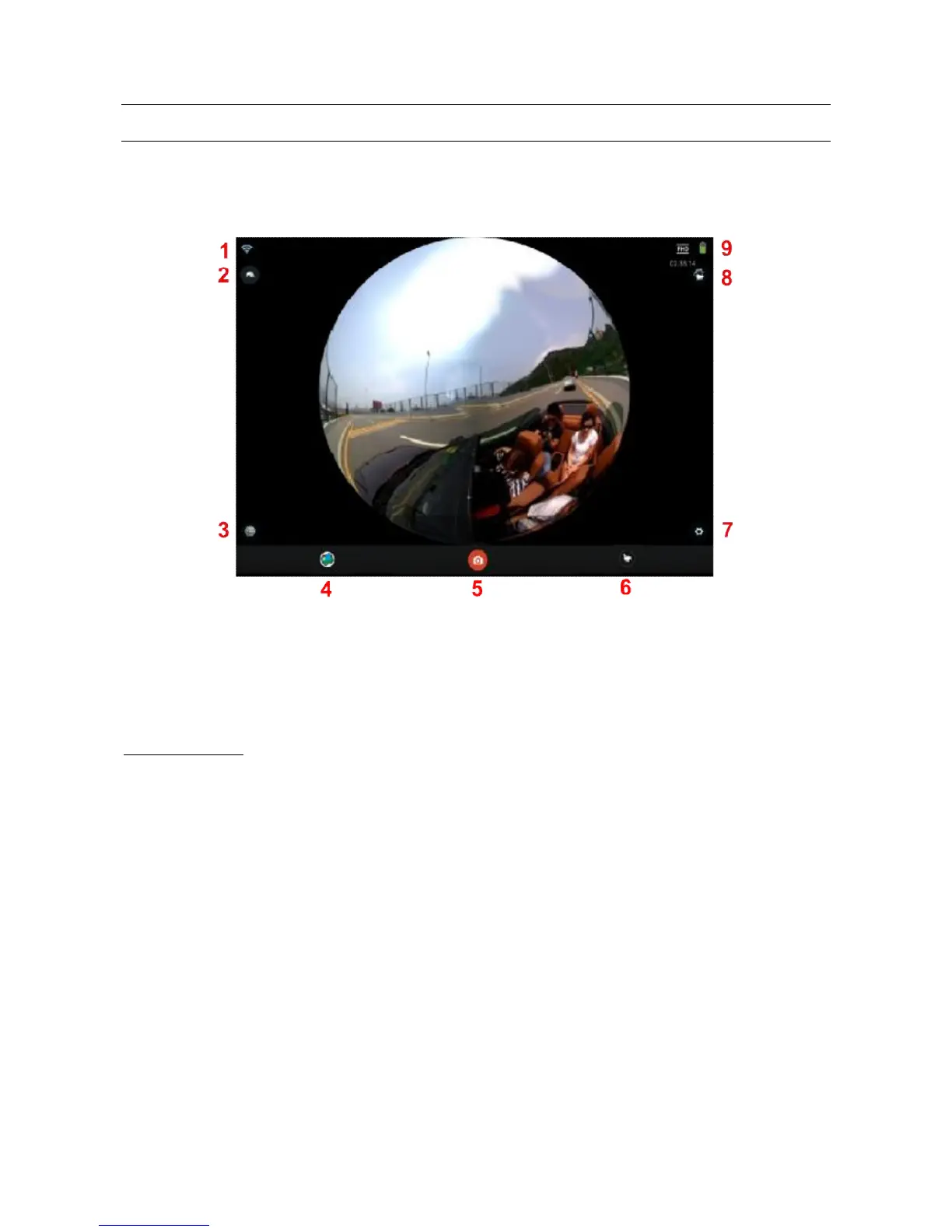
Once the EVO 360 and Smartphone are connected and you have started the application, you can
manage the cam from your smartphone or tablet.
The display modes for Android and iOS are very similar.
Display mode for Android.
2)Rotating the image
3)Viewing mode
4)Viewing photos and videos
5)Photo/video recording button
6)Switching from photo to video and vice versa
7)Settings
8)Not available
9)Battery level
VIEWING MODE
The APP's primary task is to provide a stylised preview, obtained by combining the 2 different
pictures or videos, when recording and when viewing.
Press icon 3 to view the different modes.



 To Next Page