EasyManua.ls Logo

Nilox EVO 360 - Settings; Photo Resolution; Video Resolution; White Balance

Nilox EVO 360
20 pages
Print Icon
To Next Page IconTo Next Page
To Previous Page IconTo Previous Page
Loading...
15
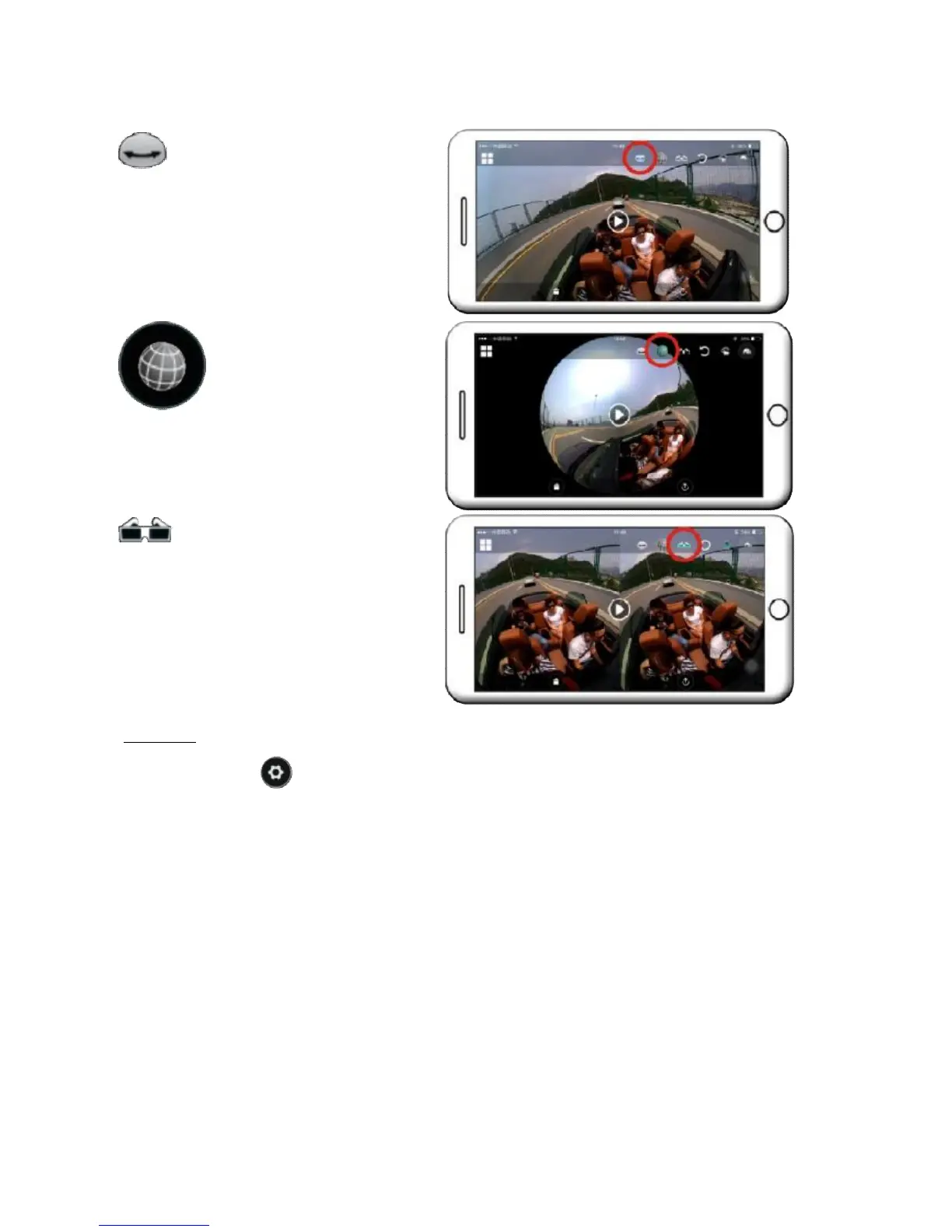
The image is flattened; similar to a
classic video recording or picture.
"Planet" mode
The image is presented in a
sphere; this sphere can be
changed by touching it to
zoom.
"VR" MODE
The image is displayed in virtual
reality mode. The specific viewer is
required to view them.
SETTINGS
Touch the symbol at the top left of the application:
PHOTO RESOLUTION
8M (3264x2448)
5M (2592x1944)
4M (2304x1728)
VIDEO RESOLUTION
1440p (30fps)
1080p (30fps)
WHITE BALANCE
Lets you select the best white balance according to the situation.
The choices are as follows:
Automatic
Day light
Cloudy
Fluorescent

Other manuals for Nilox EVO 360

Related product manuals