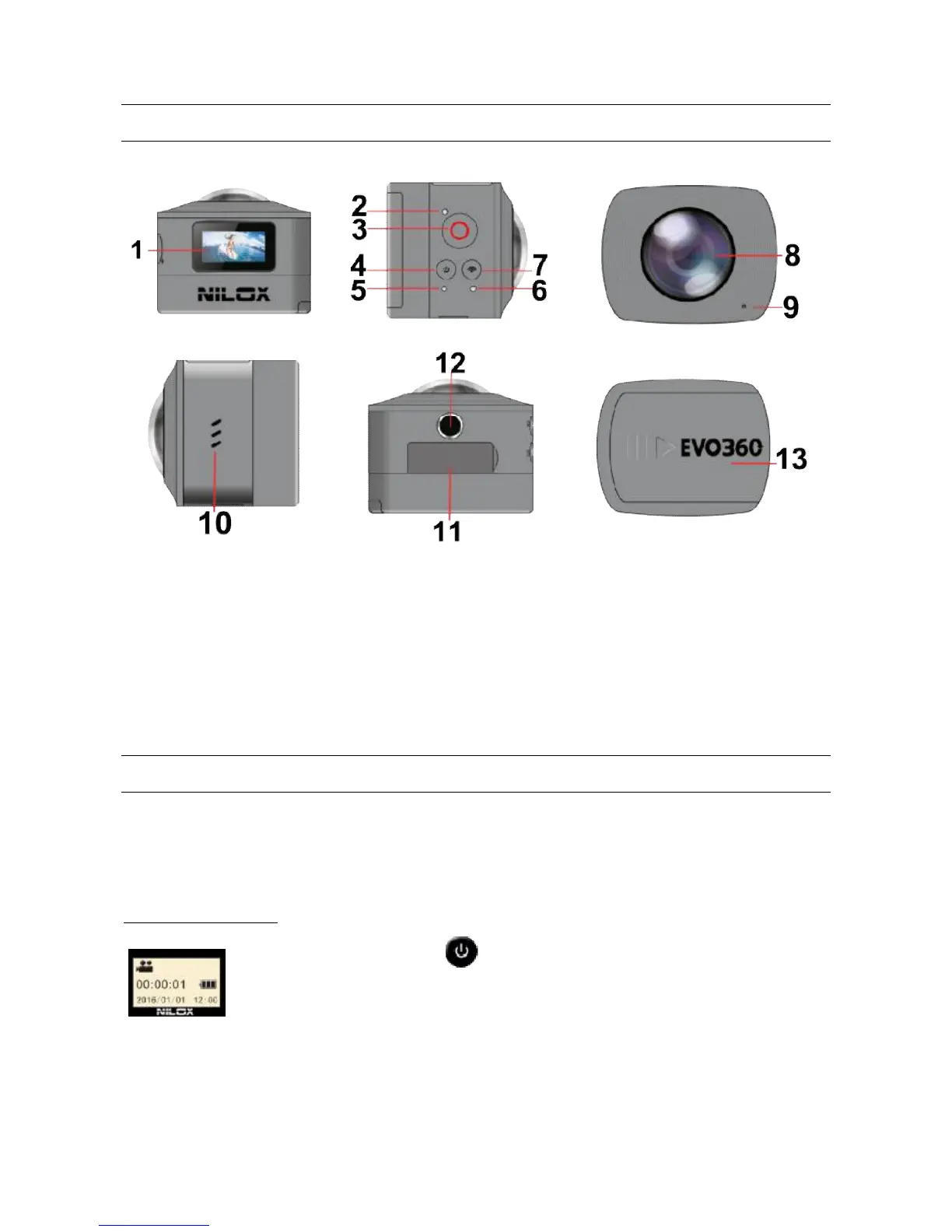
8) Lens unit
9) Microphone
10) Speaker
11) MicroSD, HDMI, USB slot
12)Tripod interface
13) Removable battery compartment
STARTING STEPS
Insert the microSD card in the slot, opening the slot cover flap (11) and inserting the card with the
contacts facing up.
At least a class 6 or, preferably, class 10 high speed microSD card is required to make the 360+
function properly. Always turn off the camera before inserting or removing the microSD card.
POWER ON AND OFF
Hold down the start button for about 2 seconds and release until the buzzer
sounds.
A brief welcome message appears and next the display indicates the EVO 360
operating mode; the default operating mode, when turned on, is video recording mode.
Press and hold down the same button for about 3 seconds to turn off the cam.
If the cam is not used for about 3 minutes (default value) the EVO 360 automatically turns off.



 To Next Page