6.4.4 Programming
Optimization of the automatic drying programmes for
the drying cabinet and activation/deactivation of the
child lock are performed in the programming mode.
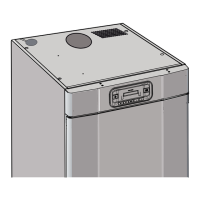
1 Make sure that the main power switch ON/OFF on
the cabinet is in the OFF position. The display will
be black.
2 Press and hold the UP and DOWN ARROW buttons
and then move the main power switch ON/OFF to
the ‘ON’ position.
The display will be lit and show the parameter
’P 105’ and the factory default value for P 105.
The line with the current parameter will ash in the
display.
3 Move to the preferred parameter by pressing the
UP or DOWN ARROW repeatedly. If you go too far,
you can continue until the display shows the correct
parameter.
4 When the display shows the correct parameter,
e.g. ‘P2132’, press START/STOP to conrm the
parameter selection. The line will now ash with
the set value for the parameter.
5 Increase or decrease the parameter value with the
UP or DOWN ARROW button.
6 Press START/STOP to save the set value.
7 Press the UP ARROW and START/STOP to return
to the operational value.
6.4.5 Reset to factory default
1 Enter parameter display mode in accordance with
section 6.4.4.
2 Press and hold the UP or DOWN ARROW and then
press START/STOP.
The factory defaults will be saved and the display
will show the last programme used.
6.5 Child lock
6.5.1 Introduction
The child lock mode is a safety feature to prevent the
drying process from being started or stopped acciden-
tally. This functionality means that all the buttons must
be pressed for at least 3 seconds for the required activity.
This mode can be suitable for nurseries, etc.
N.B. If the door is opened during operation and closed
within 5 min., the drying process will continue. If the door
is open for more than 5 min. the drying process will end.
6.5.2 Activation
1 Enter the programming mode. See section 6.4.4.
2 Move to the parameter ‘P115’ with the UP or
DOWN ARROW.
3 Press START/STOP to save.
4 Change the parameter to the value 1.
5 Press START/STOP to save.
6 Exit the programming mode with the DOWN AR-
ROW and START/STOP. The child lock mode has
now been activated and is indicated in the display
with a lit ‘clock’ symbol.
6.5.3 Deactivation
1 Enter the programming mode.
2 Move to the parameter ‘P115’ with the UP or
DOWN ARROW.
3 Press START/STOP to save.
4 Change the parameter to the value 0.
5 Press START/STOP to save.
6 Exit the programming mode with the DOWN AR-
ROW and START/STOP.
The clock symbol turns o.
32 ENGLISH


 To Next Page