EasyManua.ls Logo

Nine Eagles Galaxy Visitor 2 - Operating Steps; Quit Setting Mode; Unlock Setting; Maintenance

Nine Eagles Galaxy Visitor 2
15 pages
Print Icon
To Next Page IconTo Next Page
To Previous Page IconTo Previous Page
Loading...
II
(2)Operating
steps
O.Setting
the
camera
button:
Dial
the
switch you want
to
set (it
must
be
two-position
toggle
switch,
or
two-position
toggle
among
three position
toggle
switch)
for
more
than
three times.
If
the
button
you
want
to
set
is
knob, please dial
the
knob
for
three times
from
smallest
to
biggest.
8.Setting
the picture
button:
Dial
the
switch you
want
to
set (it
must
be
two-position
toggle
switch,
or
two-position
toggle
among
three position
toggle
switch)
for
more
than three times.
If
the
button
you
want
to
set
is
knob, please dial
the
knob
for
three times
from
smallest
to
biggest.
In above operations,
the
final status
of
the
appointed
switch
or
knob
is
its
initial state.
(3)Quit
setting
mode
After above operations, push the direction bar leftmost, then
it
quits the self-define
mode, and you
can
take video
or
picture.
(4)Unlock
setting
O.Power
on
the
Galaxy Visitor 2
through
connecting
the
Li-Po
battery
to
the
receiver.
8.Turn
on
J5
or
J6
transmitter, connect
the
General Link
to
the
transmitter.
Ensure
it
in normal
work.
8.Push
the
transmitter
throttle
bar
to
O(
the
bottom).
O .Push
the
aileron bar rightmost.
0 .Ensure the Galaxy Visitor 2 has successfully
bound
with
the
transmitter(when
the
aircraft
is
off
binding
with
the transmitter,
the
red
indicator
light
on
its tail will flash like
~---,~,
~, ~,
~,after
successful
binding,
the
light
will
turn
solid on)
0.After
2 seconds, loosen
the
aileron bar
to
middle
position.
At
this time,
Galaxy Visitor 2
is
in Self-define mode.
8.Push
the
transmitter
direction bar
leftmost
to
unlock
the
button
function
set.
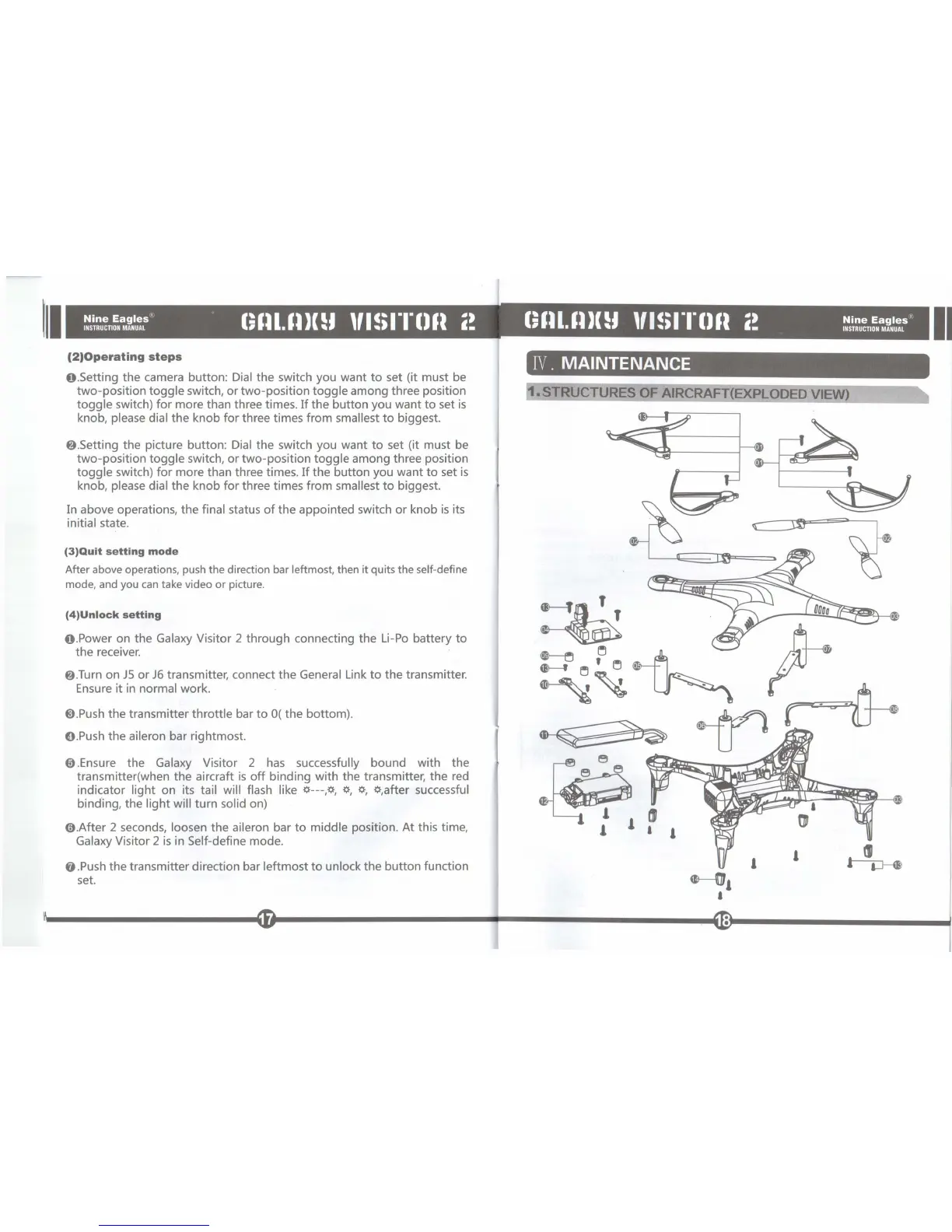
IV.
MAINTENANCE
STRUCTURES OF AIRCRAFT(EXPLODED VIEW)
$---f~
,
~
~
~
$---f~'
~
If
~~
~
m
. ,
-tr
~,
,
,
~
II

Other manuals for Nine Eagles Galaxy Visitor 2

Related product manuals