EasyManua.ls Logo

Nine Eagles Galaxy Visitor 2 - User Manual

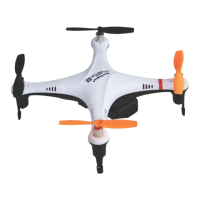
Nine Eagles Galaxy Visitor 2
15 pages
Print Icon
To Next Page IconTo Next Page
Loading...
V/hit~
~nd
f]/;::ck
-----
~J~~v
f~5hion
in
th~
"kIJ
. =
4-~
1111
~:F"F.l1
Flying is a life style!
SHANGHAI
NINE
EAGLES
ELECTRONIC
TECHNOLOGY
CO
.
,LTD
ADD:No.818,Fengrao
Road,Malu,Jiading
District,Shanghai,p.r:c.
Te
l:
0086
-
21
-
52919366
Fax:0086
-
21-52919361
http
/
/WNW
.
nineeagle.com
E-
rnail
:
sales
@
nineeagle
.
com
Nine
Eagles@
CiALAXY
2
VISITOR
~~~
1.11
Galaxy
Visitor
2
2.46Hz
4CH
NE-MASFII
Instruction
Manual
~:?!j>.
FJR
F
~~
This
model
is
compatible
with
FUTABA
FHSS
2.4GHz Transmitter

Other manuals for Nine Eagles Galaxy Visitor 2

Question and Answer IconNeed help?

Do you have a question about the Nine Eagles Galaxy Visitor 2 and is the answer not in the manual?

Summary

Introduction and Information

Introduction

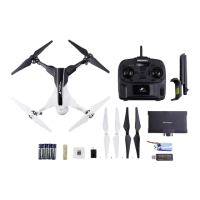
Provides an overview of the Galaxy Visitor 2, including its features, warranty, and kit contents.

Transmitter Introduction

Details the components and layout of the remote control transmitter.

Preparation Before Flight

Guides on installing transmitter batteries, charging the flight battery, and attaching blade protectors.

Basic Flight Chapter

Basic Knowledge in Flight

Explains fundamental flight controls and aircraft movements for beginners.

Basic Flight Training

Provides step-by-step instructions for basic flight maneuvers and altitude control.

Advanced Flight Chapter

Conventional Control Mode and Intelligent Control Mode

Explains the two flight control modes: pilot-dominated and controller-dominated (headless).

The Switch Between 2 Control Modes

Details how to switch between conventional and intelligent (headless) flight modes using the transmitter.

Status of Conventional Control Mode

Indicates the aircraft's reaction to transmitter controls in conventional mode (red light solid).

Status of Intelligent Control Mode

Indicates the aircraft's reaction in intelligent mode (red light flashing).

Switch Between Low Rate and High Rate

Explains how to adjust flight sensitivity between low and high rate settings.

Switch On;Off the Acceleration Sensor

Describes how to enable or disable the aircraft's acceleration sensor.

Trimming

Instructions on adjusting trim levers for stable flight and correcting aircraft drift.

Throttle Trim Adjustment

How to adjust the throttle trim to ensure proper blade rotation.

Yaw (Rudder) Trim Adjustment

How to adjust the yaw trim to correct nose rotation.

Pitch (Elevator) Trim Adjustment

How to adjust the pitch trim to correct forward/backward movement.

Roll(Aileron) Trim Adjustment

How to adjust the roll trim to correct left/right drift.

Auto-Return Function

Details the function to automatically return the aircraft to the operator.

What is Auto-Return?

Explains the purpose and basic operation of the Auto-Return feature.

When to Use Auto-Return Function

Provides guidance on when and why to activate the Auto-Return function.

Attentions When Using Auto-Return Function

Lists important safety precautions and considerations for using Auto-Return.

Way to Quit AUTO-RETURN

Explains the methods to disengage the Auto-Return function.

Aircrafts Flying Direction in Auto-Return Process

Describes how the aircraft's direction changes during the Auto-Return process.

Ways to Turn the Aircraft During Auto-Return

Explains how to maneuver the aircraft during Auto-Return.

How to Use Camera

Instructions for installing and operating the aircraft's camera for photos and videos.

Installation of Camera

Step-by-step guide for physically mounting the camera onto the aircraft.

Use of Photo and Video Shooting Function

How to take photos and record videos using the transmitter buttons.

Setting Picture;Video Function on Other Transmitters

Guide for configuring photo/video functions with compatible external transmitters.

Step into Set Mode

Procedure to enter the mode for setting custom picture/video functions.

Operating Steps

Details the steps for setting camera and picture functions on other transmitters.

Quit Setting Mode

How to exit the custom setting mode for photo/video functions.

Unlock Setting

Procedure to unlock and set custom button functions for photo/video.

Maintenance

Structures of Aircraft (Exploded View)

Diagram showing all parts of the aircraft for maintenance and identification.

Spare Parts List

A comprehensive list of all available spare parts with item numbers and names.

Check Blade Rotating Direction

Instructions on verifying correct blade installation and rotation after repair.

Binding Between Aircraft and Transmitter

Step-by-step guide to pair the aircraft with its remote control transmitter.

Calibrating of the Acceleration Sensor

Procedure for calibrating the acceleration sensor for optimal flight stability.

Entry the Calibration Mode

How to initiate the calibration sequence for the acceleration sensor.

Calibration Methods

Details the steps to perform the calibration after entering the mode.

Quit Calibration Mode

How to exit the acceleration sensor calibration mode.

Calibration of Geomagnetic Sensor

Procedure for calibrating the geomagnetic sensor to correct directional bias.

Gains Setting

Instructions on adjusting control gains to customize flight performance.

Adjustment of Auto-Return Speed

How to adjust the speed of the Auto-Return function for different flight conditions.

Connecting Between Motor and Circuit Board

Guide for correctly connecting motors to the aircraft's circuit board.

Safety and Environmental Protection

Warning and FCC Information

Important safety warnings, FCC compliance, and general operating precautions.

Li-Po Battery Safety Guidelines

Crucial safety instructions for handling, charging, and disposing of Li-Po batteries.

Specific Safety Guidelines

Detailed safety rules for charging and storing Li-Po batteries to prevent hazards.

If the Battery Pack Involved in a Crash or is Otherwise Damaged

Procedures for handling damaged Li-Po battery packs after a crash.

Disposal of Li-Po Batteries

Instructions on how to safely discharge and dispose of Li-Po batteries.

Summary

Introduction and Information

Introduction

Provides an overview of the Galaxy Visitor 2, including its features, warranty, and kit contents.

Transmitter Introduction

Details the components and layout of the remote control transmitter.

Preparation Before Flight

Guides on installing transmitter batteries, charging the flight battery, and attaching blade protectors.

Basic Flight Chapter

Basic Knowledge in Flight

Explains fundamental flight controls and aircraft movements for beginners.

Basic Flight Training

Provides step-by-step instructions for basic flight maneuvers and altitude control.

Advanced Flight Chapter

Conventional Control Mode and Intelligent Control Mode

Explains the two flight control modes: pilot-dominated and controller-dominated (headless).

The Switch Between 2 Control Modes

Details how to switch between conventional and intelligent (headless) flight modes using the transmitter.

Status of Conventional Control Mode

Indicates the aircraft's reaction to transmitter controls in conventional mode (red light solid).

Status of Intelligent Control Mode

Indicates the aircraft's reaction in intelligent mode (red light flashing).

Switch Between Low Rate and High Rate

Explains how to adjust flight sensitivity between low and high rate settings.

Switch On;Off the Acceleration Sensor

Describes how to enable or disable the aircraft's acceleration sensor.

Trimming

Instructions on adjusting trim levers for stable flight and correcting aircraft drift.

Throttle Trim Adjustment

How to adjust the throttle trim to ensure proper blade rotation.

Yaw (Rudder) Trim Adjustment

How to adjust the yaw trim to correct nose rotation.

Pitch (Elevator) Trim Adjustment

How to adjust the pitch trim to correct forward/backward movement.

Roll(Aileron) Trim Adjustment

How to adjust the roll trim to correct left/right drift.

Auto-Return Function

Details the function to automatically return the aircraft to the operator.

What is Auto-Return?

Explains the purpose and basic operation of the Auto-Return feature.

When to Use Auto-Return Function

Provides guidance on when and why to activate the Auto-Return function.

Attentions When Using Auto-Return Function

Lists important safety precautions and considerations for using Auto-Return.

Way to Quit AUTO-RETURN

Explains the methods to disengage the Auto-Return function.

Aircrafts Flying Direction in Auto-Return Process

Describes how the aircraft's direction changes during the Auto-Return process.

Ways to Turn the Aircraft During Auto-Return

Explains how to maneuver the aircraft during Auto-Return.

How to Use Camera

Instructions for installing and operating the aircraft's camera for photos and videos.

Installation of Camera

Step-by-step guide for physically mounting the camera onto the aircraft.

Use of Photo and Video Shooting Function

How to take photos and record videos using the transmitter buttons.

Setting Picture;Video Function on Other Transmitters

Guide for configuring photo/video functions with compatible external transmitters.

Step into Set Mode

Procedure to enter the mode for setting custom picture/video functions.

Operating Steps

Details the steps for setting camera and picture functions on other transmitters.

Quit Setting Mode

How to exit the custom setting mode for photo/video functions.

Unlock Setting

Procedure to unlock and set custom button functions for photo/video.

Maintenance

Structures of Aircraft (Exploded View)

Diagram showing all parts of the aircraft for maintenance and identification.

Spare Parts List

A comprehensive list of all available spare parts with item numbers and names.

Check Blade Rotating Direction

Instructions on verifying correct blade installation and rotation after repair.

Binding Between Aircraft and Transmitter

Step-by-step guide to pair the aircraft with its remote control transmitter.

Calibrating of the Acceleration Sensor

Procedure for calibrating the acceleration sensor for optimal flight stability.

Entry the Calibration Mode

How to initiate the calibration sequence for the acceleration sensor.

Calibration Methods

Details the steps to perform the calibration after entering the mode.

Quit Calibration Mode

How to exit the acceleration sensor calibration mode.

Calibration of Geomagnetic Sensor

Procedure for calibrating the geomagnetic sensor to correct directional bias.

Gains Setting

Instructions on adjusting control gains to customize flight performance.

Adjustment of Auto-Return Speed

How to adjust the speed of the Auto-Return function for different flight conditions.

Connecting Between Motor and Circuit Board

Guide for correctly connecting motors to the aircraft's circuit board.

Safety and Environmental Protection

Warning and FCC Information

Important safety warnings, FCC compliance, and general operating precautions.

Li-Po Battery Safety Guidelines

Crucial safety instructions for handling, charging, and disposing of Li-Po batteries.

Specific Safety Guidelines

Detailed safety rules for charging and storing Li-Po batteries to prevent hazards.

If the Battery Pack Involved in a Crash or is Otherwise Damaged

Procedures for handling damaged Li-Po battery packs after a crash.

Disposal of Li-Po Batteries

Instructions on how to safely discharge and dispose of Li-Po batteries.

Nine Eagles Galaxy Visitor 2 Specifications

General IconGeneral
TypeQuadcopter
BrandNine Eagles
ModelGalaxy Visitor 2
Channels4 channels
LED LightsYes
Skill LevelBeginner
CameraNo
Battery3.7V
Remote Control2.4GHz
Featuresheadless mode, one key return

Related product manuals