EasyManua.ls Logo

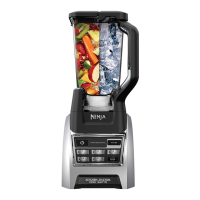
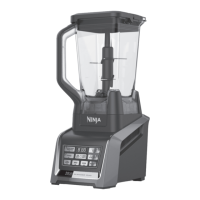
Ninja BL64X series - User Manual

Ninja BL64X series
24 pages
Print Icon
To Next Page IconTo Next Page
Loading...
®
BL64X series
OWNER’S GUIDE
www.sharkninjamanuals.com
1-877-646-5288

Questions and Answers

  • K
    Kristen ColemanAug 13, 2025
    What to do if my Ninja blender motor doesn’t start?
    • J
      James WolfeAug 13, 2025
      If the Ninja blender motor doesn’t start or the attachment doesn’t rotate, ensure the container is securely placed on the motor base and the lid is correctly positioned and securely on the container. Also, verify the appliance is turned “On” by pressing the power button. Check that the plug is securely inserted into the electrical outlet, and inspect the fuse or circuit breaker. If the unit has overloaded or overheated, unplug it and wait approximately 15 minutes before using it again. Also, make sure the unit is not overloaded.
  • M
    Michael TaylorAug 17, 2025
    What to do if Ninja blender won't crush ice?
    • K
      Kristen CruzAug 17, 2025
      If you cannot achieve snow from solid ice in your Ninja blender, avoid using ice that has been sitting out or has started to melt. Use ice straight from the freezer. Start with a few pulses and then switch to a continuous blending cycle.
  • A
    Anthony PetersonAug 20, 2025
    Why does my Ninja BL64X have a blinking red light?
    • C
      Corey BennettAug 20, 2025
      If your Ninja blender has a blinking red light, the unit isn't installed correctly. The unit can only be turned on when properly assembled.
  • A
    anitathompsonAug 25, 2025
    What to do if food sticks to the Ninja BL64X Blender lid?
    • J
      Jennifer BoydAug 26, 2025
      If food collects on the lid or sides of the container in your Ninja blender, the mixture is likely too thick. Try adding more liquid.
  • R
    Ricky WhiteAug 28, 2025
    Why won't my Ninja BL64X base stick to the counter?
    • J
      James Wilson DVMAug 28, 2025
      If the Ninja blender's motor base won’t stick to the counter or tabletop, make sure the surface and suction feet are wiped clean. Note that suction feet will only adhere to smooth surfaces and will not stick on surfaces like wood, tile, and non-polished finishes. Do not attempt to use the appliance when the motor base is stuck to an insecure surface.
  • R
    Robert HernandezAug 31, 2025
    How to fix uneven chopping in my Ninja BL64X?
    • C
      Cindy MorrisSep 1, 2025
      If food is unevenly chopped in your Ninja blender, you might be processing too much food at once, or the pieces aren't uniformly sized. Try processing smaller amounts per batch.
  • M
    Melissa AdamsSep 4, 2025
    Why is my Ninja BL64X Blender chopping food too fine?
    • M
      Michael FowlerSep 4, 2025
      If food is chopped too finely or becomes too watery in your Ninja blender, it has likely been over-processed. Use the Auto-iQ® Pulse button for more controlled processing.
  • V
    vasquezchristopherSep 8, 2025
    What does “Err” message mean on my Ninja BL64X Blender?
    • A
      Andrew ReedSep 8, 2025
      If you get an “Err” message on your Ninja blender, it indicates that the blender detects which jar is on the base. You might be trying to use a program not designed for the installed jar. The programs will light up to show which ones are available for each jar.

Summary

Important Safety Instructions

General Safety Precautions

Basic safety measures to follow when using electrical appliances.

Specific Risk Reduction Warnings

Warnings and cautions to reduce risk of fire, electric shock, or injury.

Technical Specifications

Electrical and Capacity Details

Details voltage, power, and various container capacities.

Using the Nutri Ninja Blender

Important Usage Safeguards

Key precautions to keep in mind while using the appliance.

Ninja Blender Assembly and Use

Blender Assembly Steps

Detailed instructions for assembling the blender pitcher and motor base.

Operating the Blender

Processor Bowl Assembly and Use

Using the Chopping Blade

Cutting Discs Assembly and Use

Mini Prep Bowl Assembly and Use

Nutri Ninja Cups Assembly and Use

Coffee and Spice Grinder Use

Care and Maintenance

Resetting the Motor Thermostat

Procedure to reset the motor if it stops due to overheating.

Troubleshooting Guide

One Year Limited Warranty

Two Year Limited Warranty (Germany)

Ninja BL64X series Specifications

General IconGeneral
BrandNinja
ModelBL64X series
CategoryBlender
LanguageEnglish

Related product manuals