EasyManua.ls Logo

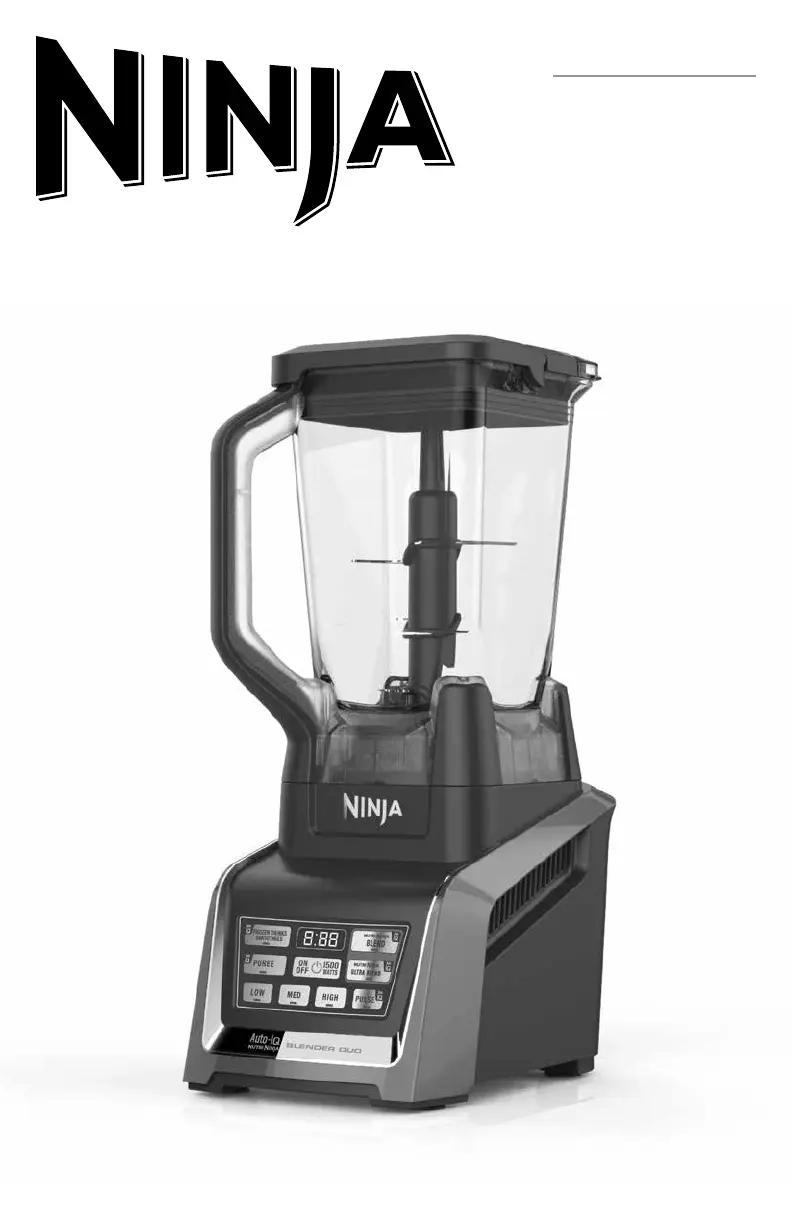
Ninja BL642ANZMN - User Manual

Ninja BL642ANZMN
9 pages
Print Icon
To Next Page IconTo Next Page
Loading...
®
BL642ANZMN
OWNER’S GUIDE

Questions and Answers

  • M
    Marvin BurgessJul 27, 2025
    What to do if Ninja BL642ANZMN motor doesn’t start?
    • J
      John HughesJul 27, 2025
      If the motor of your Ninja Blender doesn't start or the blade assembly doesn’t rotate, try the following: * Ensure the container is securely placed on the motor base. * Make sure the lid is securely on the container in the correct position by aligning the arrows. * Press the power button to turn the appliance on. * Check that the plug is securely inserted into the electrical outlet. * Examine the fuse or circuit breaker. * If the unit has overloaded or overheated, unplug it and wait approximately 15 minutes before using it again. * Confirm that the unit is not overloaded.
  • A
    Andrew WhiteheadJul 31, 2025
    What to do if Ninja BL642ANZMN Blender chops food too fine?
    • R
      Rachel RoyJul 31, 2025
      If your Ninja Blender chops food too fine or makes it too watery, it has likely been over-processed. Use the Auto-iQ® Pulse button for more controlled processing.
  • W
    William BestAug 4, 2025
    How to make snow from ice in Ninja BL642ANZMN?
    • T
      Thomas VanceAug 4, 2025
      To achieve snow from solid ice in your Ninja Blender, do not use ice that has been sitting out or has started to melt; use ice straight from the freezer. Start with a few pulses and then proceed to a continuous blending cycle.
  • M
    myersmistyAug 9, 2025
    Why won’t my Ninja BL642ANZMN Blender motor base stick to the counter?
    • D
      dparkAug 9, 2025
      If the motor base of your Ninja Blender won’t stick to the counter or tabletop, ensure that the surface and suction feet are wiped clean. Note that suction feet will only stick to smooth surfaces and will not adhere to some surfaces such as wood, tile, and non-polished finishes. Do not attempt to use the appliance when the motor base is stuck to a surface that is not secure, such as a cutting board, platter, or plates.
  • P
    Pamela StewartAug 13, 2025
    What to do if food collects on the lid of my Ninja BL642ANZMN?
    • H
      Heather CostaAug 13, 2025
      If food collects on the lid or on the sides of the container of your Ninja Blender, the mixture is likely too thick. Try adding more liquid to thin it out.
  • G
    griffinbenjaminAug 17, 2025
    Why is my Ninja BL642ANZMN showing an 'Err' message?
    • J
      Jonathan NelsonAug 17, 2025
      Your Ninja Blender shows an 'Err' message because it can detect which jar is on the base. You might be trying to use a program that isn't designed for the jar you have installed. The programs will light up to indicate which ones are available for each jar.
  • C
    conwaysethAug 22, 2025
    Why is food unevenly chopped in my Ninja BL642ANZMN Blender?
    • G
      Gabriela FordAug 22, 2025
      Food may be unevenly chopped in your Ninja Blender if you are chopping too much food at one time, or if the pieces are not of even size. Try processing smaller amounts per batch.

Summary

NINJA BL642 ANZMN OWNERS GUIDE

IMPORTANT SAFETY INSTRUCTIONS

Before First Use

Important Safeguards for First Use

Key safety guidelines and precautions to follow before operating the appliance.

Assembly and Use for the Ninja Blender

Assembly

Instructions for correctly assembling the Ninja Blender pitcher and its components.

Use

How to operate the Ninja Blender pitcher using speed settings and Auto-iQ programs.

Removal

Procedures for safely removing the Ninja Blender pitcher from the motor base.

Assembly and Use for the Nutri Ninja Cups

Assembly

Steps to assemble the Nutri Ninja Cup with the Pro Extractor Blades for blending.

Use

How to operate the Nutri Ninja Cups with speed settings and Auto-iQ programs.

Removal

Instructions for safely removing the Nutri Ninja Cup from the motor base.

Programs, Speed Settings & Uses for the Pitcher

Programs, Speed Settings & Uses for the Nutri Ninja Cup

Care & Maintenance

How to Clean

Detailed instructions for cleaning the blender components, including hand wash and dishwasher.

Troubleshooting Guide

One Year Limited Replacement Warranty

Resetting the Motor Thermostat

Ninja BL642ANZMN Specifications

General IconGeneral
ModelBL642ANZMN
Power1200 W
MaterialPlastic
Blade MaterialStainless Steel
ColorBlack
PulseYes
Ice CrushingYes
BPA FreeYes
Dishwasher Safe PartsYes
TypeBlender
SettingsPre-programmed settings

Related product manuals