EasyManua.ls Logo

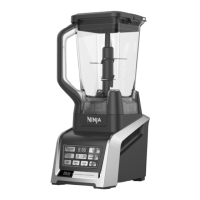
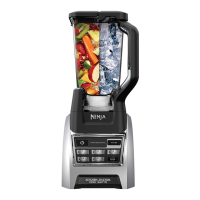
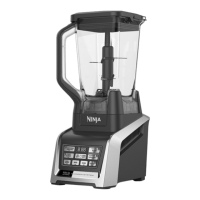
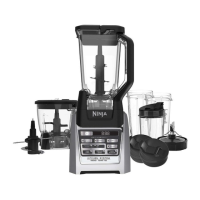
Ninja BL681A - User Manual

Ninja BL681A
20 pages
Print Icon
To Next Page IconTo Next Page
Loading...
®
BL681A
OWNER’S GUIDE
ninjakitchen.com
1 877 646-5288

Questions and Answers

  • J
    jacobmcdowellAug 12, 2025
    Why won't my Ninja Blender motor start?
    • B
      barberrobertAug 13, 2025
      There are several reasons why your Ninja Blender motor might not be starting. First, ensure the container is securely locked on the motor base and the lid is correctly positioned with aligned arrows. Also, verify that the appliance is turned 'On' by pressing the power button and that the plug is securely inserted into the electrical outlet. Check the fuse or circuit breaker. If the unit has overloaded or overheated, unplug it and wait approximately 15 minutes before using it again. Make sure the unit is not overloaded.
  • R
    ramirezrebeccaAug 16, 2025
    How to fix a blinking red light on my Ninja Blender?
    • J
      Jennifer JonesAug 16, 2025
      The unit will only turn on when properly assembled. The blinking red light on your Ninja Blender indicates that the unit is not installed properly. For your safety, ensure it is correctly assembled.
  • J
    johnsonshannonAug 20, 2025
    What to do if my Ninja BL681A motor base won’t stick to the counter?
    • T
      Thomas NicholsAug 20, 2025
      If your Ninja Blender's motor base isn't sticking to the counter, make sure both the surface and the suction feet are wiped clean. Note that the suction feet will only adhere to smooth surfaces and will not stick to wood, tile, or non-polished finishes. Do not attempt to use the appliance when the motor base is stuck to an insecure surface, such as a cutting board or platter.
  • K
    Kelly FosterAug 23, 2025
    What to do if food collects on the lid of my Ninja Blender?
    • K
      kmooreAug 25, 2025
      If food is collecting on the lid or sides of your Ninja Blender container, the mixture is likely too thick. Try adding more liquid to the mixture.
  • M
    Mia EstradaAug 27, 2025
    Why is my Ninja BL681A chopping food unevenly?
    • L
      Lisa SpencerAug 27, 2025
      Unevenly chopped food in your Ninja Blender can occur if you're processing too much food at once or if the pieces aren't uniformly sized. Try processing smaller amounts per batch.
  • C
    Charles WhiteheadAug 31, 2025
    What to do if I get an “Err” Message on my Ninja BL681A Blender?
    • J
      Julie NielsenAug 31, 2025
      Your Ninja Blender can detect which jar is on the base. An “Err” message may appear if you are trying to use a program that is not designed for the jar you have installed. The programs will light up indicating which programs are available for each jar.
  • H
    hgonzalezSep 4, 2025
    Why is my Ninja BL681A chopping food too fine?
    • S
      smithjamieSep 4, 2025
      If your Ninja Blender is chopping food too finely or making it too watery, it's likely being over-processed. Try using the AUTO-iQ® Pulse button for more controlled processing.
  • C
    Claire HolmesSep 8, 2025
    How to make snow from ice in Ninja Blender?
    • K
      Kimberly GallagherSep 8, 2025
      To achieve a snow-like consistency from solid ice in your Ninja Blender, avoid using ice that has been sitting out or has started to melt. Use ice straight from the freezer. Start with a few pulses and then switch to a continuous blending cycle.

Summary

Important Safety Instructions

Electrical Safety

Covers polarized plug, extension cords, and submerging appliance in liquid.

Blade & Utensil Safety

Warnings about sharp blade assemblies, utensil removal, and handling.

General Operation Safety

Covers hot liquids, child safety, unattended use, and overheating.

Usage Restrictions and Precautions

Usage Restrictions and Precautions

Microwave use, hot surfaces, dry surfaces, keeping body parts away, temperature changes.

Cord, Plug, and Lid Security

Warnings on cord safety, damaged units, and lid security.

Operational Limits and Resetting

Do not overfill, operate empty, overload protection, and cooling procedures.

Intended Use and Product Rating

Information on intended household use and maximum rating.

Getting to Know Your Blender System

Component Identification

Diagrams and labels for all components of the blender system.

Key Product Features

Lists key features like AUTO-IQ settings, blade technology, and BPA-free components.

Control Panel and Operation

Explains the buttons and displays on the control panel for operation.

Before First Use

Pre-Use Safeguards

Reminders about plugging in, adding ingredients, lid use, and empty operation.

Initial Cleaning Instructions

Instructions for hand washing and dishwasher cleaning of all parts.

Assembly and Use of the Pitcher

Pitcher Assembly and Placement

Step-by-step guide for assembling the pitcher onto the motor base.

Adding Ingredients and Securing Lid

How to add ingredients and properly attach the pitcher lid.

Operating the Blender with Pitcher

How to select programs, pause, and stop the blender.

Pitcher Removal and Unplugging

Steps for safely removing the pitcher and unplugging the unit.

Assembly and Use of the Food Processor

Food Processor Bowl Setup

Steps for assembling the food processor bowl and lid.

Food Processor Operation

How to add ingredients and operate the food processor.

Using Chopping and Dough Blades

Instructions for assembling and using the chopping and dough blades.

Food Processor Removal

Steps for safely removing the food processor bowl and motor base.

Assembly and Use of Cutting Discs

Cutting Disc Assembly and Use

How to assemble and use the slicing/shredding and grating discs.

Operating with Discs

How to use the feed chute and pusher with the cutting discs.

Assembly and Use of Nutri Ninja Cups

Nutri Ninja Cup Assembly

Steps for attaching the Pro Extractor Blades Assembly to the cup and placing it on the base.

Operating Nutri Ninja Cups

How to select programs and operate with Nutri Ninja cups.

Nutri Ninja Cup Removal

Steps for safely removing the cup and blade assembly.

Programs, Speed Settings & Uses for the Pitcher

Pitcher Program Guide

Details functions, containers, blades, speeds, and food types for the pitcher.

Programs, Speed Settings & Uses for the Nutri Ninja Cup

Nutri Ninja Cup Program Guide

Details functions, containers, blades, speeds, and food types for Nutri Ninja cups.

Care & Maintenance

How to Clean

Instructions for hand washing and dishwasher cleaning of parts.

How to Store

Guidance on storing the blender system and its attachments.

Resetting the Motor Thermostat

Procedure to reset the motor if it stops due to overload or overheating.

Troubleshooting Guide

Common Problems and Solutions

Lists common issues and their resolutions.

Ordering Replacement Parts

Information on how to order replacement parts and contact customer service.

One Year Limited Warranty

Warranty Terms and Conditions

Details the warranty period, coverage, and exclusions.

Product Registration

Instructions for registering the product for safety notifications.

Ninja BL681A Specifications

General IconGeneral
BrandNinja
ModelBL681A
CategoryBlender
LanguageEnglish

Related product manuals