
 Need help?
Do you have a question about the Ninja DUALBREW CFP200 Series and is the answer not in the manual?
Essential safety guidelines for operating the coffee maker.
Key instructions and warnings for proper operation.
Safety precautions for using and handling the coffee carafe.
Precautions regarding the power cord to prevent hazards.
Steps to set the current time on the coffee maker's display.
Procedure for calibrating the brewer for high-altitude conditions.
Chart showing coffee volumes for different sizes and brew styles.
Guidance on using the scoop or chart for coffee grounds.
Step-by-step instructions for brewing with coffee grounds.
Instructions for brewing using coffee pods with the adapter.
Explanation of Classic, Rich, and Over Ice brew styles.
Information on the automatic warming plate function.
How to adjust the duration of the warming plate.
Instructions for programming a future brew cycle.
Explanation of the drip stop function and its operation.
Guidance on closing the drip stop post-brew.
How to use the brewer to dispense hot water.
Routine cleaning steps after each brewing cycle.
Instructions for cleaning the water reservoir.
Recommended methods for cleaning the coffee carafe.
Steps for cleaning the brew basket's sliding lid.
How to clean the Ninja Pod Adapter.
Comprehensive guide to descaling the coffee maker.
Guidance on selecting the correct mode for cleaning cycles.
Addresses coffee sediment, strength issues, and brew speed.
Solutions for cup overflow, brew basket overflow, and brewer leaks.
Information on residual water and the clean cycle indicator.
Troubleshooting pod detection and coffee splatter issues.
How to ensure the water reservoir is properly seated.
Explains clock messages like End, Add Wtr, CLn, STOP, and Error messages.
Details on what components and defects are covered by the warranty.
Lists parts and conditions excluded from warranty coverage.
Information on obtaining product support and warranty service.
Steps to follow to start a warranty claim process.
Explanation of how state laws affect warranty rights.
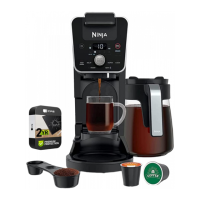
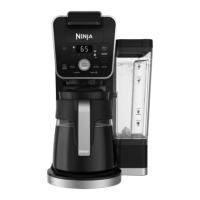
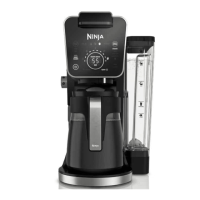
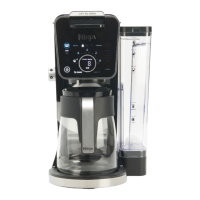
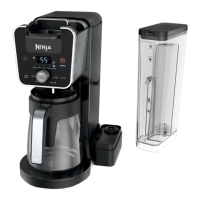
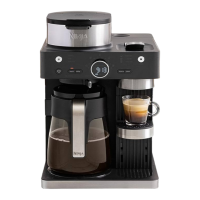
The Ninja CFP200 Series DualBrew Coffee Maker is a versatile appliance designed to brew both ground coffee and pods, offering a range of features for a customized coffee experience.
The primary function of the Ninja DualBrew Coffee Maker is to brew coffee using either ground coffee or single-serve pods. It features a Smart Sensing Mode that automatically detects whether the brew basket is set for grounds or if the Ninja Pod Adapter is in place for pods. The device also includes a Hot Water Mode (not available on all models) that dispenses hot water separately from the coffee brewing line, ensuring no cross-contamination of flavors. This dedicated hot water line is ideal for making tea, hot cocoa, or other hot beverages.
The coffee maker offers multiple brew styles to cater to different preferences:
It supports various brew sizes, from small cups to full carafes, with specific volume measurements provided for both ground coffee and pods. The Intelligent Warming Plate automatically activates for carafe sizes (1/4, 1/2, 3/4, or full carafe) in Classic or Rich brews, maintaining the coffee at an optimal temperature without burning it. Users can adjust the warming plate's duration from 0 to 4 hours.
A Delay Brew function allows users to program the coffee maker to start brewing at a specific time, ensuring fresh coffee is ready when desired. The Drip Stop feature provides manual control over coffee dispensing, allowing users to pause the brew or prevent dripping from the brew basket and pod adapter after a cycle is complete.
Setting up the Ninja DualBrew Coffee Maker involves a few initial steps. After plugging in, the clock needs to be set using the HR/MIN button and Multi-Serve Dial. For users in high-altitude areas, a High-Altitude Calibration Brew is required to ensure consistent brewing and prevent excessive steaming. This calibration cycle detects the local boiling point of water and is permanently saved.
Before the first brew, all accessories should be cleaned. The priming process involves filling the water reservoir with cool or room temperature water, removing the Ninja Pod Adapter (if installed), sliding the lid closed over the brew basket, and running a Full Carafe Classic brew cycle with an empty carafe. Ground coffee should not be used during this priming brew.
For brewing ground coffee, the sliding lid is opened, and a #4 paper cone filter or permanent filter is placed in the brew basket. The Ninja Smart Scoop™ or the Coffee Measurement Chart is used to determine the appropriate amount of ground coffee. The lid is then slid closed until it clicks.
For brewing pods, the Ninja Pod Adapter is inserted and locked into the REMOVE position, then a new pod is placed in the holder. The handle is pressed down firmly to pierce the pod and ensure it's fully closed, with an audible click indicating proper sealing. High-altitude users are advised to apply pressure to the K-Cup Pod before closing the handle to prevent blowout. Reusable K-Cup Coffee Filters are not compatible with the Ninja Pod Adapter.
To start a brew, the Multi-Serve Dial is used to select the desired brew size, followed by pressing the BREW STYLE button to choose the brew type (Classic, Rich, Over Ice, Specialty). Finally, the START BREW button initiates the brewing cycle. The brewer may pause during the cycle to evenly saturate coffee grounds, a process that applies to all brew styles.
The Hot Water Mode (if available) is activated by turning the dial on the left side of the brewer to the water droplet icon. Users can then select from 17 sizes (2 oz. to 60 oz.) using the Multi-Serve Dial and press START BREW.
Regular cleaning is crucial for maintaining the performance and flavor of coffee. After each brew, the brew basket (and Ninja Pod Adapter if used) should be removed and washed thoroughly with soap and warm water. The carafe and its brew-through lid should also be cleaned with soap and warm water, using a bottle brush or soft foam brush for the carafe's interior; wire brushes should be avoided. The water reservoir should be rinsed after brewing and refilled with fresh water, and it is recommended to hand-wash or place it in the dishwasher (bottom rack, upright with opening facing downward) weekly.
The sliding lid can be removed by opening the hinged hood and sliding the lid out from the back of the brewer. It should be hand-washed with warm, soapy water and is not dishwasher safe. The Ninja Pod Adapter's needles and pod holder should be hand-washed with care, then the handle closed and slid back to the REMOVE position before reinstalling; it is also not dishwasher safe.
The coffee maker features an Intelligent Clean Cycle Indicator (orange light) that signals when a cleaning cycle is recommended for descaling the brewing system. This is necessary to remove calcium scale buildup, which can affect performance and coffee flavor. If ignored, the brewer may stop mid-brew and display "CLn," indicating an immediate need for cleaning in the current mode.
The clean cycle takes approximately 75 minutes. When the indicator first illuminates, users should run a clean cycle on the mode they use most frequently (Grounds, Pods, or Hot Water). If Hot Water mode is used, an additional clean cycle for that mode is recommended. Subsequent orange light illuminations indicate cleaning is needed for other modes.
To perform a clean cycle, an empty carafe is placed under the brew basket, and the water reservoir is filled with a descaling solution (specifically formulated for coffeemakers) or a mixture of white vinegar (to the Travel Mug line) and water (to the Full line). The CLEAN button is pressed, followed by START BREW. The brewer will deliver cleaning solution in stages with pauses for maximum descaling. The carafe should not be removed during this cycle. After completion, the brewer will beep, display "End," and the indicator will turn off. The carafe contents should be discarded, and the water reservoir cleaned. Finally, a water-only flush cycle (Full Carafe Classic for Grounds, 12 oz. Classic for Pods, or Full Carafe BOIL for Hot Water) should be run to remove any residual cleaning solution. If taste persists, another water-only cycle can be run.
 General
| Type | Coffee Maker |
|---|---|
| Brand | Ninja |
| Brewing Method | DualBrew |
| Water Reservoir Capacity | 60 oz |
| Fold-Away Frother | Yes |
| Specialty Coffee Maker | Yes |
| Carafe Included | Yes |
| Filter Type | Permanent Filter |
| Thermal Carafe | No |
| Warranty | 1 Year |
| Brew Types | Coffee, Tea |
| Brew Sizes (Coffee) | Cup, Travel Mug, XL Multi-Serve |
| Brew Sizes (Tea) | Cup, Travel Mug, XL Multi-Serve |
| Features | Fold-Away Frother, Programmable |
| Dimensions | 10.5 x 8.5 x 15 inches |
| Color | Black |



 To Next Page