EasyManua.ls Logo

Nintendo DSI - Recording and Playing Sounds; Sound Recording and Data Management

Nintendo DSI
72 pages
Print Icon
To Next Page IconTo Next Page
To Previous Page IconTo Previous Page
Loading...
Recording
and
Playing
with
Sounds
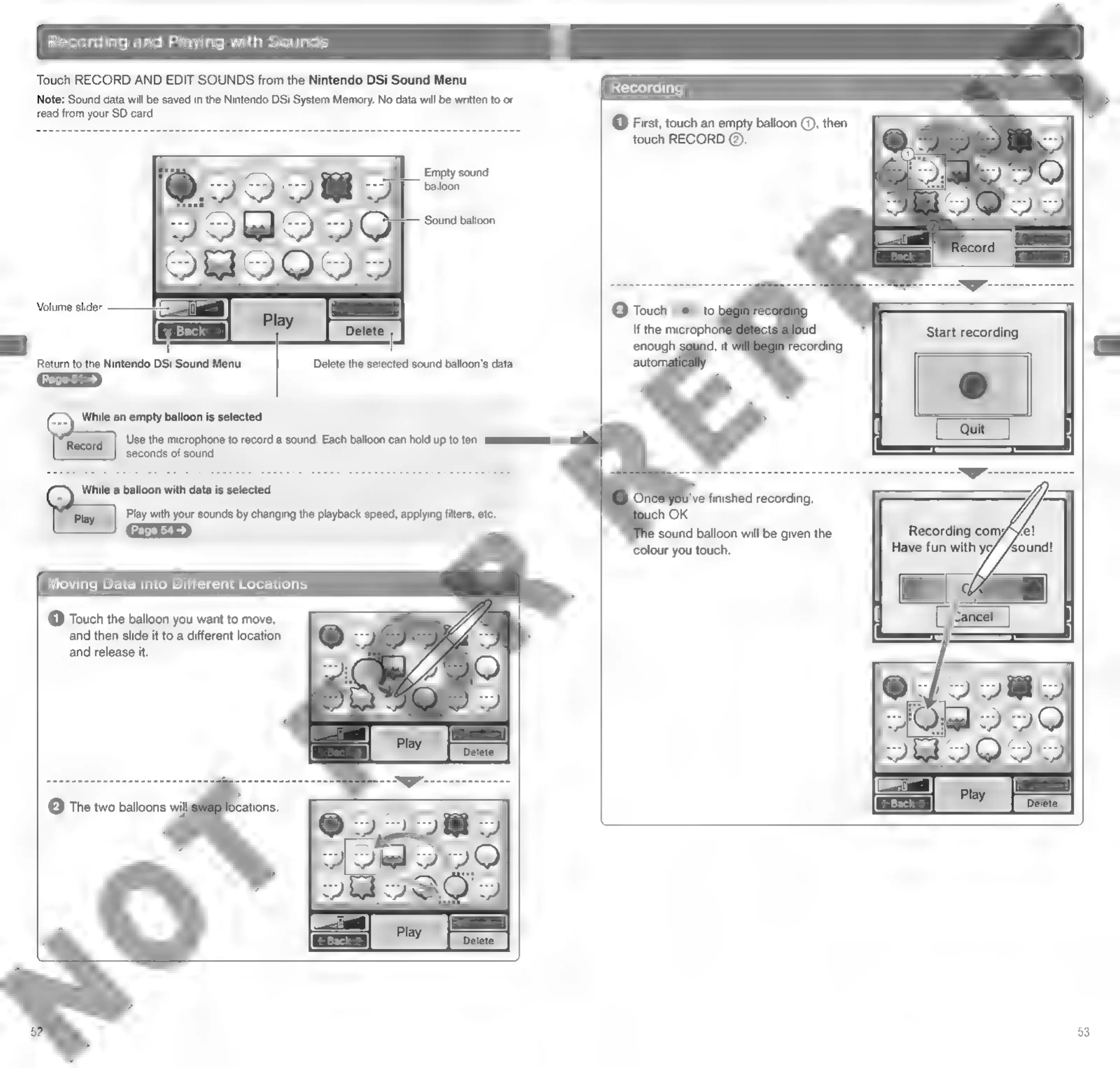
Touch
RECORD
AND
EDIT
SOUNDS
from
the
Nintendo
DSi
Sound
Menu.
Note:
Sound
data
will
be
saved
in
the
Nintendo
DSi
System
Memory.
No
data
will
be
written
to
or
read
from
your
SD
card.
1
Empty
sound
balloon
Sound
balloon
Volume
slider
Return
to
the
Nintendo
DSi
Sound
Menu
Delete
the
selected
sound
balloon’s
data
2
While
an
empty
balloon
is
selected
[“Recora
|
Use
the
microphone
to
record
a
sound.
Each
balloon
can
hold
up
to
ten
seconds
of
sound,
e@
While
a
balloon
with
data
is
selected
Le
Piey
|
Play
with
your
sounds
by
changing
the
playback
speed,
applying
filters,
etc.
Moving
Data
into
Different
Locations
(1)
Touch
the
balloon
you
want
to
move,
and
then
slide
it
to
a
different
location
and
release
it.
(2)
The
two
balloons
will
Recording
@
First,
touch
an
empty
balloon
@,
then
touch
RECORD
@).
enough
auto!
colour
you
touch.
53

Other manuals for Nintendo DSI

Related product manuals