EasyManua.ls Logo

Nintendo DSI - Sound Playback and Filters; Playback Modes and Filters

Nintendo DSI
72 pages
Print Icon
To Next Page IconTo Next Page
To Previous Page IconTo Previous Page
Loading...
Recording
and
Playing
with
Sounds
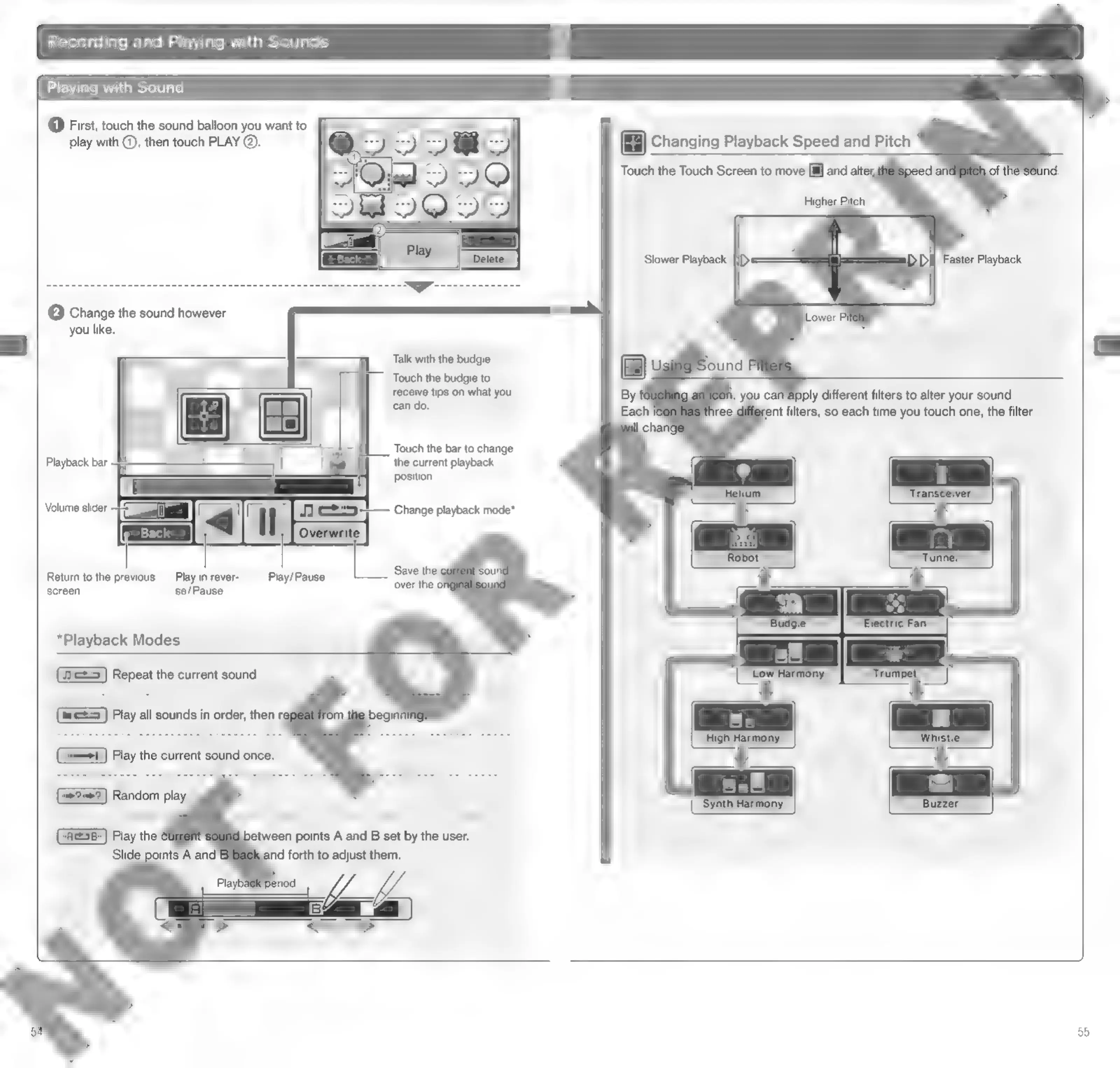
Playing
with
Sound
@
First,
touch
the
sound
balloon
you
want
to
play
with
@,
then
touch
PLAY
@.
®
Changing
Playback
Speed
and
Pitch
Touch
the
Touch
Screen
to
move
[il]
and
alter,
Slower
Playback
Faster
Playback
(2)
Change
the
sound
however
you
like.
Talk
with
the
budgie
Touch
the
budgie
to
receive
tips
on
what
you
can
do.
ly
different
filters
to
alter
your
sound.
rent
filters,
so
each
time
you
touch
one,
the
filter
7
.
Touch
the
bar
to
change
Playback
bar
the
current
playback
position
Volume
slider
Change
playback
mode*
Return
to
the
previous
Play
inrever-
Play/Pause
screen
se/Pause
*Playback
Modes
Repeat
the
current
sound.
(5)
Play
all
sounds
in
order,
then
ri
tween
points
A
and
B
set
by
the
user.
and
forth
to
adjust
them.
55

Other manuals for Nintendo DSI

Related product manuals