EasyManua.ls Logo

Nintendo DSI - Parental Controls Overview; Restricted Features and Ratings

Nintendo DSI
72 pages
Print Icon
To Next Page IconTo Next Page
To Previous Page IconTo Previous Page
Loading...
Parental
Controls
settings
allow
parents
or
guardians
to
manage
what
content
can
be
e %
used
or
downloaded
on
the
Nintendo
DSi
XL
system.
Only
one
set
of
Parental
Controls
Pan
European
Game
Information
(PEGI)
Video
a
settings
can
be
enabled
per
system,
so
it
is
recommended
that
you
choose
the
most
Game
Software
Rating
Information
Icons
secure
setting
required
for
your
family.
You
can
then
share
the
PIN
with
users
who
may
.
>
be
allowed
access
to
blocked
content.
‘Age
rating
categories
What
Can
Parental
Controls
Restrict?
ew
pein
c
3
©
Nintendo
DSi
software/Nintendo
DSi
compatible
software
Titles
rated
3
Titles
rated
7
Titles
rated
18
>
Restrict
usage
of
software
based
on
PEGI/BBFC*
rating
guidelines.
You
cannot
Pepa
Wa
every
He
re
ey
cclor
2
Suitable
for
use
this
to
restrict
the
use
of
Nintendo
DS
software
or
software
downloaded
via
de818
and
older
DS
Download
Play.
*
PictoChat
>
Restrict
the
use
of
this
application.
*
DS
Download
Play
>
Restrict
the
use
of
this
application.
*
Nintendo
DSi
Browser
>
Restrict
the
use
of
Nintendo
DSi
Browser
to
browse
the
internet.
Nintendo
DSi
Browser
is
an
internet
browser
that
can
be
used
to
view
web
pages
online.
If
you
do
not
want
to
allow
access
to
the
internet,
you
should
turn
the
Parental
Controls
on.
If
you
want
to
allow
limited
access
to
the
internet,
set
up
the
content
filtering
service
provided
by
Astaro
for
Nintendo
DSi
Browser.
For
further
details
on
this
service,
go
to
the
Favourites
Screen
and
select
ASTARO.
*
Nintendo
DSi
Shop
>
Restrict
the
purchase
of
software
using
PEGI/BBFC*
rating
guidelines.
>
Set
limits
on
Nintendo
DSi
Points
usage.
You
can
only
limit
Nintendo
DSi
Points
usage,
not
the
purchase
of
Points.
*
Photo
exchange
>
Restrict
the
exchange
of
photo
data
over
DS
Wireless
*
Others
>
Restrict
the
user-generated
content
that
can
be
rece
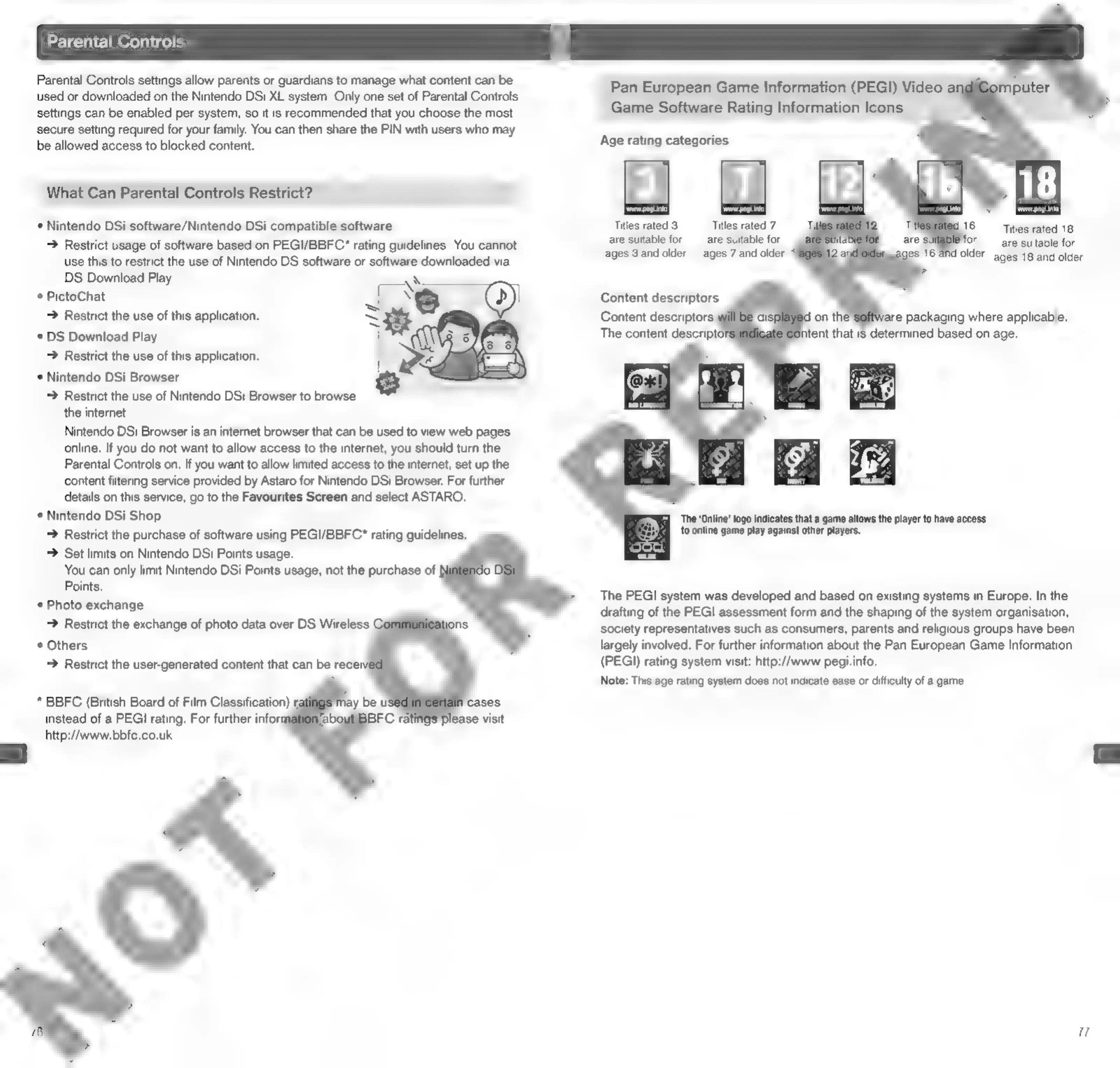
Content
descriptors
Content
descriptors.
‘The
‘Online’
logo
indicates
that
a
game
allows
the
player
to
have
access
to
online
game
play
against
other
players.
The
PEGI
system
was
developed
and
based
on
existing
systems
in
Europe.
In
the
drafting
of
the
PEGI
assessment
form
and
the
shaping
of
the
system
organisation,
society
representatives
such
as
consumers,
parents
and
religious
groups
have
been
largely
involved.
For
further
information
about
the
Pan
European
Game
Information
(PEGI)
rating
system
visit:
http://www.pegi.info.
Note:
This
age
rating
system
does
not
indicate
ease
or
difficulty
of
a
game.
*
BBFC
(British
Board
of
Film
Classification)
r:
instead
of
a
PEGI
rating.
For
further
infor
lease
visit
http://www.
bbfc.co.uk
7

Other manuals for Nintendo DSI

Related product manuals