EasyManua.ls Logo

Nintendo DSI - Setting Up Parental Controls

Nintendo DSI
72 pages
Print Icon
To Next Page IconTo Next Page
To Previous Page IconTo Previous Page
Loading...
Parental
Controls
Setting
up
Parental
Controls
@
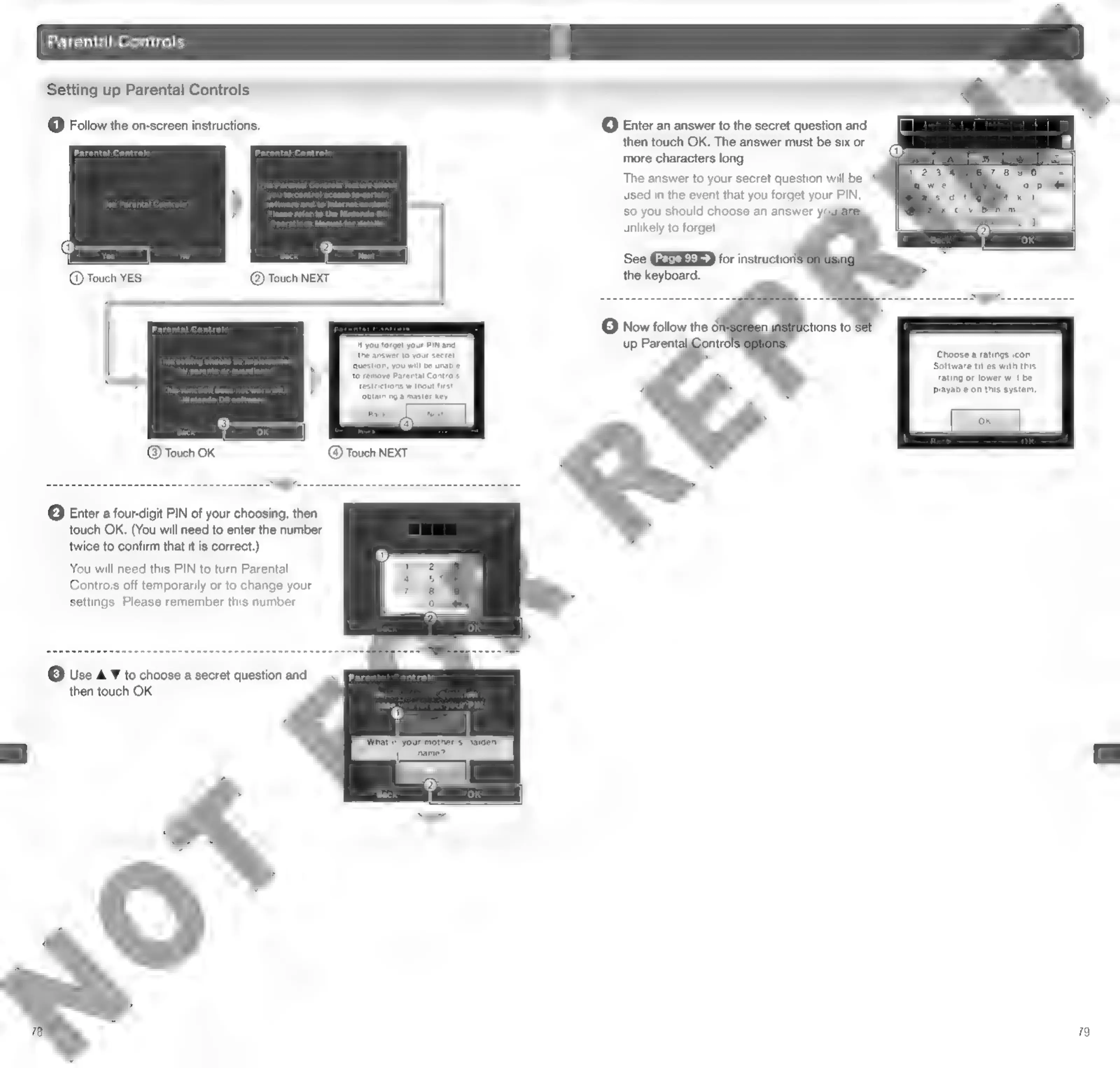
Follow
the
on-screen
instructions.
Hf
you
forget
your
PIN
and
the
answer
to
your
secret
question,
you
will
be
unable
to
remove
Parental
Controls
‘restrictions
without
first
obtaining
a
master
key.
©
Touch
OK
@
Touch
NEXT
@
Enter
a
four-digit
PIN
of
your
choosing,
then
touch
OK.
(You
will
need
to
enter
the
number
twice
to
confirm
that
it
is
correct.)
You
will
need
this
PIN
to
turn
Parental
Controls
off
temporarily
or
to
change
your
settings.
Please
remember
this
number.
(3)
Use
A
¥
to
choose
a
secret
question
and
then
touch
OK.
@
Enter
an
answer
to
the
secret
question
and
then
touch
OK.
The
answer
must
be
six
or
more
characters
long.
The
answer
to
your
secret
question
will
be
used
in
the
event
that
you
forget
your
PIN,
so
you
should
choose
an
answer
y
unlikely
to
forget
See
GESEER
for
instruction:
the
keyboard.
©
Now
follow
the
oi
up
Parental
ontrol
Choose
a
ratings
icon,
Software
titles
with
this
rating
or
lower
will
be
playable
on
this
system,
79

Other manuals for Nintendo DSI

Related product manuals