EasyManua.ls Logo

Nintendo DSI - Manual Internet Configuration

Nintendo DSI
72 pages
Print Icon
To Next Page IconTo Next Page
To Previous Page IconTo Previous Page
Loading...
Internet
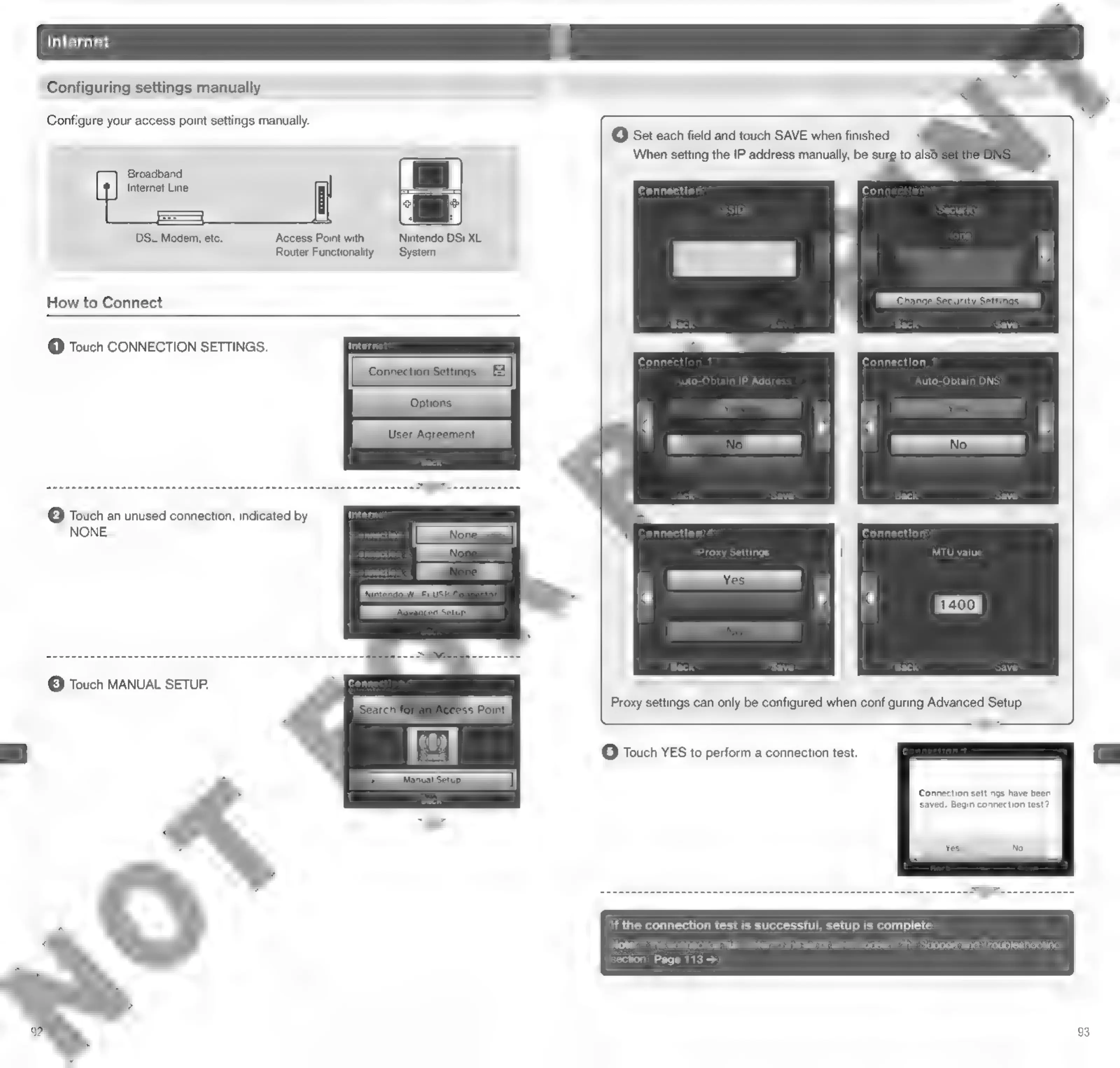
Configuring
settings
manually
Configure
your
access
point
settings
manually.
ER
aaa
See
et
each
field
and
touc!
when
finished.
When
setting
the
IP
address
manually,
be
sure
to
also
Broadband
Internet
Line
Conc
DSL
Modem,
etc.
Access
Point
with
Nintendo
DSi
XL
Router
Functionality
System
How
to
Connect
@
Touch
CONNECTION
SETTINGS.
Conne
1
Connection
1
uto-Obtain
IP
Add:
Auto-Obtain
DNS
(2)
Touch
an
unused
connection,
indicated
by
e
<
NONE.
c
nnection
4
Connection
1
Proxy
MTU
value
Save
©
Touch
MANUAL
SETUP.
Connection
settings
have
been
saved.
Begin
connection
test?
If
the
connection
test
is
successful,
setup
is
complete
Note:
if
the
connection
fails,
refer
to
the
list
of
error
codes
in
the
Support
and
Troubleshooting
section
Page
1133
93

Other manuals for Nintendo DSI

Related product manuals