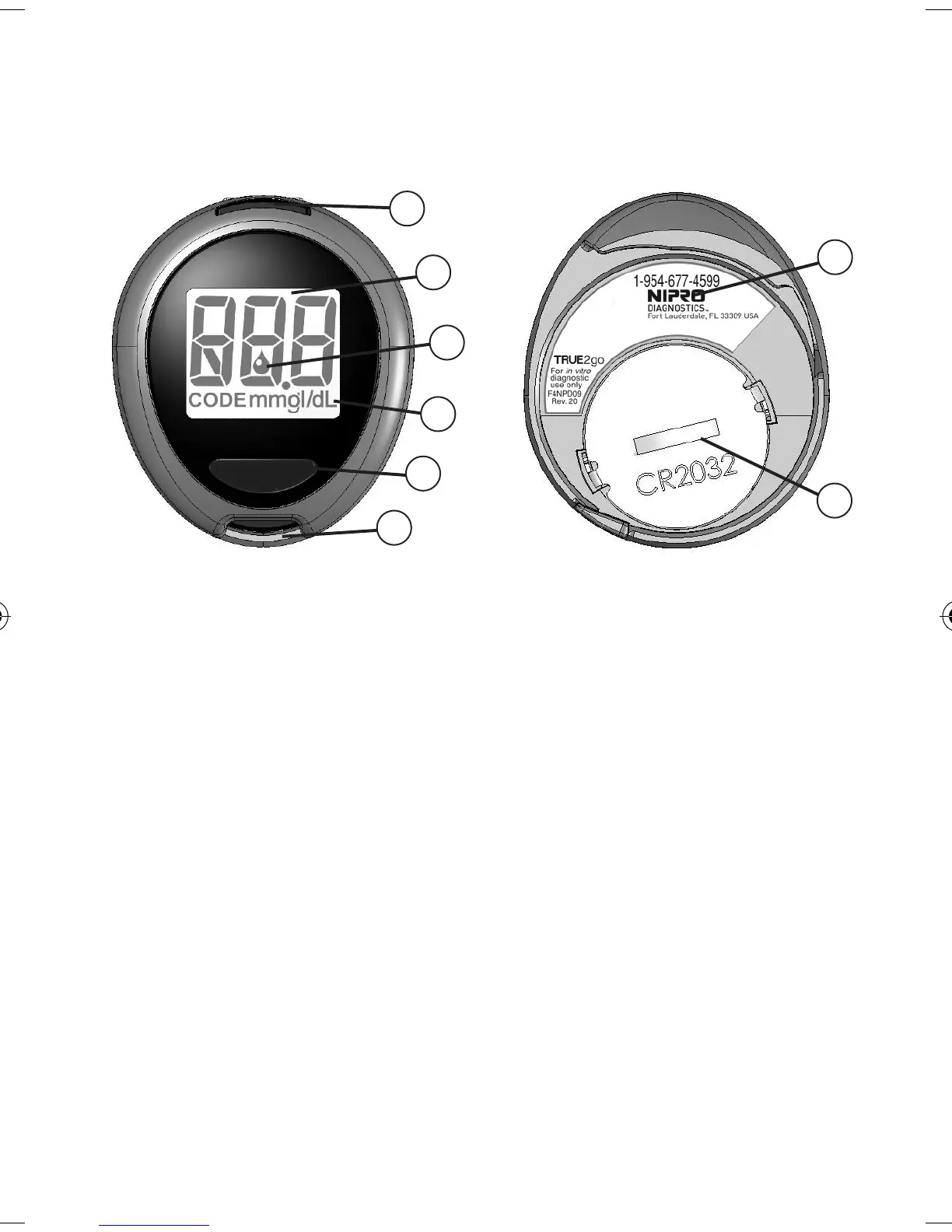
Know Your System
Meter
① Set Button - Turn Meter on for Memory, view/
scroll results in Memory, mark result as Alternate
Site.
② Display - Shows results, messages, user prompts,
information.
③ Drop Symbol - Apply blood or Glucose Control.
④ Units of Measure - Note: Factory set, cannot be
changed by user.
⑤ Strip Release Button - Releases Strip after testing.
⑥ Test Port - Insert TRUEtest Test Strip here.
⑦ Meter Label - Contains serial number of Meter and
phone number to call for assistance.
⑧ Battery Cover - Use one non-rechargeable 3V
lithium battery (#CR2032), positive (“+”) side up
(
See Changing Battery).
9
Top of Meter
4
6
1
3
2
5
Bottom of Meter
7
8
T2g_OB_GutsENG_F4NPD04r21.indd 9 12/21/11 9:56 AM



 To Next Page