10
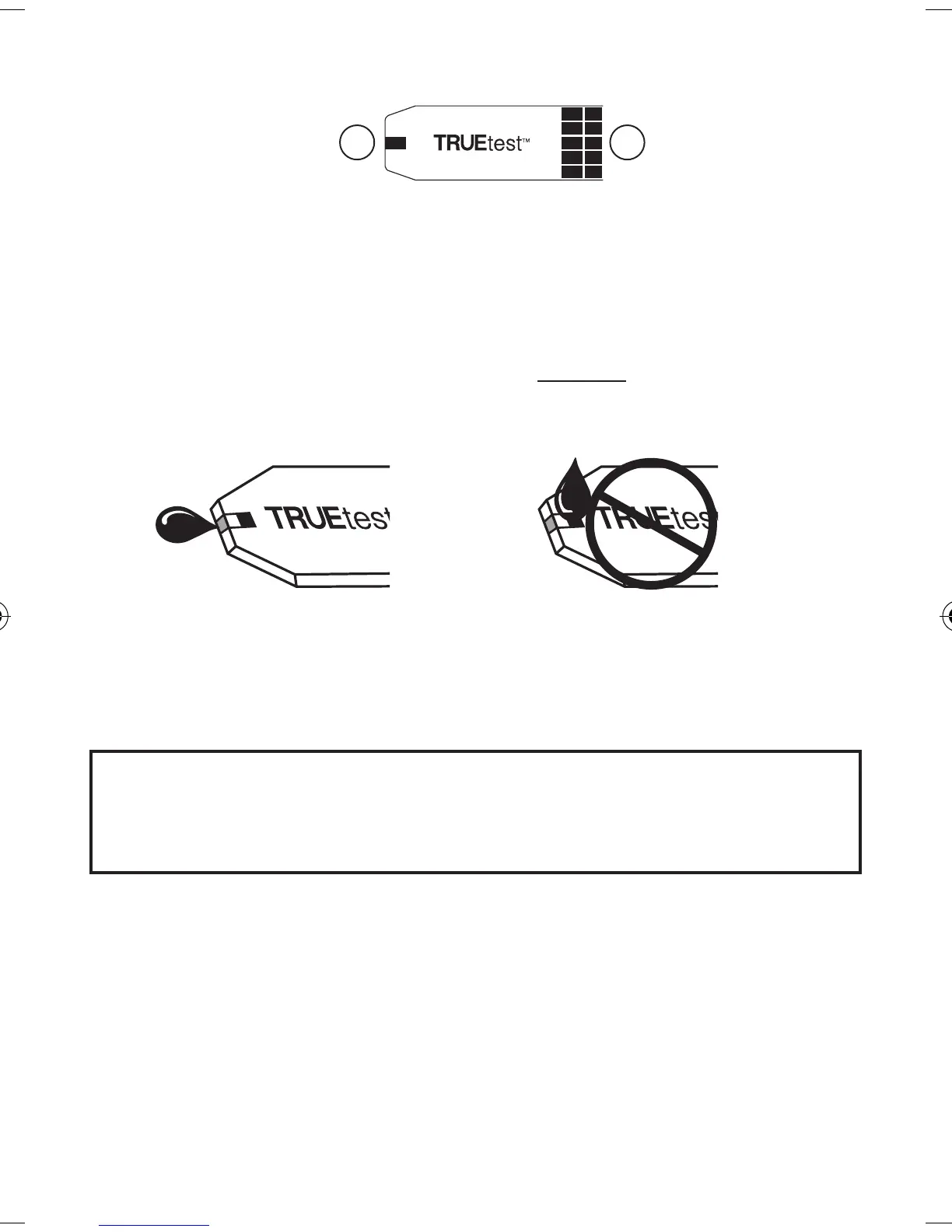
① Contact End -
Insert into Test Port with blocks
(contacts) facing up
.
② Sample Tip -
Bring sample (fresh, capillary or
venous blood or Glucose Control) to edge of Tip.
Note: Insert Strip into Meter before touching
Sample Tip to blood or Control drop.
Sample Placement
Correct Placement Incorrect Placement
•
Allow sample (blood or Glucose Control drop)
to be drawn into Sample Tip until testing begins
(Dashes move across Display)
.
Caution! Holding the Test Strip Sample Tip to the
blood sample too long after the Meter
begins testing may cause inaccurate results.
• Do not smear or scrape drop with Strip.
• Do not apply more sample to the Strip after
testing begins.
Note: Do not apply blood or Glucose Control to top
of Test Strip.
Do not insert Sample Tip with sample into
Meter for testing. May damage Meter.
Test Strip
12
Top of Test Strip
T2g_OB_GutsENG_F4NPD04r21.indd 10 12/21/11 9:56 AM



 To Next Page