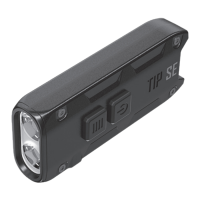
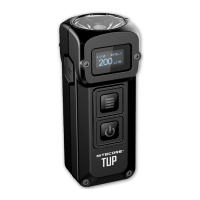
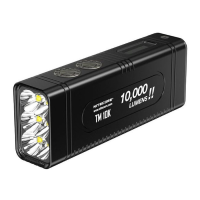
The power indicator indicates the remaining battery power (Patent No. ZL201220057767.4)
Incorporated Advanced Temperature Regulation (ATR) module (Patent No. ZL201510534543.6)
HA III hard-anodized finish
Magnetic tail design
IP67 rated and impact resistant to 1 meter
Specifications
Size: 62.6mm×26.9mm×13.4mm (Clip not included) (2.46″ ×1.06″ ×0.53″)
Weight: 38.3g (Clip not included) (1.35oz)
Accessories
Clip, Key Clasp
Technical Data
FL1 STANDARD TURBO HIGH MID LOW
720 Lumens 200 Lumens 30 Lumens 1 Lumen
*15min lh 15min 8h 55h
93m 48m 18m 3m
2,160cd 580cd 80cd 2cd
lm (Impact Resistance)
IP67 Rated
Note: The stated data is measured in accordance with the international flashlight testing standards ANSI/NEMA FL1, using the built-in Li-ion
battery (500mAh) under laboratory conditions. The data may vary in real-world use due to different battery usage or environmental conditions.
* The runtime for TURBO mode is tested without the temperature regulation.
Warranty Service
All NITECORE® products are warranted for quality. Any DOA /defective product can be exchanged for a replacement through a local
distributor/dealer within 15 days of purchase. After that, all defective/malfunctioning NITECORE® products can be repaired free of charge
within 24 months from the date of purchase. Beyond 24 months, a limited warranty applies, covering the cost of labor and maintenance, but not
the cost of accessories or replacement parts. The warranty will be nullified if 1. the product(s) is/are broken down, reconstructed, and/or
modified by unauthorized parties; 2. the product(s) is/are damaged due to improper use. For the latest information on NITECORE® products
and services, please contact a local NITECORE® distributor or send an email to service@nitecore.com
All images, texts and statements specified herein this user manual are for reference purposes only. Should any discrepancy occur between
this manual and information specified on www.nitecore.com, Sysmax Innovations Co., Ltd. reserves the rights to interpret and amend the
content of this document at any time without prior notice.
TIP2 User Manual
Charging Function
TIP2 is equipped with an intelligent charging system. Please charge the battery before the first use.
Connecting to the External Power: As illustrated, pull out the tail cap and use the USB cable to connect an external power supply (e.g. a
USB adaptor, a computer or other USB charging devices) to the MicroUSB port to begin the charging process. The charging time is approx. 1h
45min.
Charging Indicator: When the charging status is normal, the blue charging indicator located beside the buttons will flash slowly. When the
battery is fully charged, the charging indicator will become steadily turned on.
Note: When the power level is low, the power indicator will flash every 3 seconds to inform the user. The flashlight should be recharged when
the output appears to be dim or the flashlight becomes unresponsive due to low power.
Operating Instructions
On / Off
On: When the light is off, long-press the Power Button to turn it on. Off: When the light is on, short/long-press the Power Button to turn it
off.
User Modes



 To Next Page