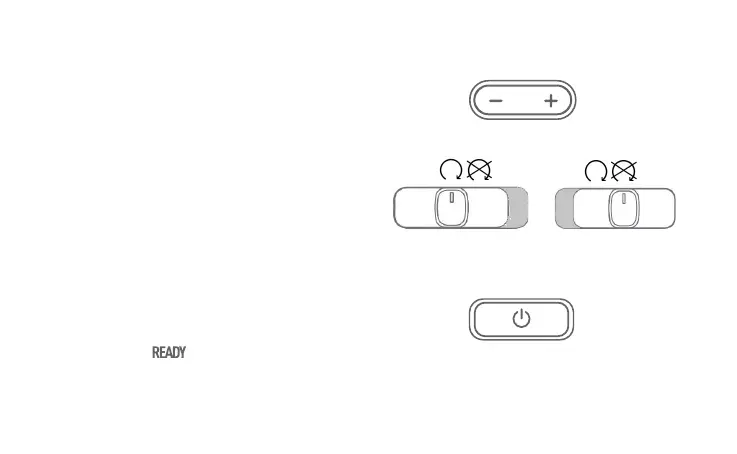
Emergency Engine Stop Switch: Push the
switch left to allow power to the motor;
push the switch right to disengage power to
the motor.
Start Button: With the key in the ON position
and brake lever pulled in, press and hold the
Start button for 2 seconds to start the
scooter. The on the dashboard will light
up. Press the button again to turn it off.
Mode Switch: Press + to switch the mode
upward. Press - to switch the mode
downward. Higher modes will result in a
higher top speed with a lower driving
range as a result.
Mode 1
Eco Mode
Mode 2
Sport Mode
21
Motor power
disengaged
Motor power
engaged
Press to start


 To Next Page