9
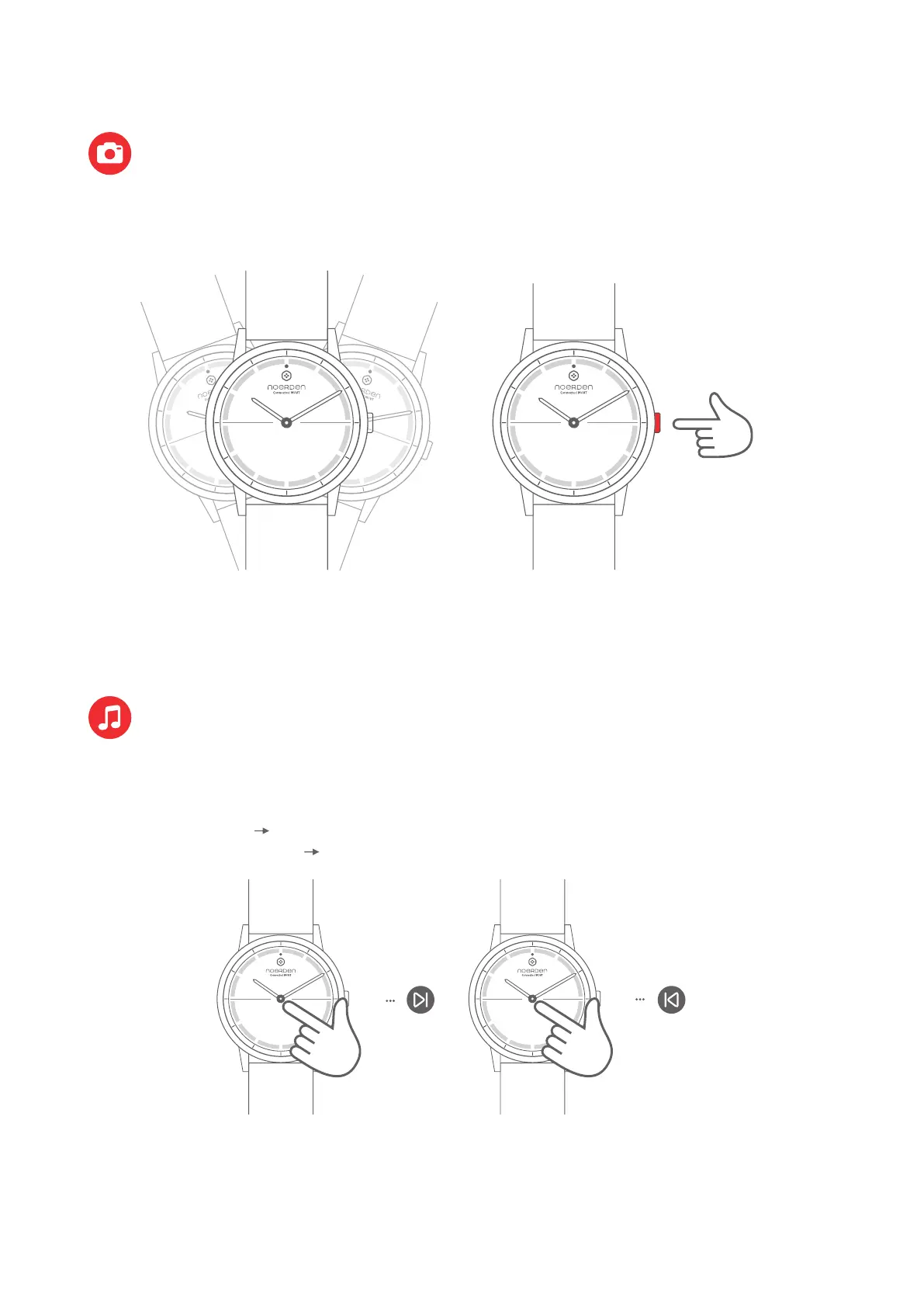
Tap three timesTap twice
Note: Your watch must be connected to your phone via Bluetooth, and
you must accept NOERDEN App to access your phone's camera.
Note: Your watch must be connected to your phone via Bluetooth
and you must accept the NOERDEN App to access your music apps.
Tap the glass twice Play the next song
Tap the glass three times Play previous song
Camera Remote
Music Control
Press once
or
In the NOERDEN App, go to the "Device" menu and then "Camera Remote". A camera
page will open. Shake your watch or press the button to take a picture.
In the NOERDEN App, go to the 'Device' menu to switch on the Music Control function.
After that, you can tap your watch glass to control your music play.



 To Next Page